VoIP
Vonage Cloud Center
Connect Vonage Cloud Center to Leexi to automatically import your calls.
| Who is this for? | Required permissions and licenses |
|---|---|
| • Administrators who manage company integrations. | • License required: depending on your plan, check availability in Settings > Integrations. • Administrator rights on your Leexi and Vonage accounts. |
How to use it
Estimated time: 5 minutes.
Create API credentials in Vonage
- Log in to the VCC admin portal and go to API credentials.
- Click Create new.
- Fill in the following information:
- Name:
Leexi - Scopes:
users:readandinteraction-content:read
- Name:
- Keep the page open: you will need the client ID and the secret.
Enable the integration in Leexi
- Go to Settings > Integrations.
- Click Add on the Vonage Cloud Center integration.
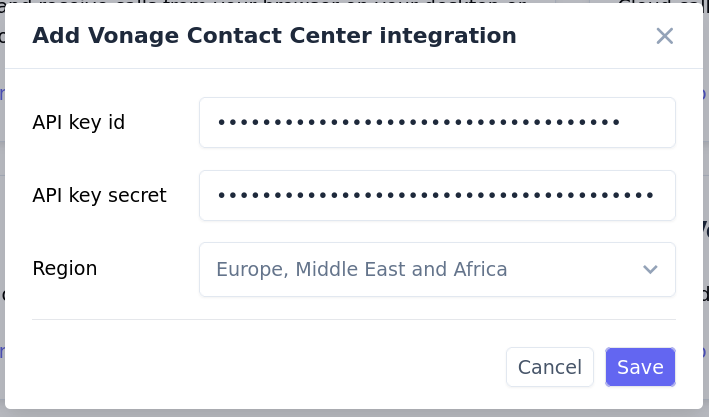
- Paste the client ID into the API key ID field and the secret into the API key secret field.
- Select the region where your VCC server is hosted.
- Click Save.
Your next Vonage calls will appear in Leexi!