Odoo
| Who is this for? | Required permissions and licenses |
|---|---|
| • For administrators managing the company's integrations. | • Administrator rights on your Leexi and Odoo accounts. • An Odoo Custom plan: the integration uses Odoo's external API, available only on Odoo Custom plans. With a One App Free or Standard plan, the integration may not work (see the Odoo pricing page). • Odoo version 15.3 or higher. |
The integration requires at least the Contact module on your Odoo instance. Odoo modules integrated with Leexi:
How to use it
Add the integration in Leexi
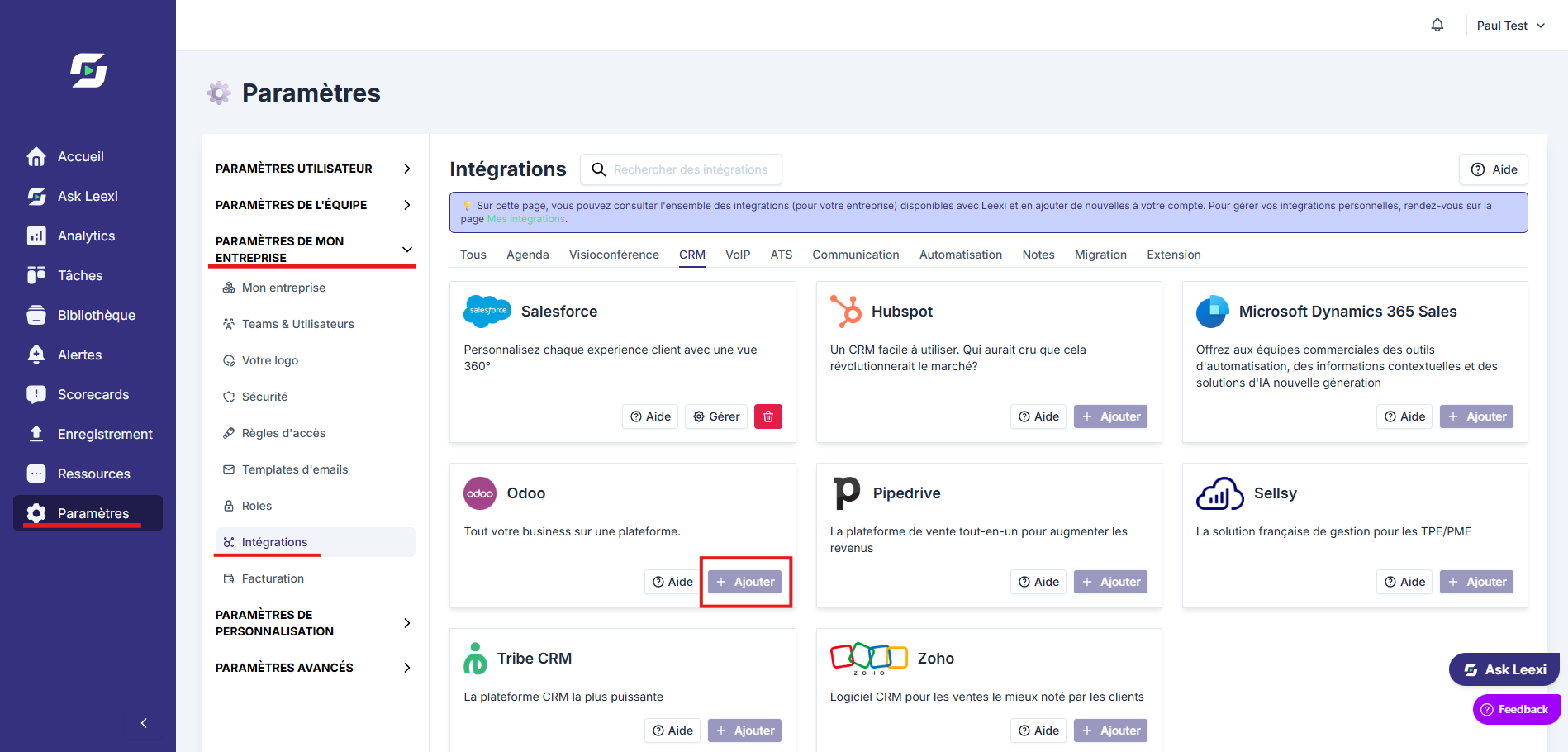
From your Leexi account, go to Settings → Company settings → Integrations, then click Add on the Odoo card.
Enter the required information
- Instance URL: the URL of your Odoo instance. Example:
https://demo.odoo.com - Database name: the name of the Odoo database to connect to Leexi. Example:
demo. On Odoo.sh, the database name can be obtained in the shell with the commandecho $PGDATABASE. - Username: the email or username used to log in to the Odoo instance. The user must have administrator rights and have a password set in the Odoo instance. We recommend creating a dedicated user for generating the API key.
- API key: how to create an Odoo API key? Make sure to create the API key for the username chosen in the previous step.
Once all fields are filled in, click Save.
Verify the user linking
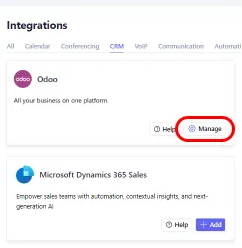
Click the Manage button on the integration and check that your Leexi users are properly linked to the corresponding Odoo users.
Enable sending summaries to the CRM
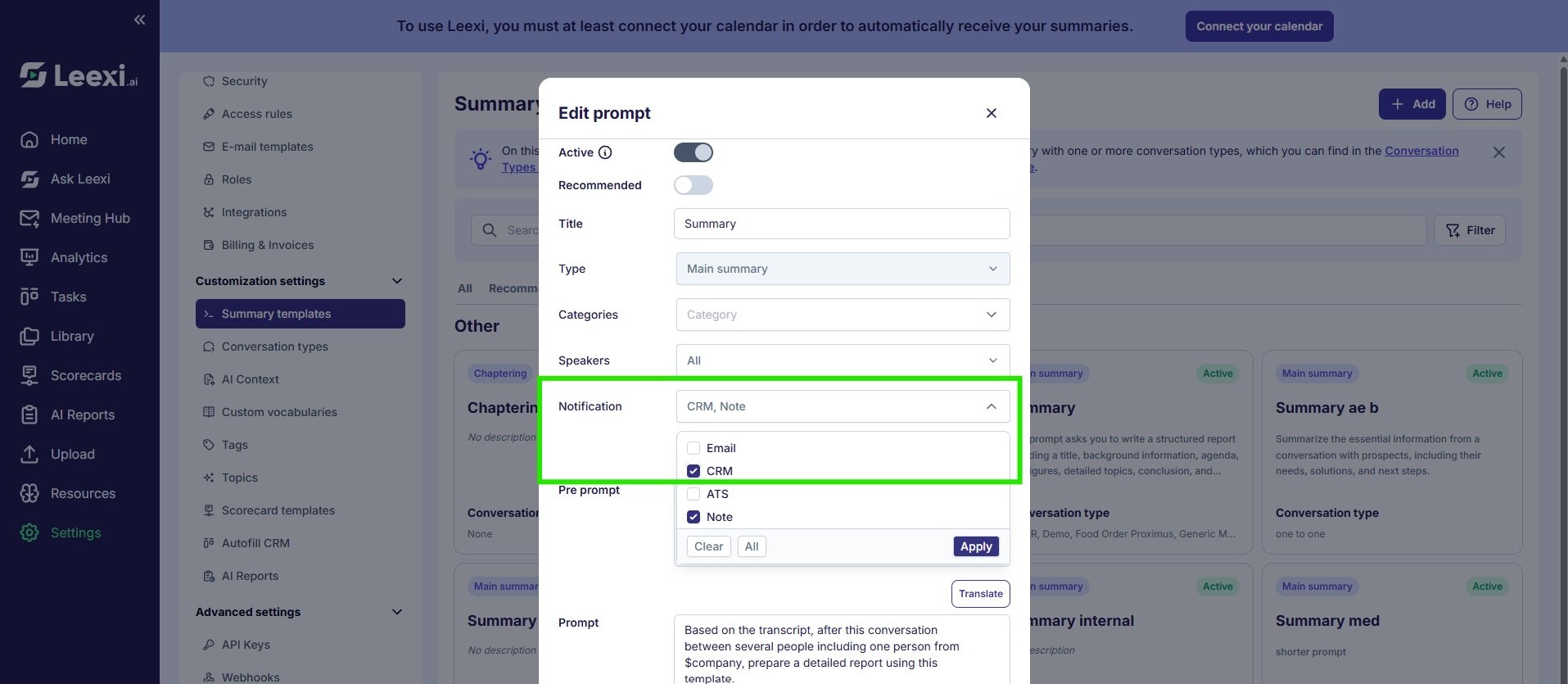
Go to Customization settings → Summary templates and check the "CRM" notification for each summary template you want to send to Odoo. Without this step, you won't receive your summary as a note in the CRM.
Check the result in Odoo
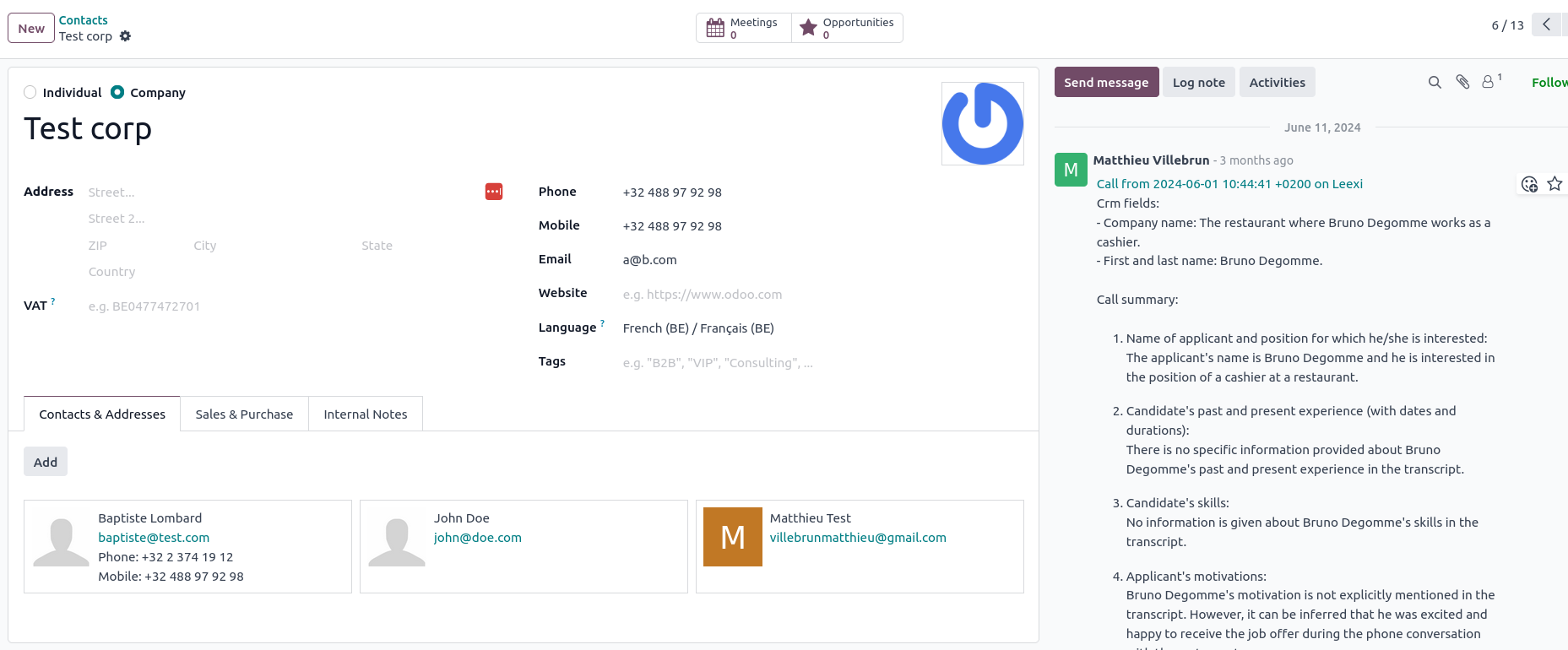
Done! Your CRM information is now synced with Leexi and you'll receive call notes on the relevant deals, contacts, and organizations. Here's the type of note visible in Odoo.
Frequently asked questions
This depends on the modules installed on your Odoo instance.
If the Contact module is installed, you'll find the notes in the chatter of the contacts linked to the call recorded with Leexi. This module is linked to many other Odoo modules and is very likely installed on your instance.
If the CRM module is installed, you'll also find the notes in the chatter of the opportunity linked to the call recorded with Leexi.
Things to watch out for
- The integration relies on Odoo's external API, available only on Odoo Custom plans; it may not work with a One App Free or Standard plan.
- Odoo version 15.3 minimum and the Contact module installed are required.