Sellsy
| Who is this for? | Required permissions and licenses |
|---|---|
| • For administrators managing the company's integrations. | • Administrator rights on your Leexi and Sellsy accounts. • License required: depending on your plan, check availability in Settings > Integrations. |
How to use it
Add the Sellsy integration in Leexi
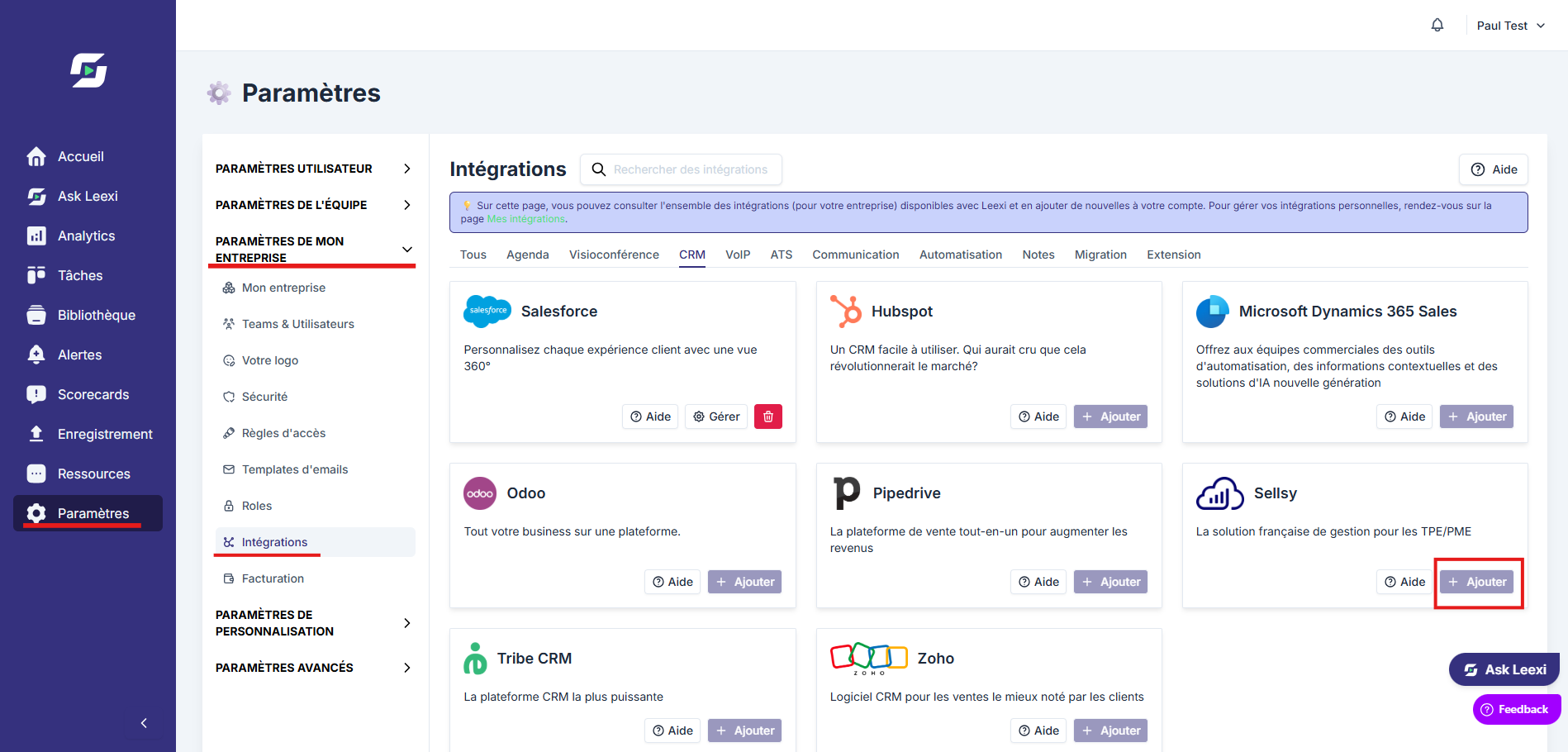
From your Leexi account, go to Settings → Company settings → Integrations, then click Add on the Sellsy card. You're redirected to the Sellsy authentication page.
Authorize Leexi in Sellsy
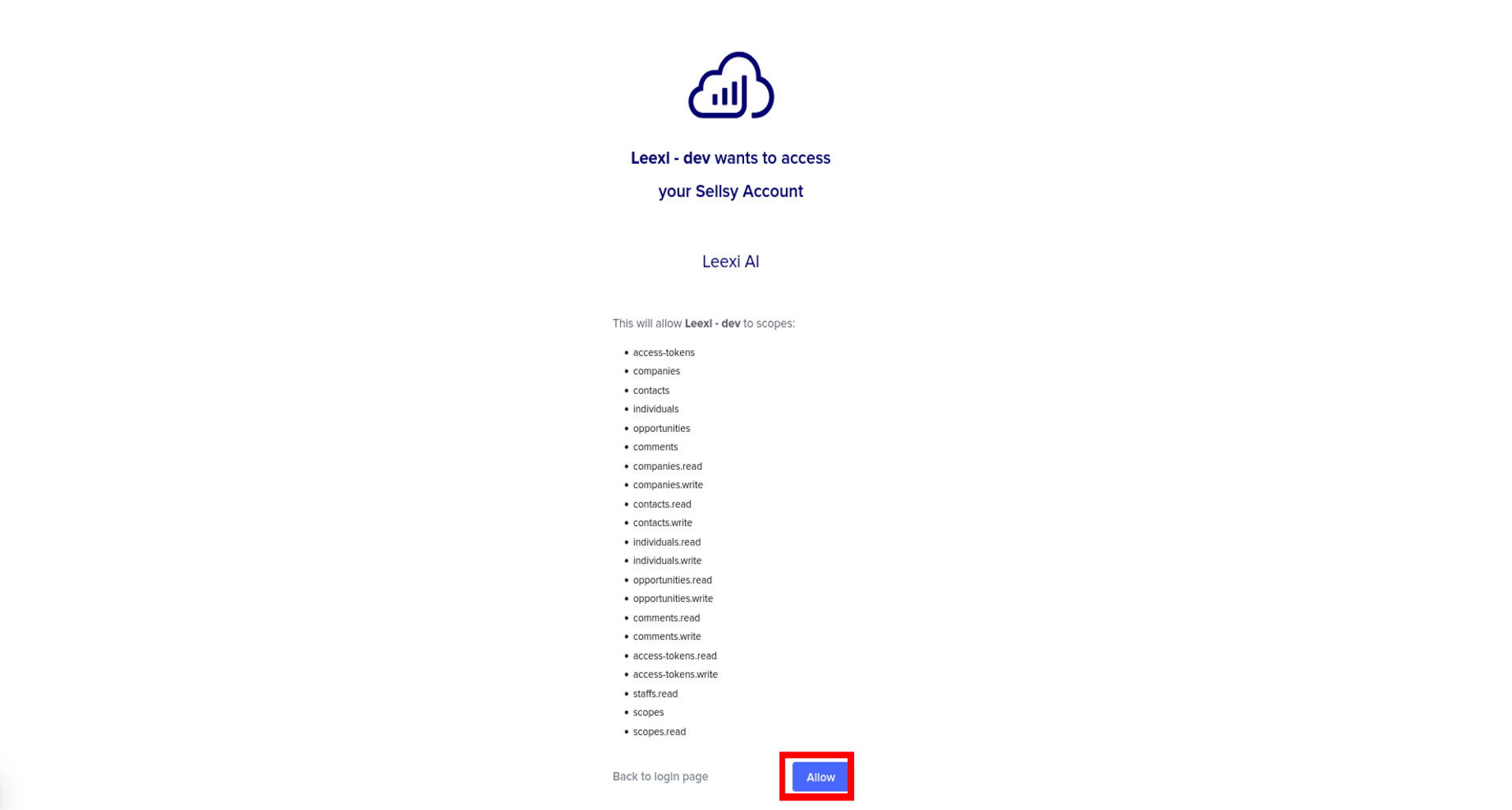
Click Authorize. You're then redirected to the Leexi integrations page.
Link Leexi users to Sellsy users
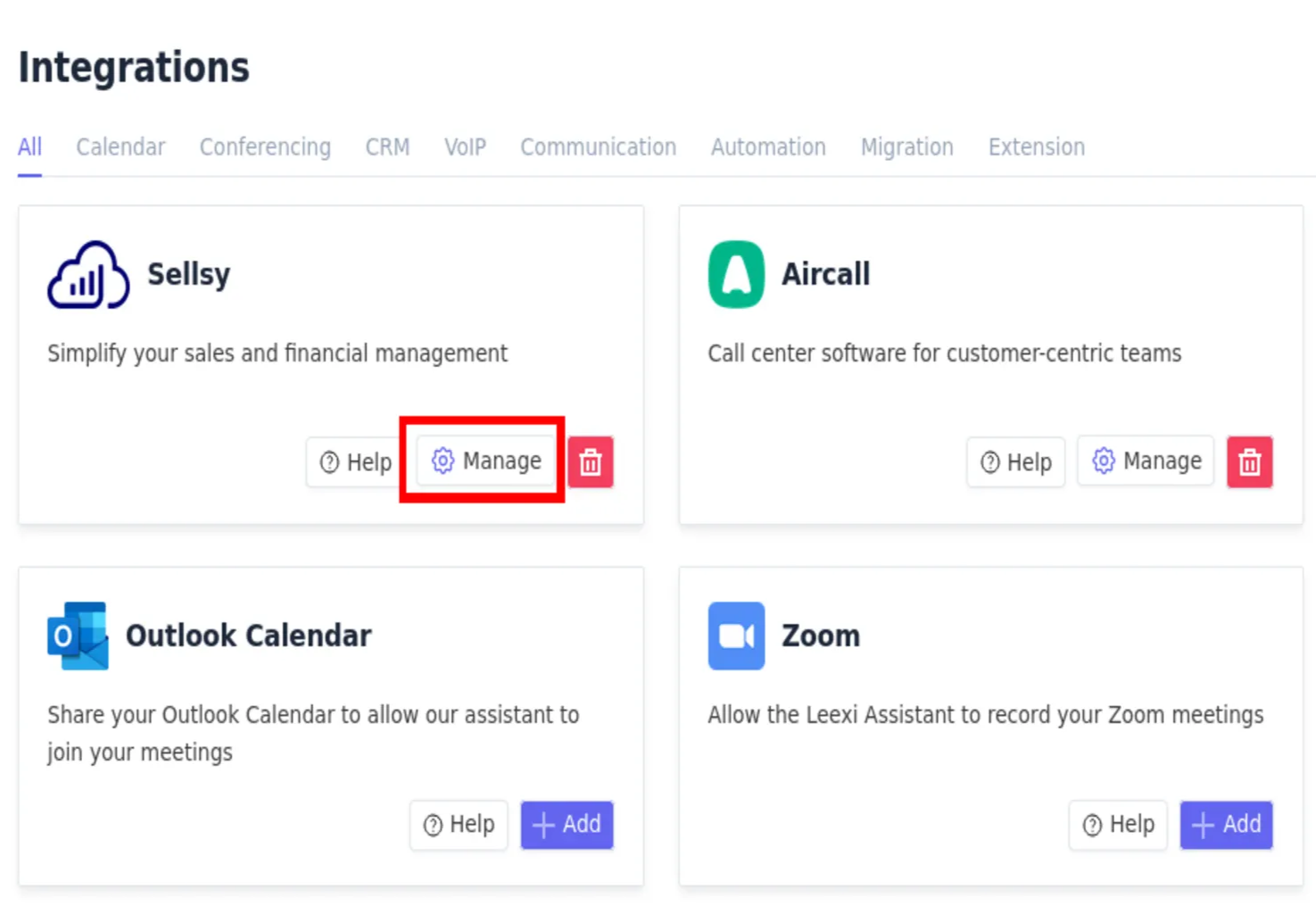
Click the Manage button on the integration and check that your Leexi users are properly linked to the corresponding Sellsy users.
Enable the CRM notification on your summary templates
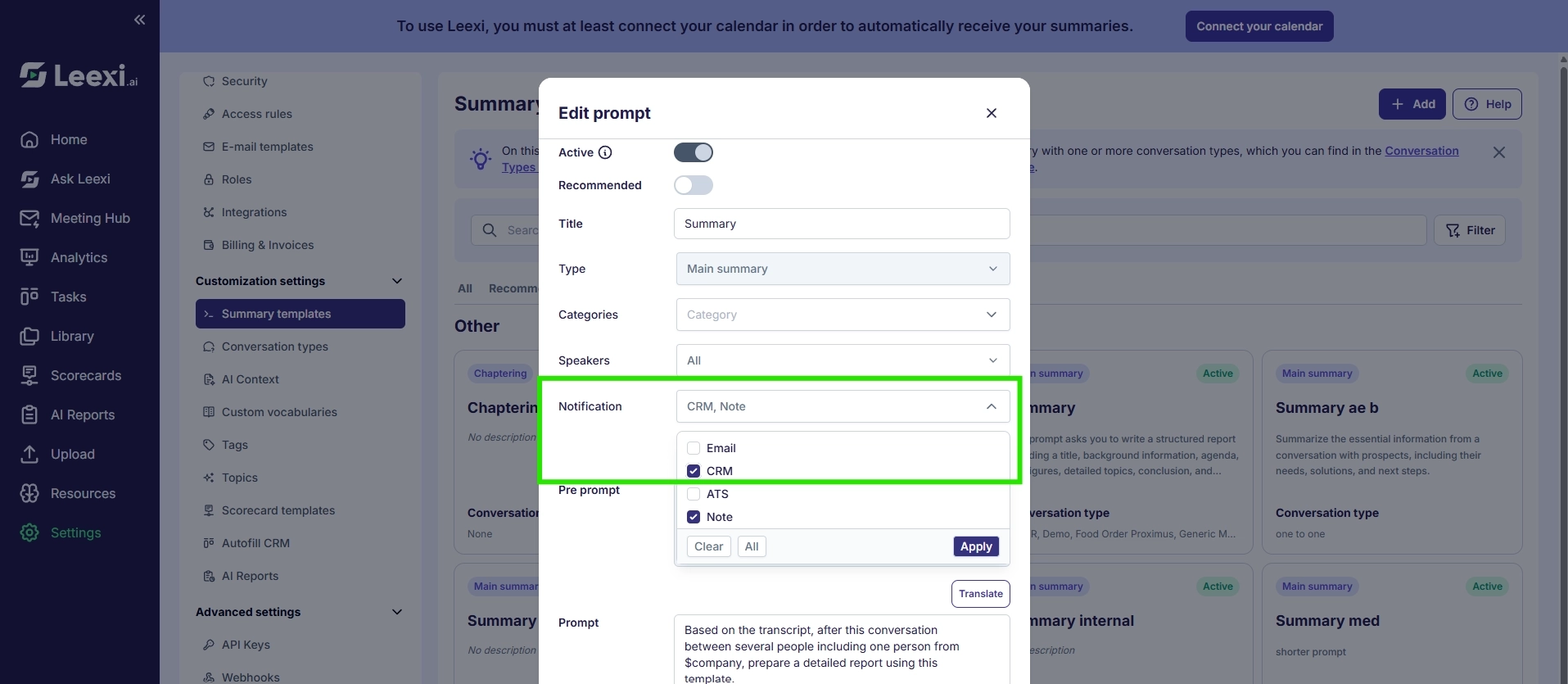
Go to Customization settings → Summary templates, then check the "CRM" notification for each summary template you want to send to Sellsy. Without this step, you won't receive your summary as a note in the CRM.
Check the sync
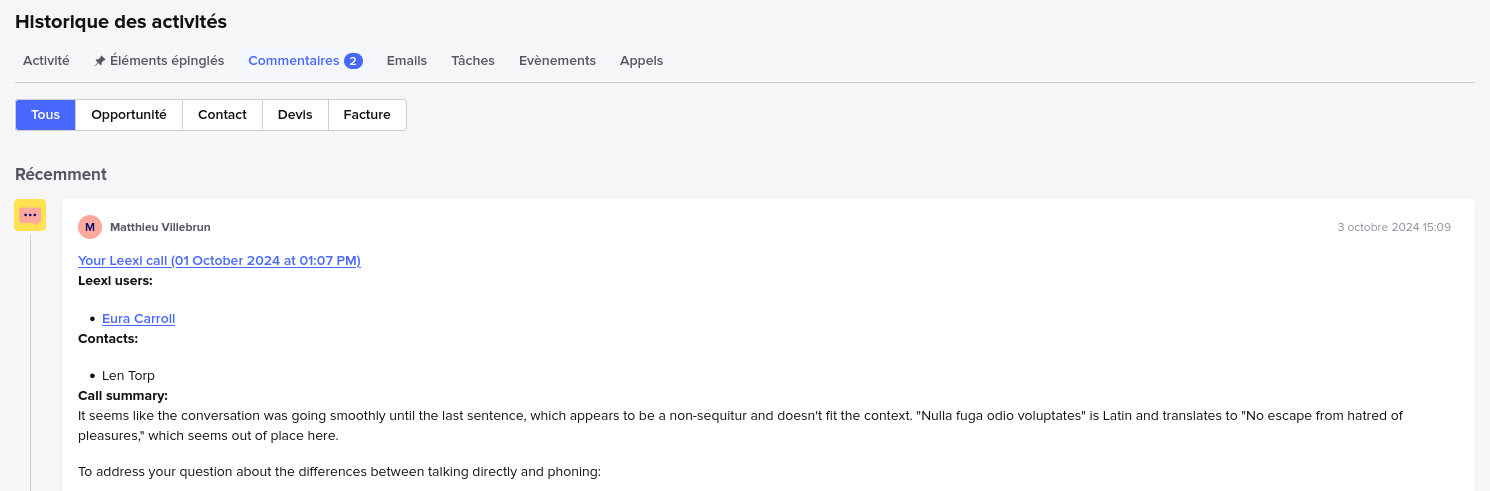
Done! Your CRM information is now synced with Leexi and you'll receive call notes on the relevant opportunities, contacts, and companies. Here's the type of note you'll see in Sellsy.
Frequently asked questions
Things to watch out for
- If the "CRM" notification isn't checked on a summary template, the corresponding summary isn't sent to Sellsy.