Zoom
| Who is this for? | Required permissions and licenses |
|---|---|
| • All users who organize or attend Zoom meetings. | • License required: depending on your plan, check availability in Settings > Integrations. • Each user activates their own Zoom integration; the meeting host must be able to authorize the recording. |
How to use it
Activate a calendar integration
Leexi needs an active calendar integration to know which meetings to send the Zoom assistant to. Go to My integrations and activate the Google Calendar or Outlook integration.
Note: the assistant asks the meeting organizer for permission to record before starting. If this permission isn't granted, the assistant leaves the meeting.
Activate the Zoom integration
To allow the assistant to join your meetings, activate the Zoom integration from My integrations.
Check your Zoom account configuration
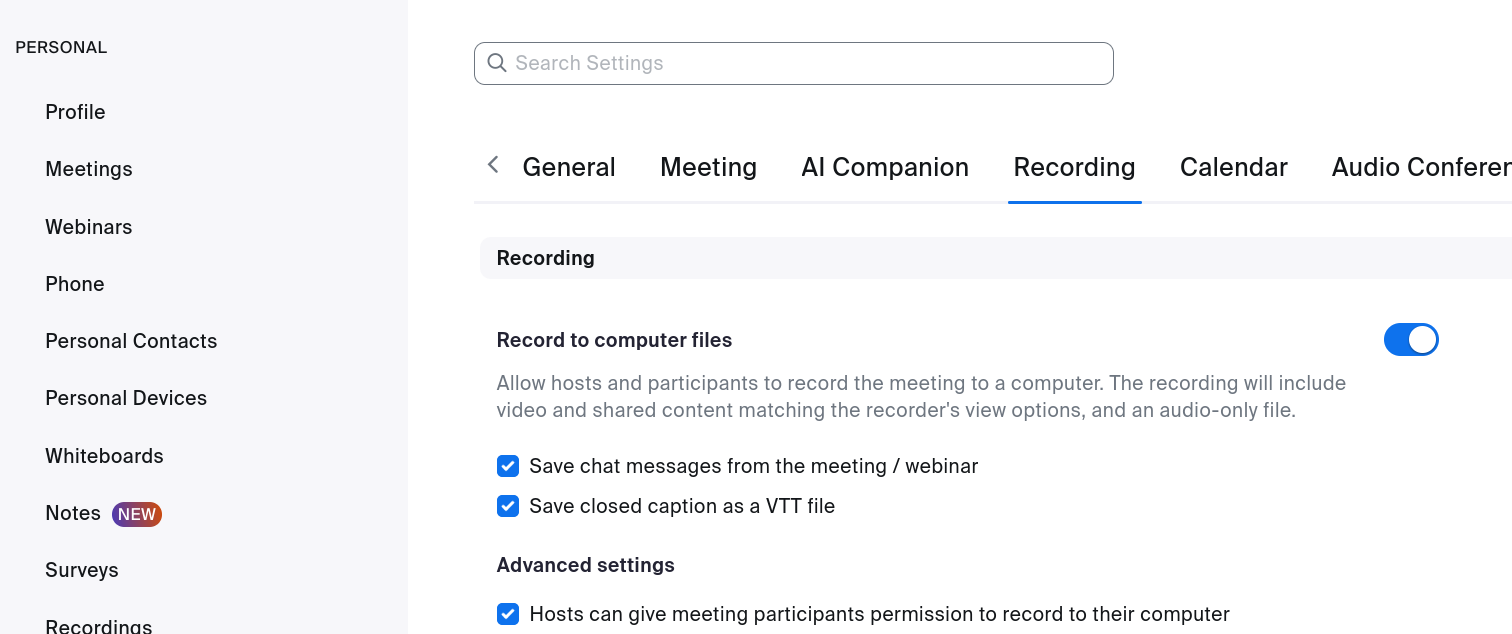
In your Zoom settings, under Settings → Recording (https://zoom.us/profile/setting?tab=recording), the Record to computer files and Hosts can give meeting participants permission to record locally options must be enabled (this is the default).
Going further
Optional: enable the waiting room
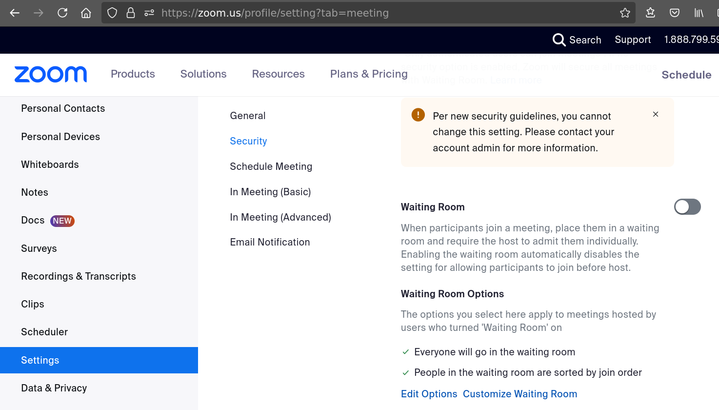
By default, the Zoom assistant joins your meetings directly and starts recording (if the integration is enabled). You can enable the waiting room for all your meetings by going to https://zoom.us/profile/setting?tab=meeting and enabling the Waiting Room option: the host will then need to let the assistant in (along with all participants). You can also enable this option for specific meetings only.
Frequently asked questions
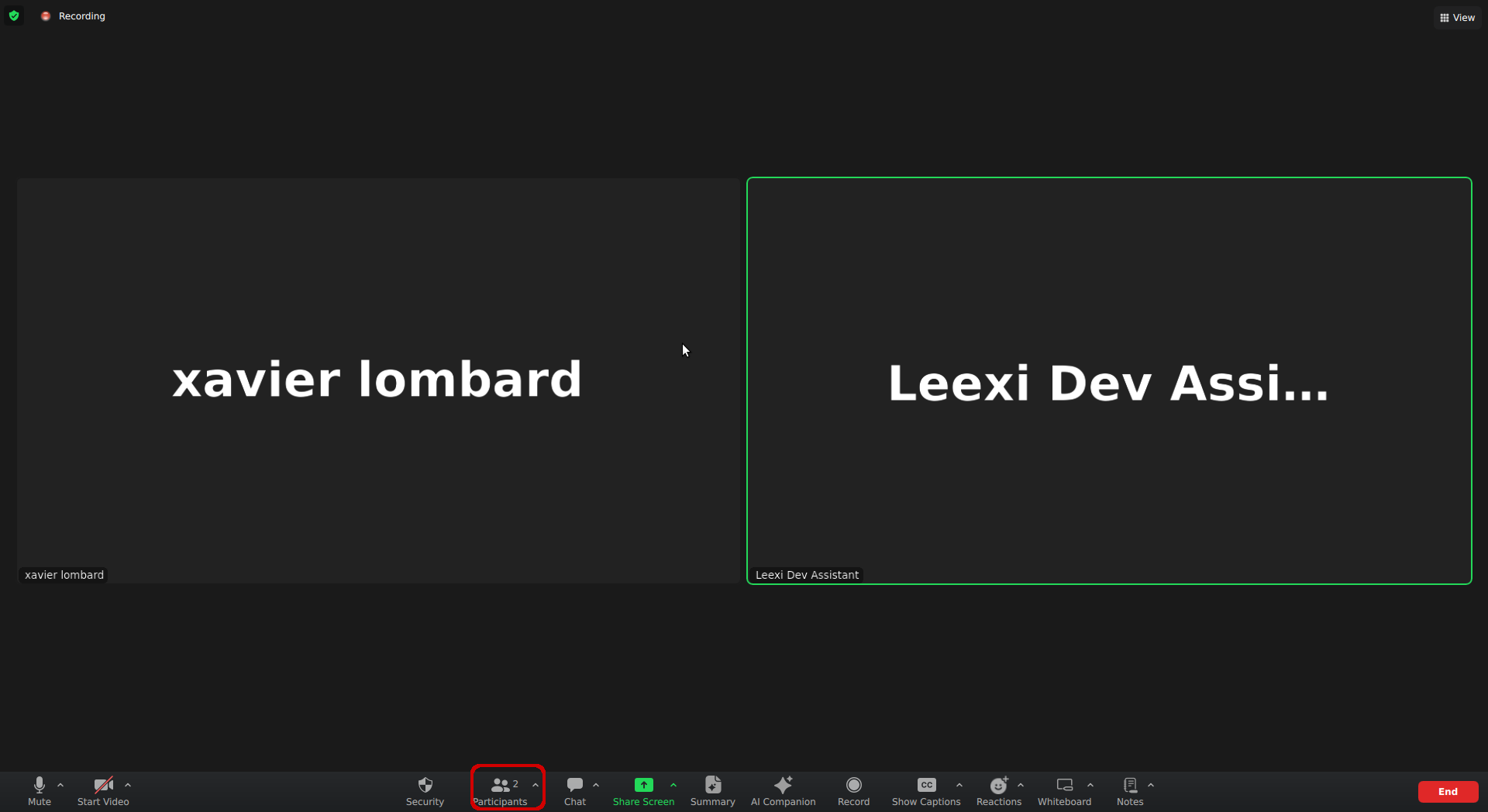
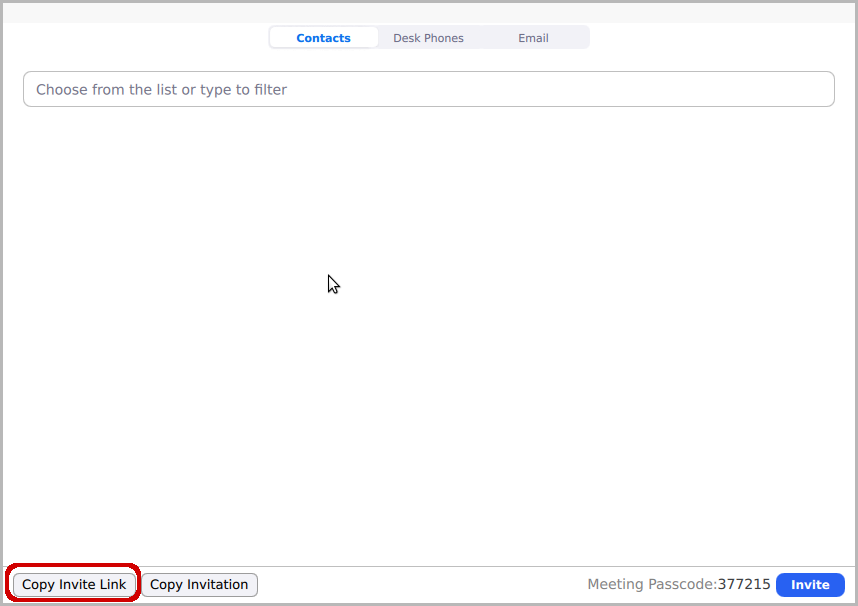
- Click Participants.
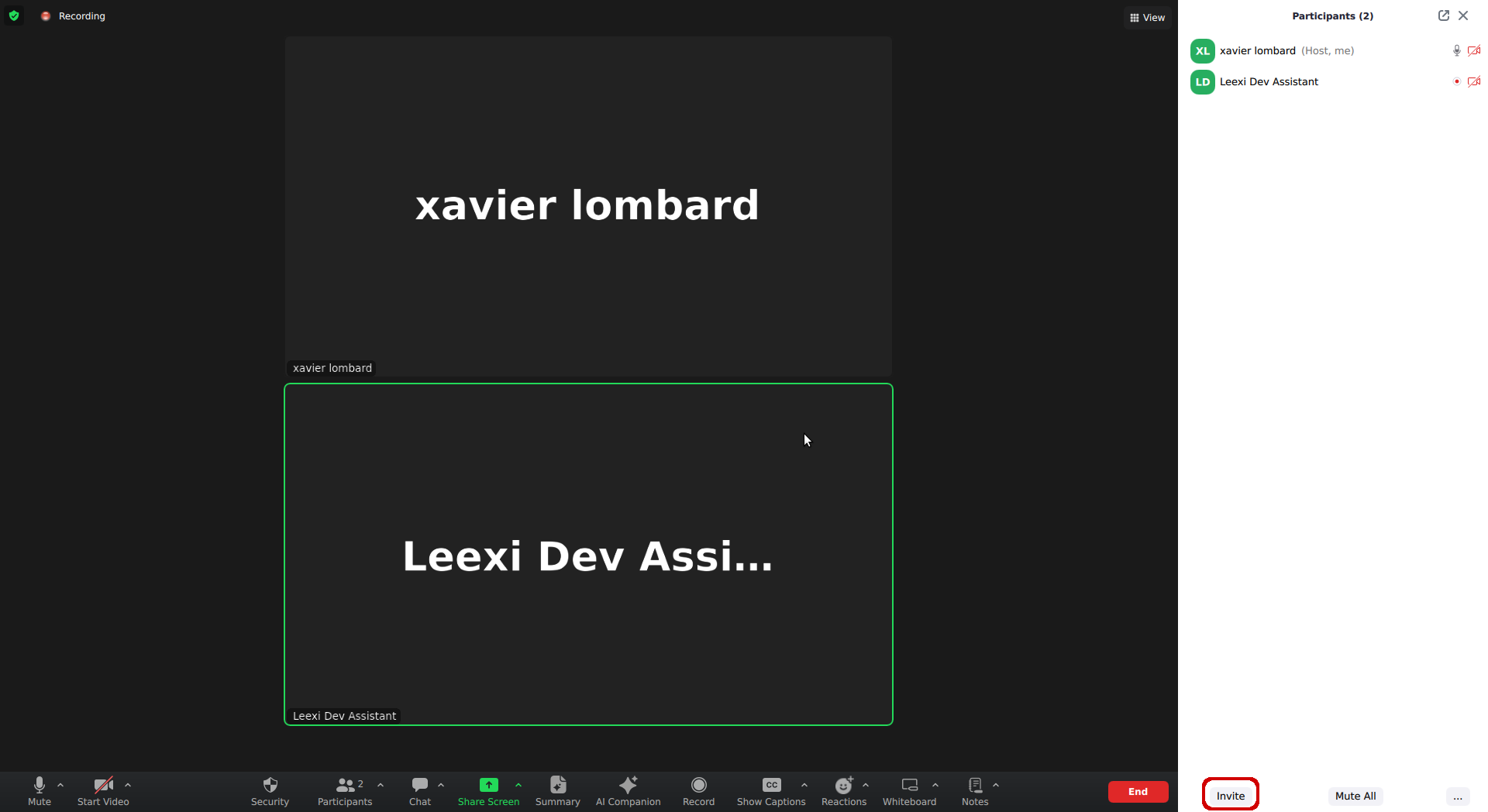
- Click Invite.
- Click Copy Invitation Link.
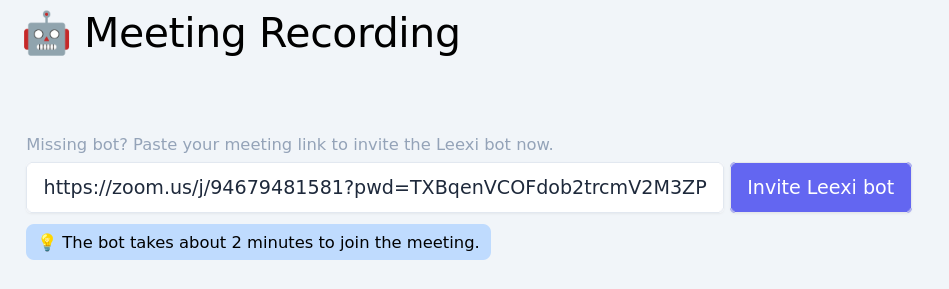
- Go to https://app.leexi.ai/en/meetings, paste the link, and click Invite the Leexi bot.
This can happen for several reasons:
- The host needs to approve the recording. If they're not in the meeting, they can't approve the assistant's recording request.
- The Record to computer files option is disabled: if the host has disabled this setting (see the screenshot in the guide above), the Leexi assistant won't be able to get permission to record the meeting.
If you get the following screen when trying to approve the Zoom integration:
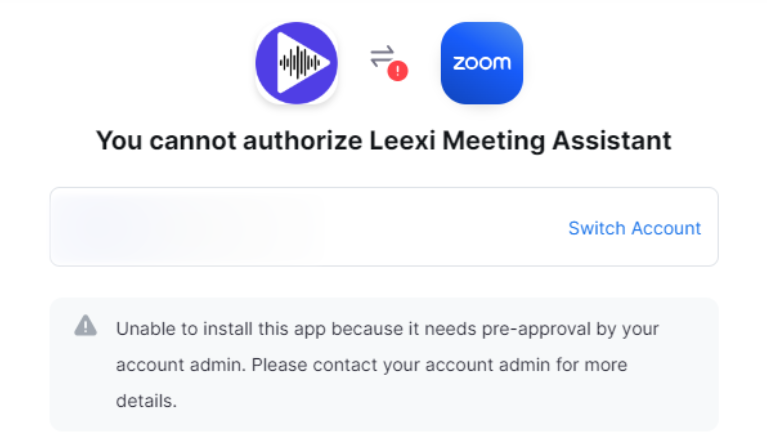
Contact your administrator to approve the application. They can do so by following these instructions.
Things to watch out for
- The assistant asks the host for permission to record: without approval, it leaves the meeting (after 10 minutes when you're invited).
- The assistant can only join the meeting after you and must leave as soon as you leave.
- Meetings with end-to-end encryption are not supported.