Outlook
| Who is this for? | Required permissions and licenses |
|---|---|
| • All users whose calendar is managed in Outlook. | • License required: all licenses, calendar integrations are available on all plans. • Each user connects their own calendar, no special role is required. |
How to use it
Open your personal integrations
From your Leexi account, go to My integrations.
Authorize the Outlook integration
On the Outlook card, click Authorize and then validate the Microsoft authentication flow. Access to your calendar allows Leexi to automatically send the assistant to record your meetings.
Here are the permissions that must be granted:

Frequently asked questions
Check that your events contain a meeting URL (in the description or location): events without a video link are not imported, even when the URL is protected by a service like MailInBlack. Also make sure you're connected to the correct calendar.
If you use Microsoft Exchange in hybrid mode, Leexi is likely unable to access your events.
Contact your Microsoft administrator: they must approve the application by following these Microsoft instructions. Once the application is approved, restart the activation flow.
Your Microsoft administrator can also grant global admin consent to the Leexi application, so that every user in your company can enable their calendar integration without individual approval.
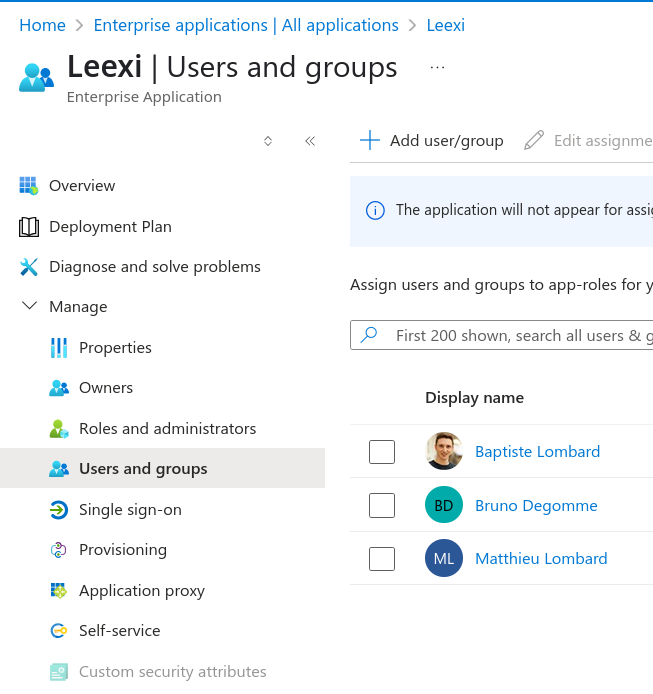
The full message indicates that your administrator has configured the application to block users who have not been explicitly granted access. Your Microsoft administrator must:
- sign in to the Azure portal;
- go to Enterprise Applications and select the Leexi application;
- go to Manage → Properties and check that Assignment required? is set to No;
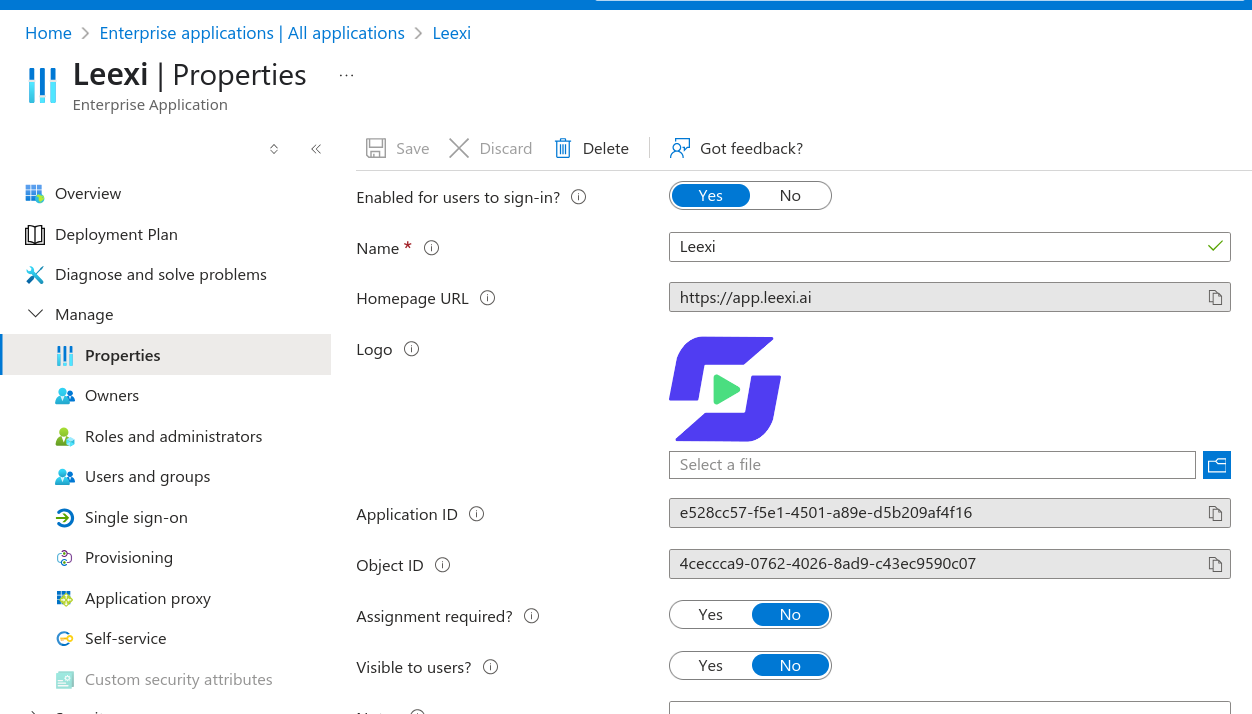
- or, alternatively, go to Users and groups and add the relevant user.
Things to watch out for
- Events without an exploitable meeting URL are not detected.
- Accounts hosted on Microsoft Exchange on-premise are not compatible with this integration; in a hybrid Exchange setup, access to events is also likely to fail.