VoIP
CloudTalk
Connect CloudTalk to Leexi via an API key to automatically import your call recordings.
| Who is this for? | Required permissions and licenses |
|---|---|
| • Administrators who manage company integrations. | • Administrator rights required on your Leexi and CloudTalk accounts. • License required: depending on your plan, check availability in Settings > Integrations. |
How to use it
Enable call recording in CloudTalk
Check the CloudTalk documentation to make sure call recording is enabled on your account.
Create an API key in CloudTalk
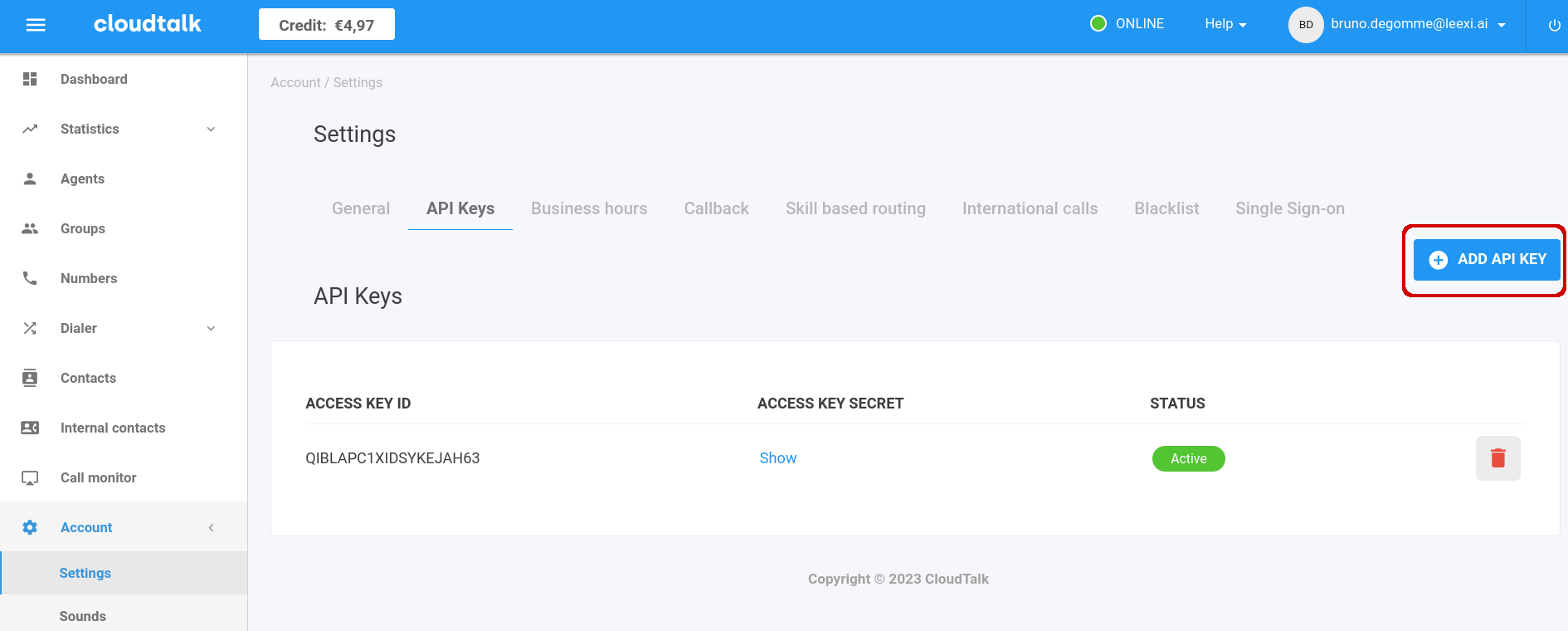
In your CloudTalk account, go to Account → Settings → API keys, then click Add API Key.
Add the integration in Leexi
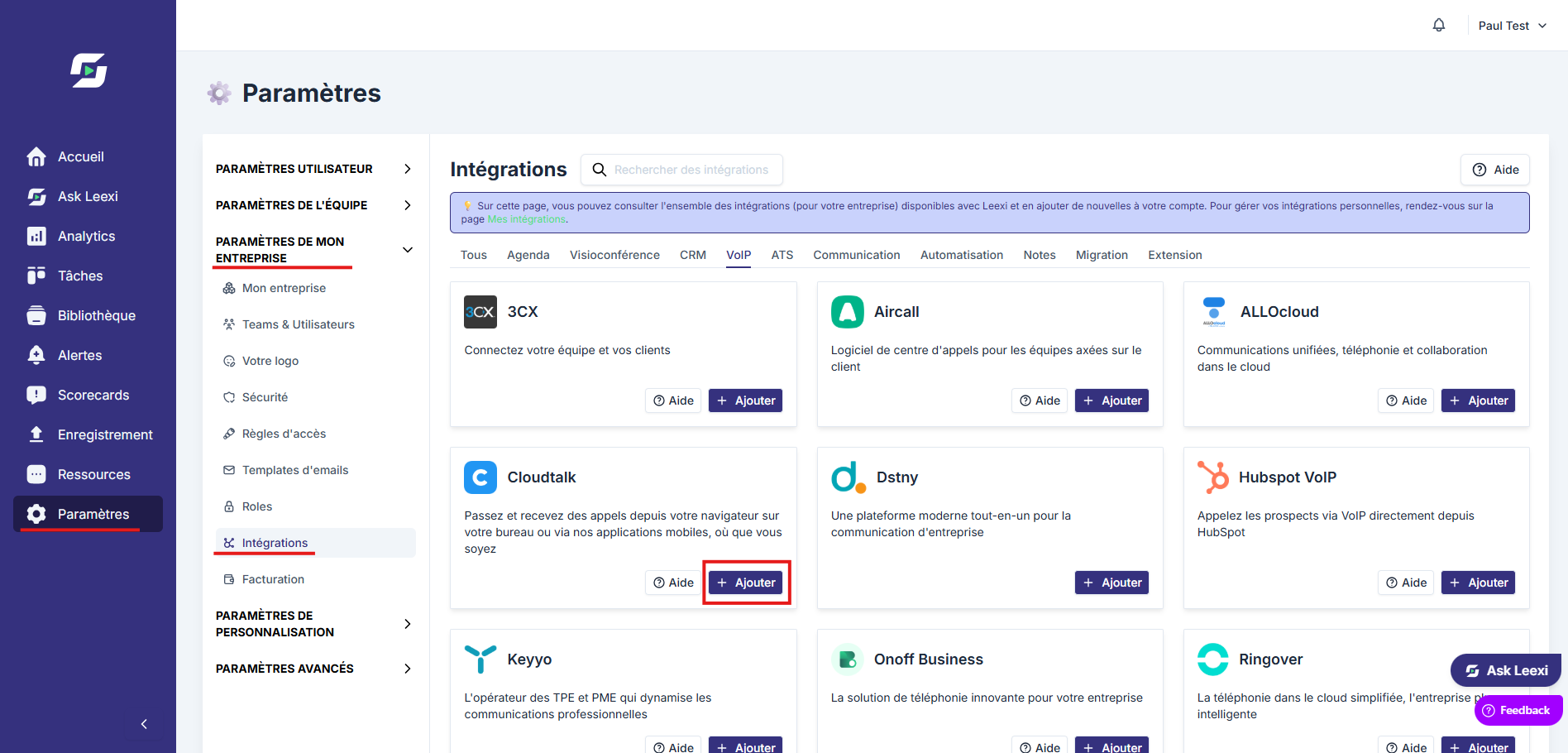
In your Leexi account, go to Settings → Integrations → CloudTalk and click Add. Copy the API key ID and secret from CloudTalk, paste them into Leexi, then click Save.
Your next CloudTalk calls will appear in Leexi!
Things to watch out for
- If call recording is not enabled in CloudTalk, no calls can be imported into Leexi.