VoIP
Onoff Business
Connect Onoff Business to Leexi using an API key to automatically import your recorded calls.
| Who is this for? | Required permissions and licenses |
|---|---|
| • Administrators who manage company integrations. | • Administrator rights required on your Leexi and Onoff Business accounts. • License required: depending on your plan, check availability in Settings > Integrations. |
How to use it
Create an API key in Leexi
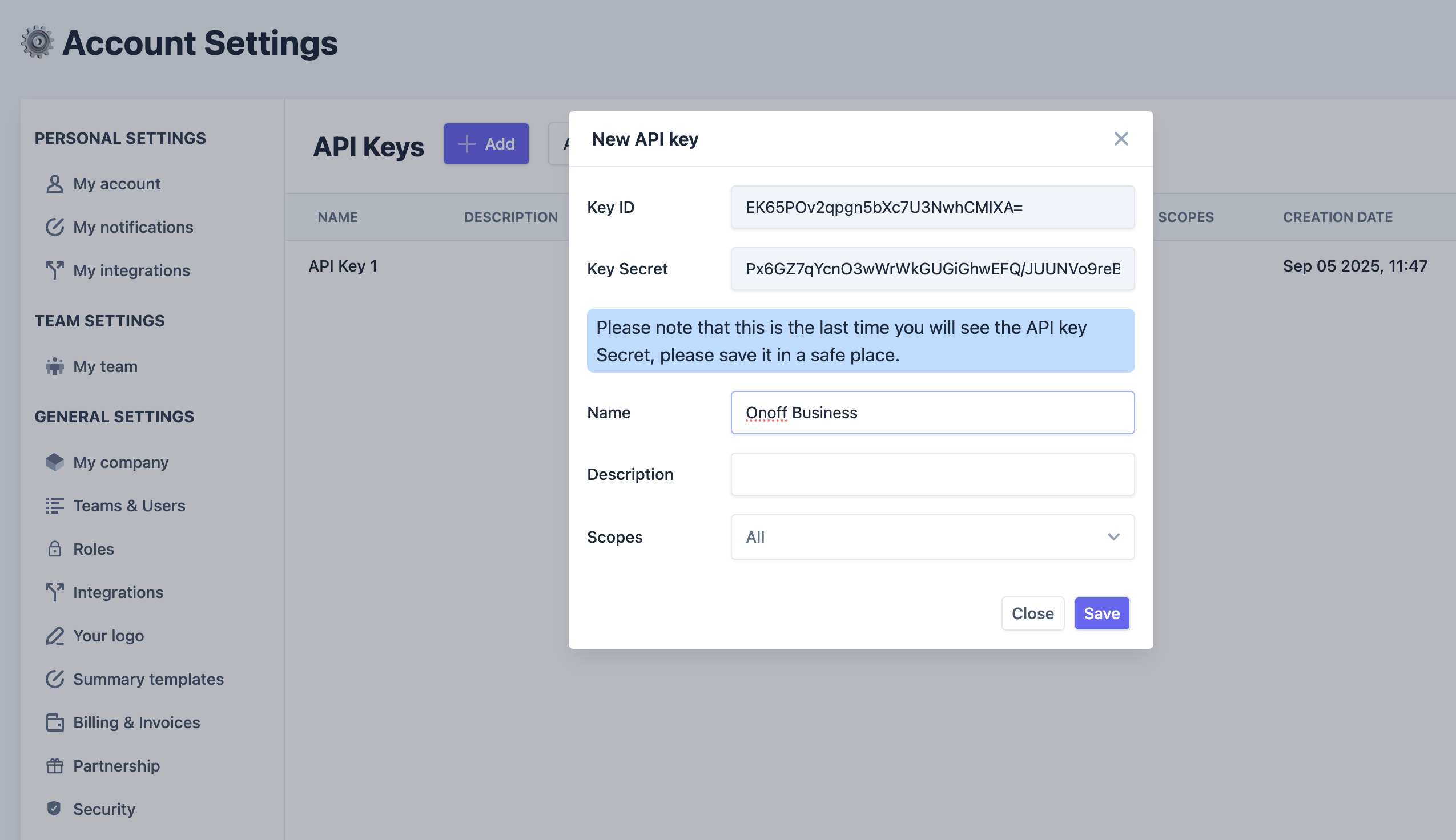
Go to the API Keys page of your Leexi account, then:
- Click Add.
- Name your API key: Onoff Business.
- Keep the scopes set to "All".
- Copy the
Key IDand theKey secret.
Enable the integration on the Onoff Business side
Open the Leexi integration page in your Onoff Business console: https://admin.onoffbusiness.com/integrations/leexi.
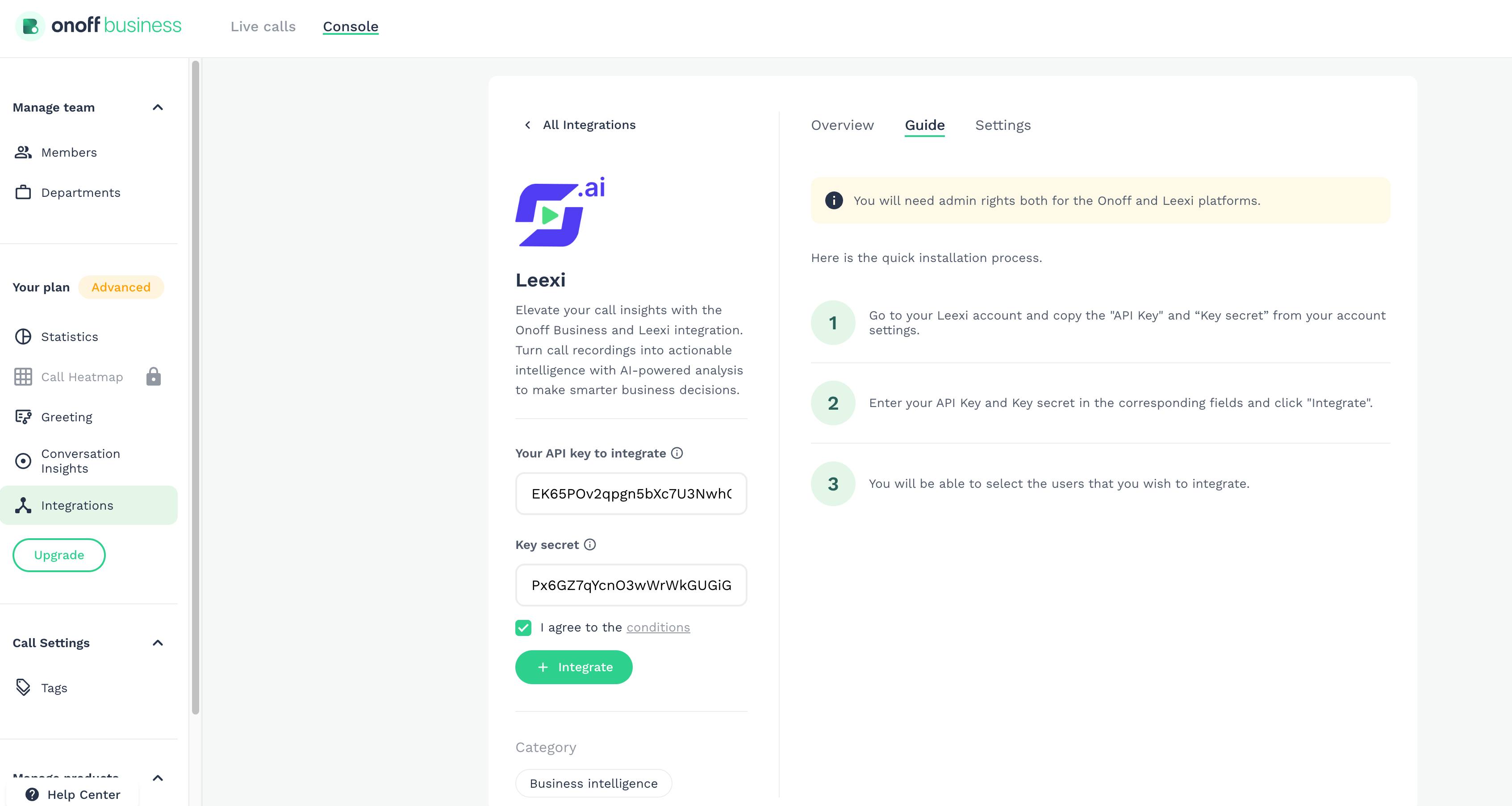
- Paste your
Key IDand yourKey secretin the fields provided. - Check "I agree to the conditions".
- Click "+ Integrate".
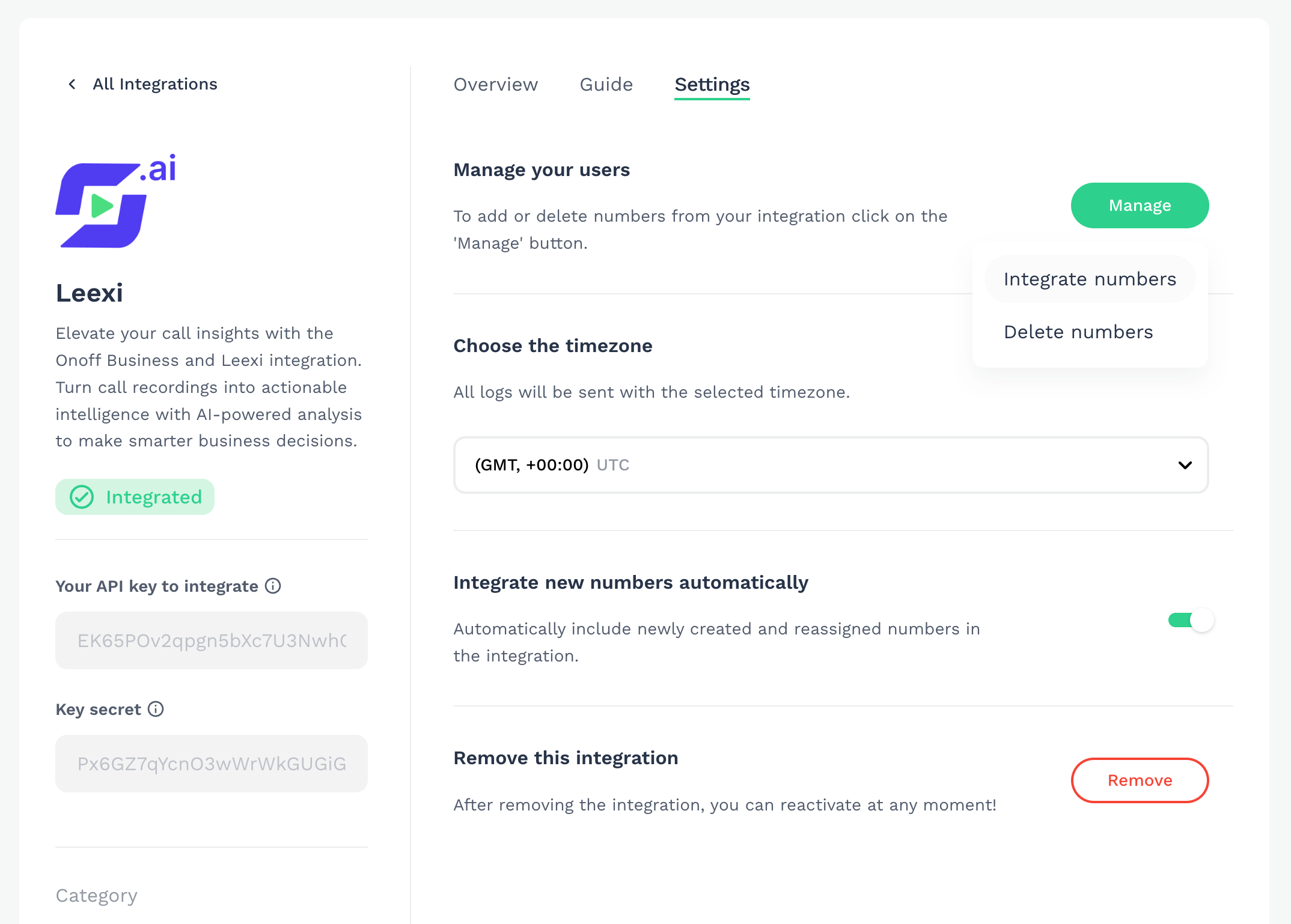
Integrate your numbers
Don't forget to integrate your numbers from the Settings menu. You can also enable the "integrate new numbers automatically" option to automatically integrate new numbers.
Your next recorded Onoff calls will appear in Leexi!
Things to watch out for
- Only calls from numbers integrated in the Onoff Business Settings menu are sent to Leexi: remember to enable automatic integration of new numbers if needed.