Migrations
Fireflies migration
Import your Fireflies meeting recordings, transcripts and notes into Leexi.
| Who is this for? | Required permissions and licenses |
|---|---|
| • Administrators who manage the company's integrations. | • Administrator rights on your Leexi and Fireflies accounts. • License required: depending on your plan, check availability in Settings > Integrations. |
How to use it
Activate your CRM integration first (recommended)
We recommend activating your CRM integration before starting the Fireflies migration: this way, call summaries will contain the correct contact names.
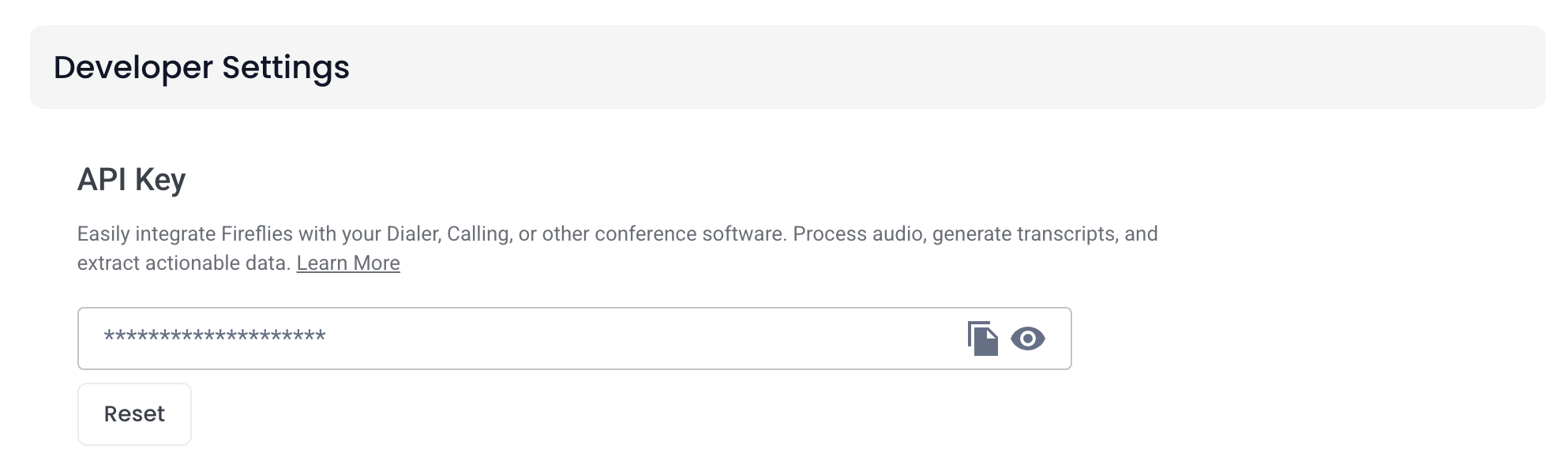
Copy your Fireflies API key
Go to Fireflies developer settings and copy your API key.
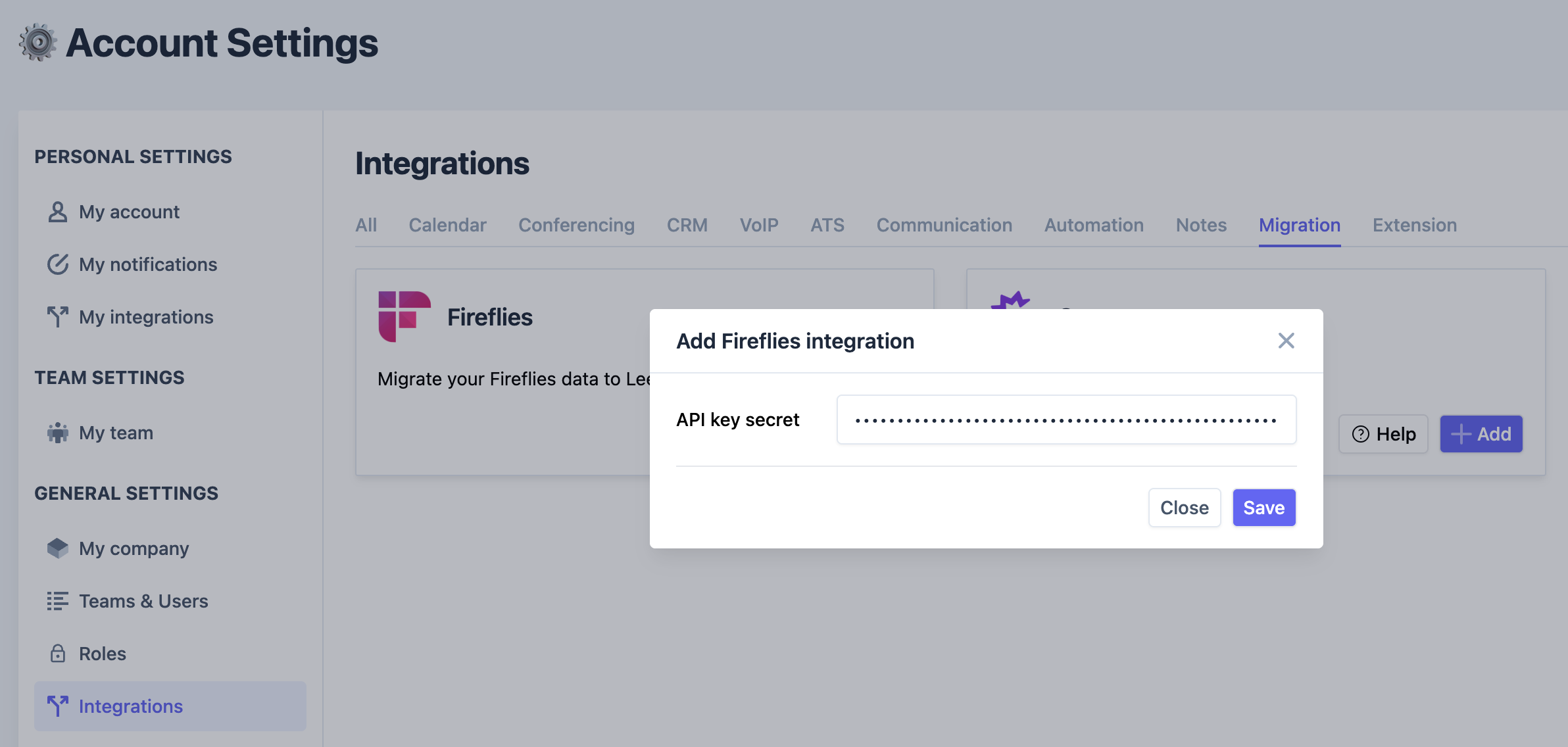
Add the Fireflies migration in Leexi
Go to Settings > Integrations, click Add on the Fireflies migration card, then enter your Fireflies API key.
Going further
What gets imported:
- Meeting recordings with their metadata
- Transcripts
- AI insights, notes and follow-up actions
Things to watch out for
- The migration does not start automatically: it begins once our teams have validated your request.
- The full data import can take up to 24 hours.
- Only data from the last 2 years is imported.
- If you have a large volume of data to migrate, additional fees may apply.