AdminPulse
| Who is this for? | Required permissions and licenses |
|---|---|
| • For administrators managing the company's integrations. | • Administrator rights on your Leexi and AdminPulse accounts. • An active AdminPulse account with permission to authorize the integration. • License required: depending on your plan, check availability in Settings > Integrations. |
How to use it
Add the AdminPulse integration in Leexi
From your Leexi account, go to Settings → Company settings → Integrations, then click Add on the AdminPulse card. You're redirected to AdminPulse.
Authorize the integration in AdminPulse
Log in to your AdminPulse account if needed, review the requested permissions, then click Accept to authorize the integration. You're then redirected to Leexi.
Verify the user linking
Open the Manage view of the integration in Leexi and check that your Leexi users are linked to the right AdminPulse users. If needed, adjust the linking manually and save. Leexi can often pre-link users automatically when the email address or name matches, but a review is still recommended.
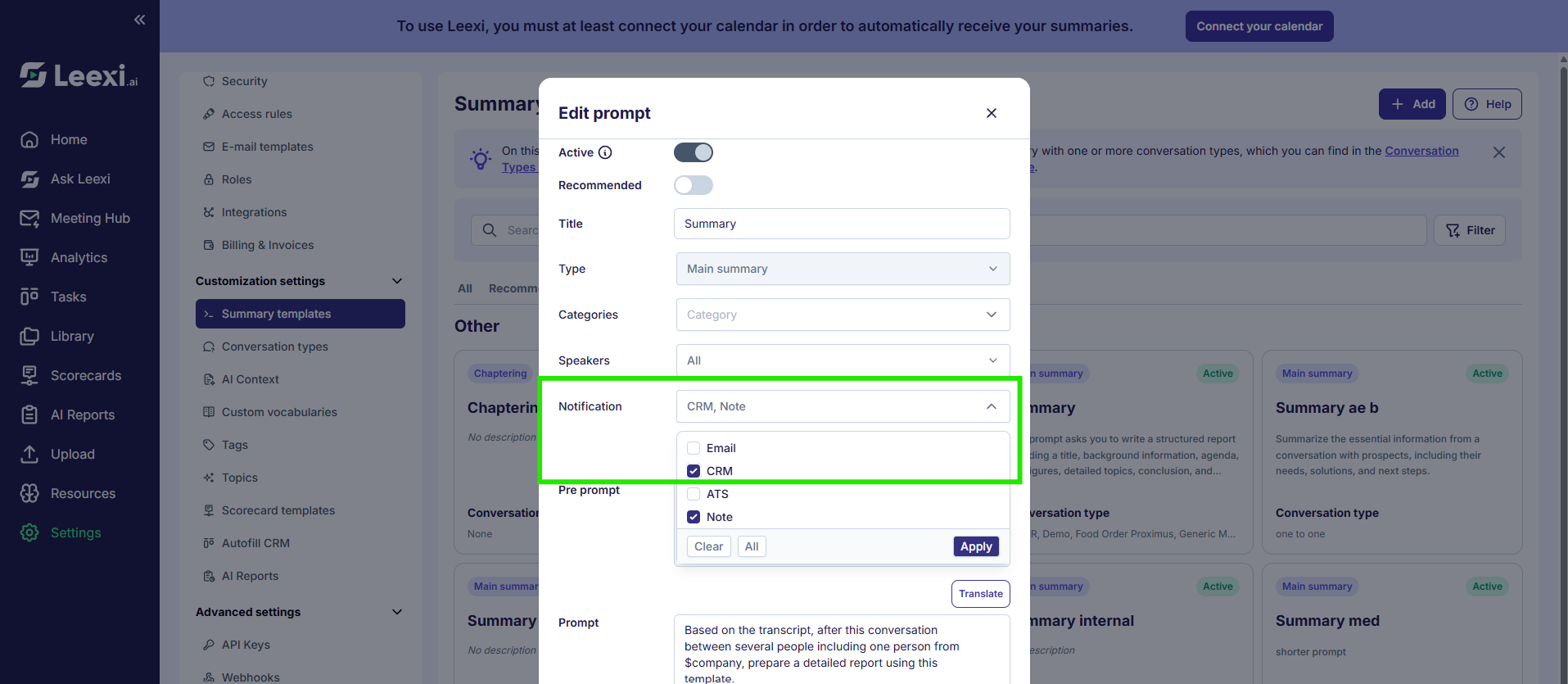
Enable the CRM notification on your summary templates
Go to Customization settings → Summary templates, then check the "CRM" notification for each summary template you want to send to AdminPulse. Without this step, you won't receive your summary as a note in the CRM.
Going further
Once the integration is active:
- Leexi syncs your AdminPulse contacts, organizations, and users.
- When a call is linked to a matching AdminPulse record, Leexi posts the call note to the relevant AdminPulse object.
- If a note is updated in Leexi, the corresponding note in AdminPulse can also be updated.
Leexi notes are posted to the relevant AdminPulse contact or organization record.
Frequently asked questions
Things to watch out for
- The current version only writes notes to contacts and organizations: deals/opportunities, pipelines, and stages aren't supported.
- CRM autofill isn't available with AdminPulse.
- Your contacts, organizations, and users must already exist in AdminPulse for Leexi to link them automatically.
- If the "CRM" notification isn't checked on a summary template, the corresponding summary isn't sent to AdminPulse.