Notes and storage
Notion
Automatically send the AI transcripts and analyses of your calls to a Notion database.
| Who is this for? | Required permissions and licenses |
|---|---|
| • For administrators who manage the company's integrations. | • Administrator rights on your Leexi and Notion accounts. • License required: depending on your plan, check availability in Settings > Integrations. |
Once this integration is enabled, a page is created in your Notion database for every call in your company, regardless of access rules. Make sure this works for you.
How to use it
Estimated time: 3 minutes.
Add the Notion integration in Leexi
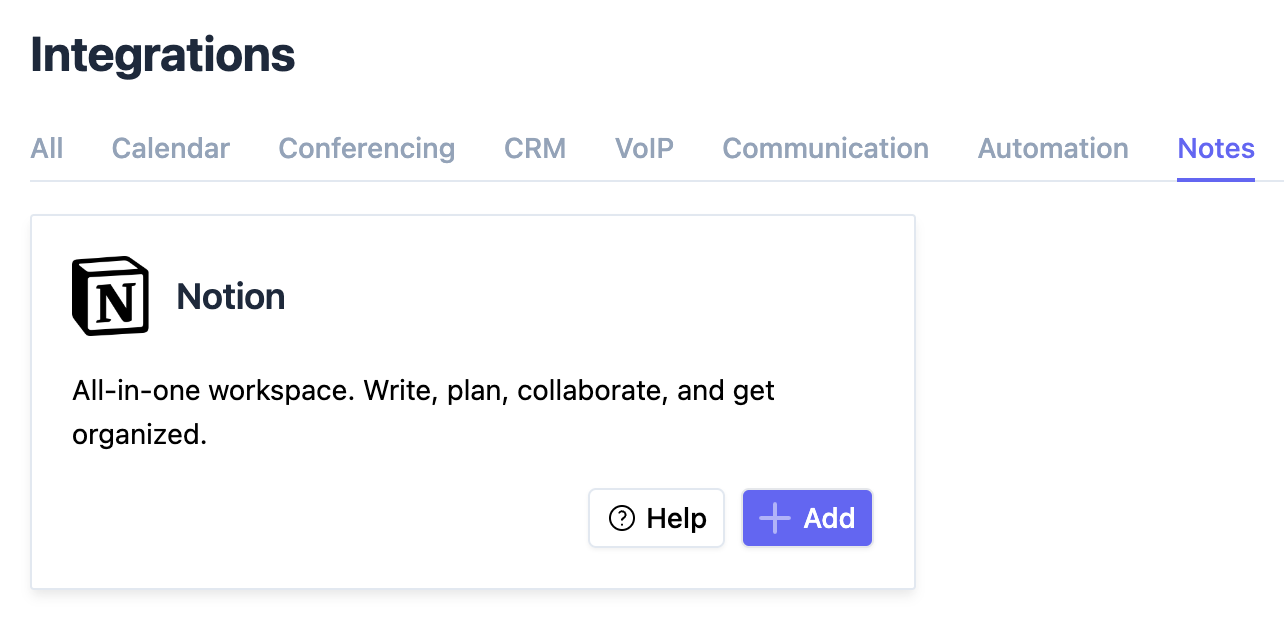
From your Leexi account, go to Settings → Company settings → Integrations, then click Add on the Notion integration. You are redirected to the Notion authentication page.
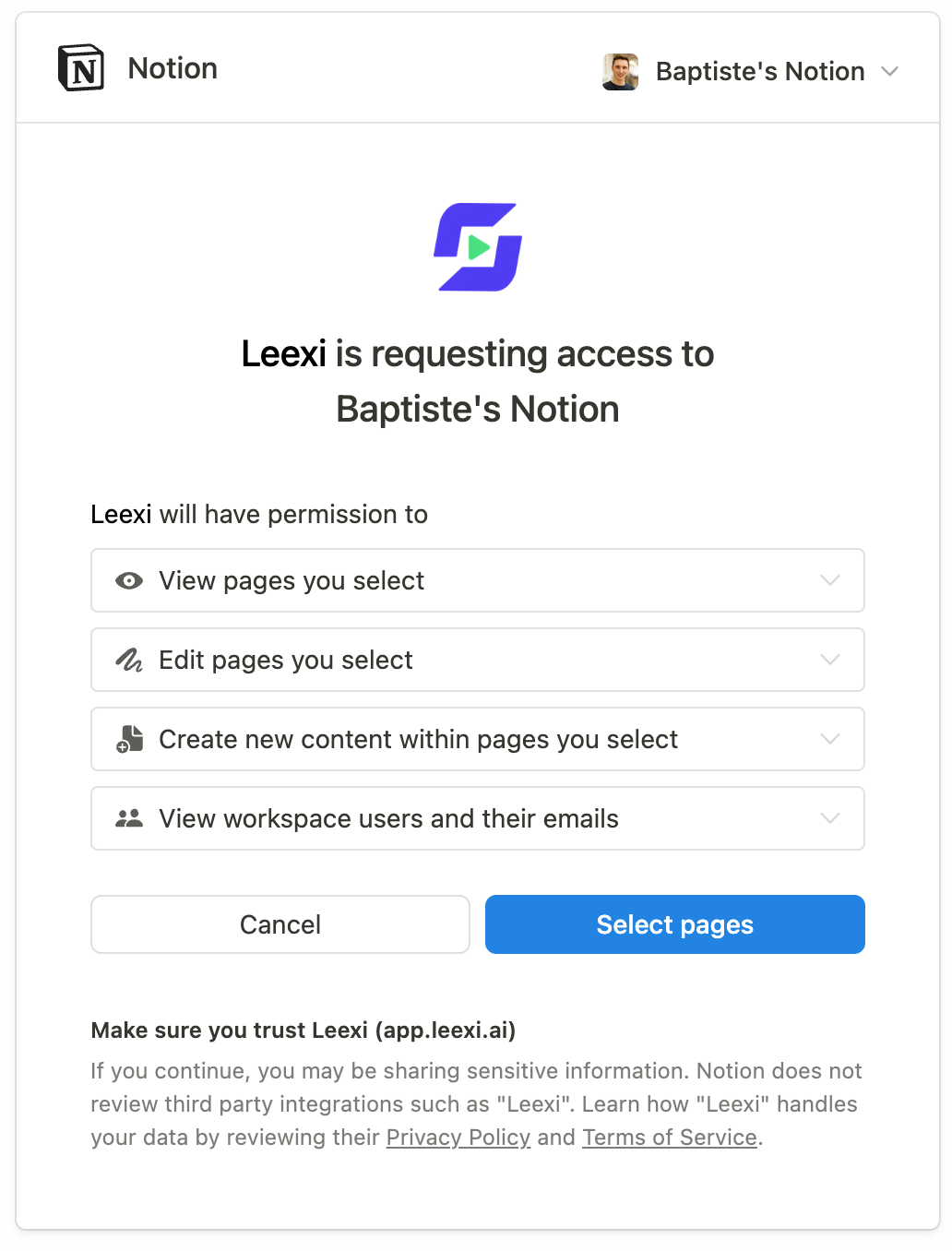
Select the accessible pages
Click Select pages. You are then redirected to the Leexi integrations page.
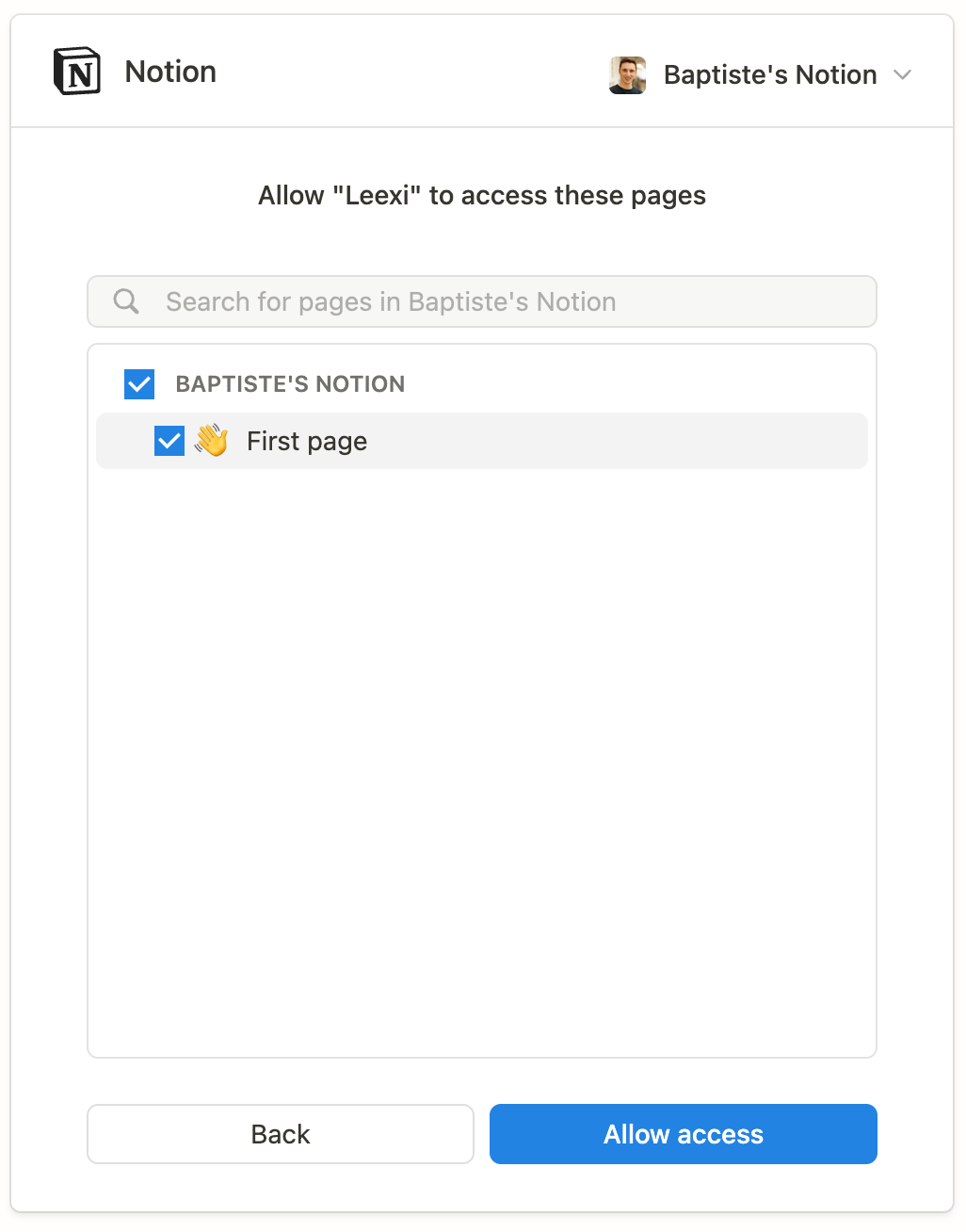
Authorize access to a database
Select a Notion database and click Allow access.
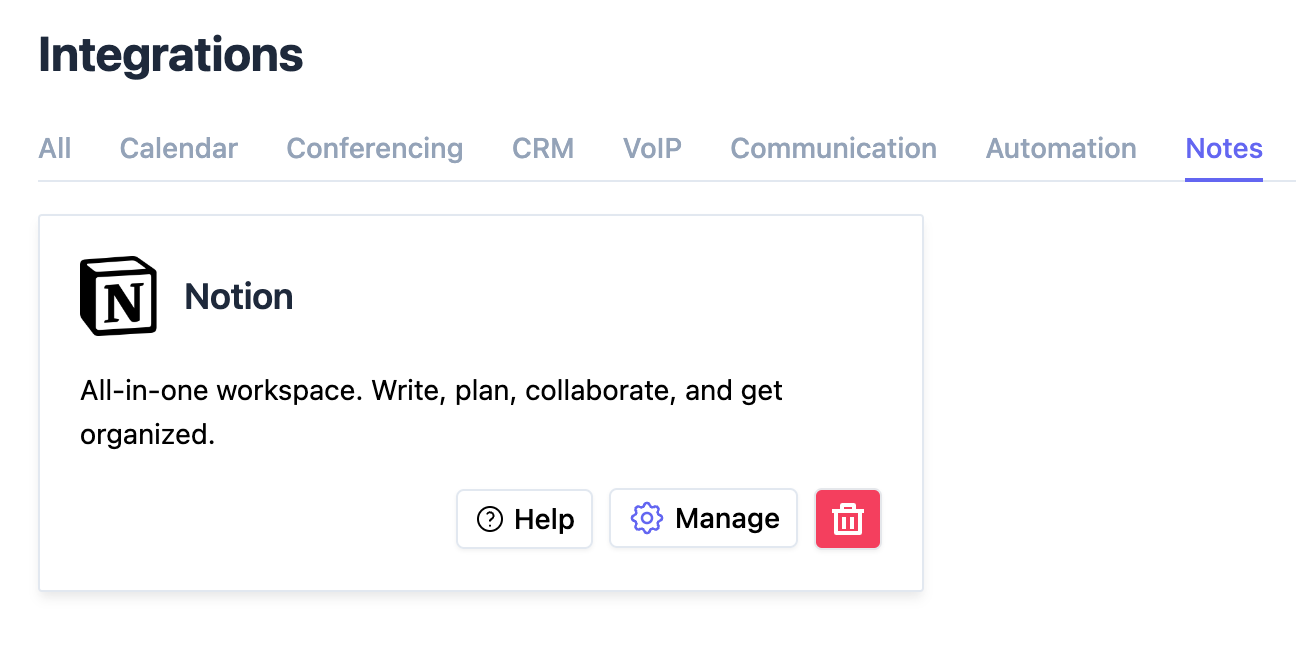
Configure the integration
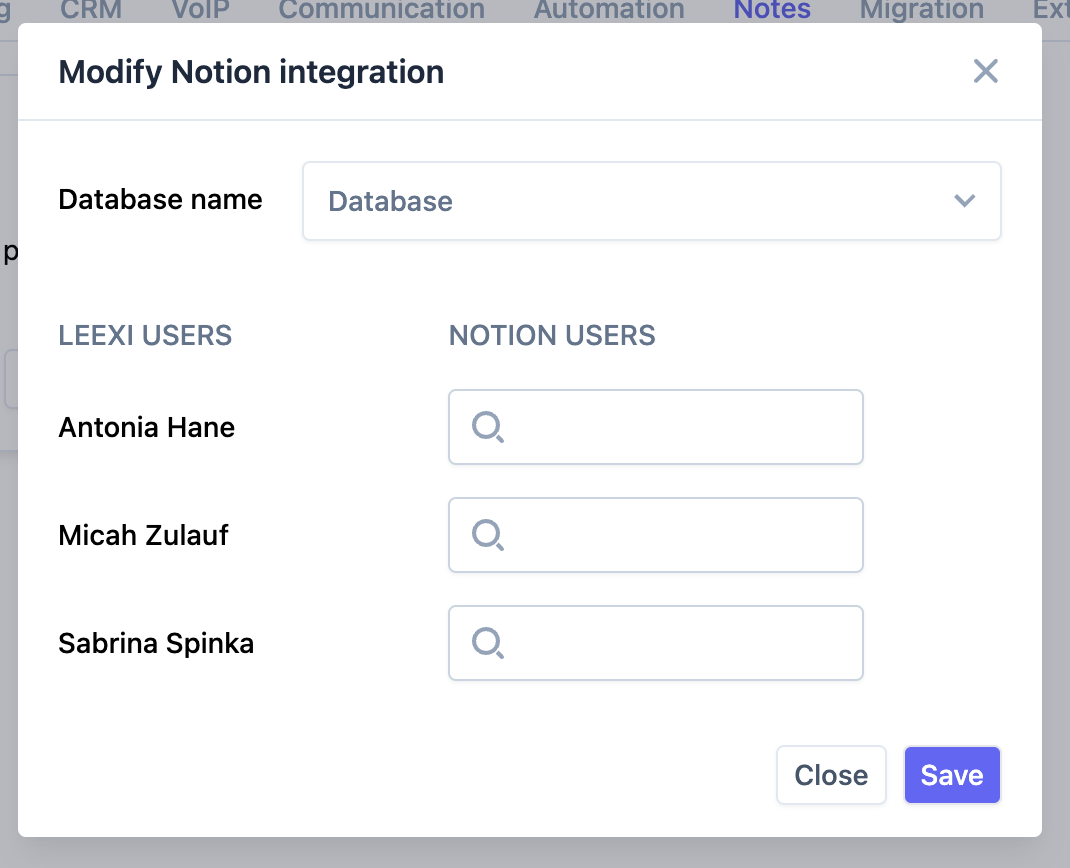
Click the Manage button of the integration in Leexi, check that you have selected a Notion database and that your Leexi users are correctly matched to the corresponding Notion users.
Receive your meeting notes in Notion
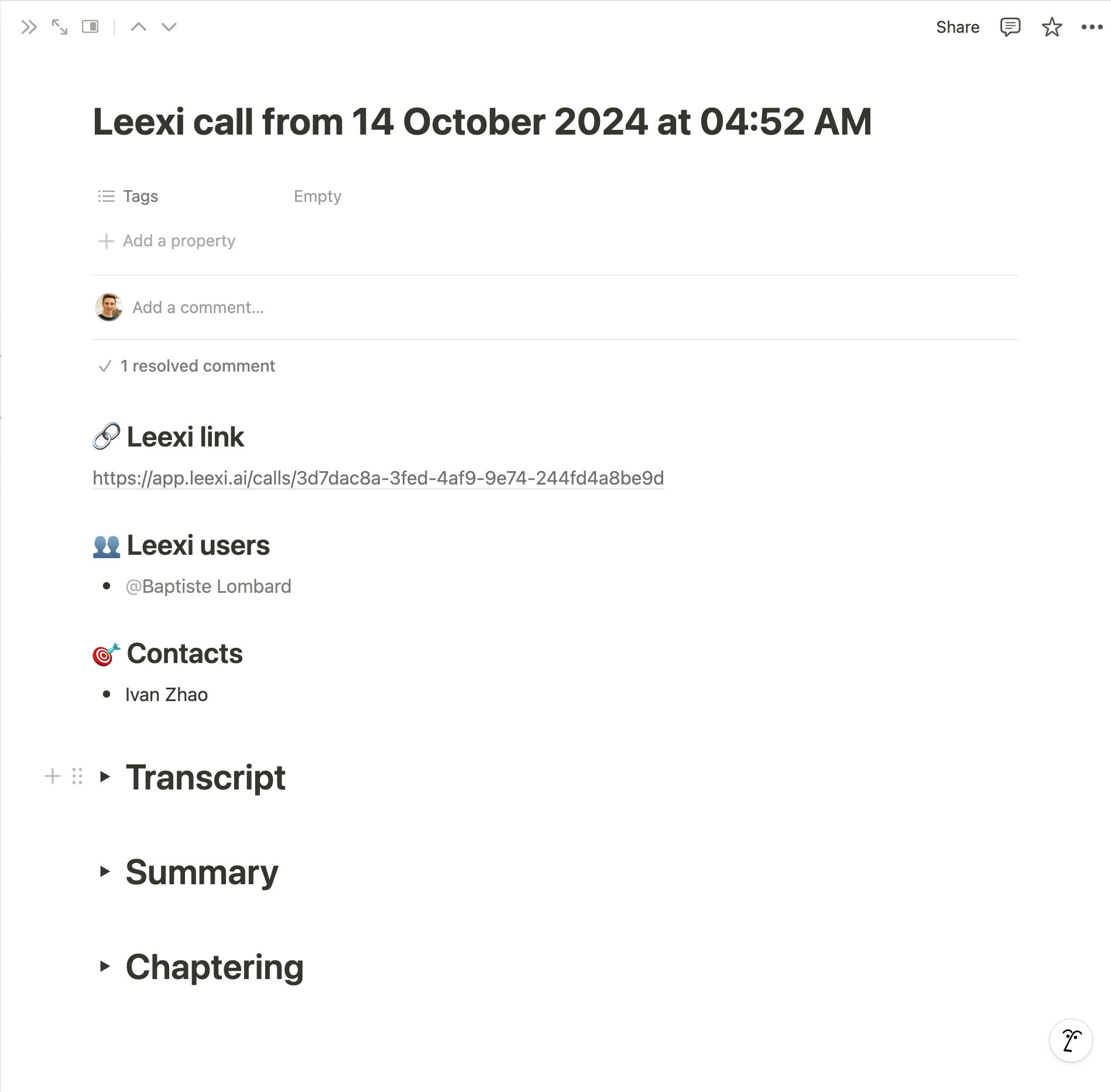
That's it! You'll start receiving the AI transcripts and analyses of your calls in Notion.
Frequently asked questions
- Click the "3 dots" at the top right of your screen.
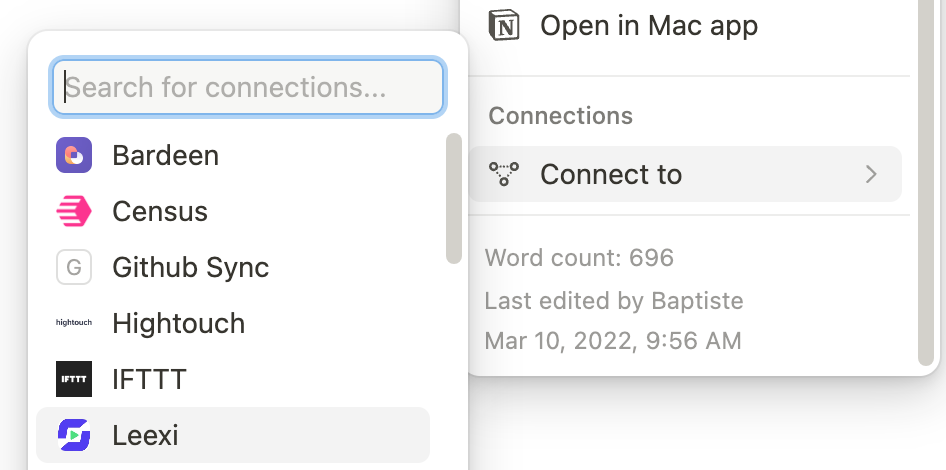
- Scroll to the bottom of the side panel and click Connect to.
- Search for Leexi and click it.
- Leexi is now added to this page and you can select the new database in the Leexi application.
- Click the "3 dots" at the top right of your screen.
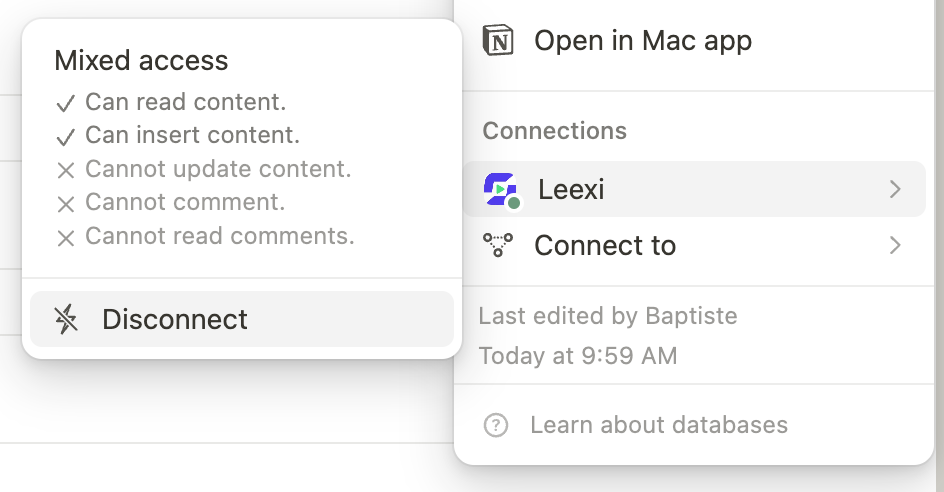
- Scroll to the bottom of the side panel and click Leexi.
- Click Disconnect.
Things to watch out for
- Once the integration is enabled, every call in your company generates a page in the selected Notion database, regardless of the access rules configured in Leexi.