Teams Native (legacy)
| Who is this for? | Required permissions and licenses |
|---|---|
| • For all users who record their meetings natively with Teams. | • A paid Teams subscription. • License required: depending on your plan, check availability in Settings > Integrations. |
How to use it
Authorize Microsoft in Leexi
For each user: go to Leexi → Settings → My integrations and click Authorize with Microsoft.
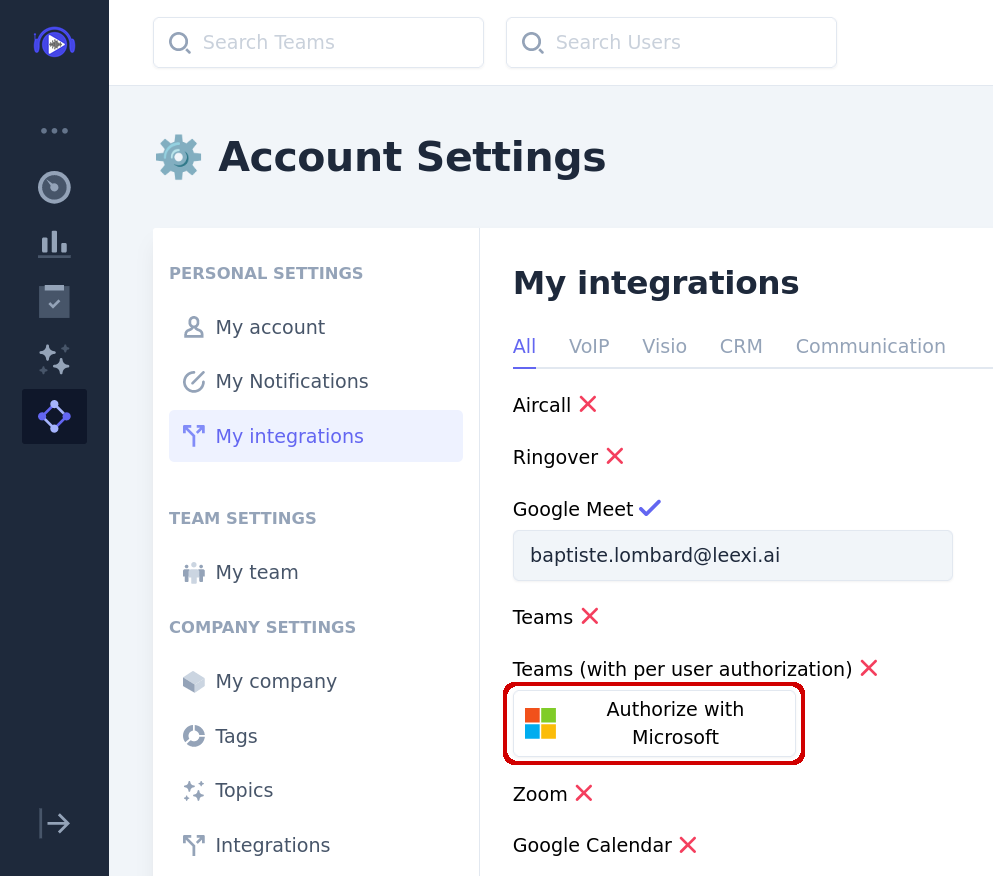
Depending on your organization's policies, you may need to request admin consent to enable Leexi's Microsoft application. In that case, submit the request, wait for it to be granted by your admin, then return to "My integrations" to authorize with Microsoft.
Accept the requested permissions
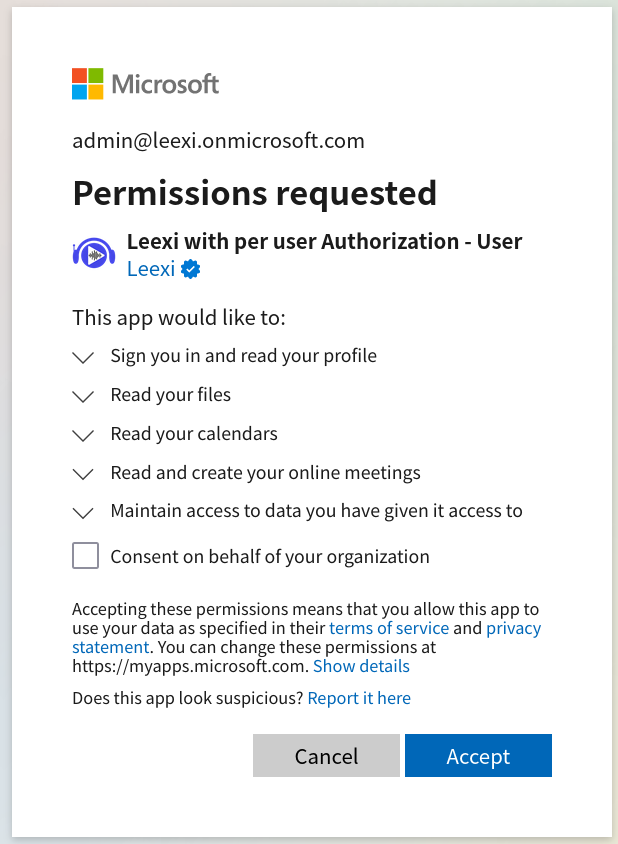
- Read your files: gives Leexi access to files owned by the user (not files shared with them). Used exclusively to retrieve meeting recordings saved on each user's drive.
- Read your calendars: gives Leexi access to the user's calendar (not calendars shared with them). Used exclusively to obtain meeting participant information.
- Read and create your online meetings: allows Leexi to update your online meetings to enable automatic recording.
Click Accept. Upcoming recorded Teams meetings will appear in Leexi!
Going further
Admin approval
In large organizations, a policy may prevent users from adding integrations without admin authorization. In that case, integration happens in three steps:
- Request permission and enter a justification (example: Leexi is an AI-Meeting Saas, thanks for granting access).
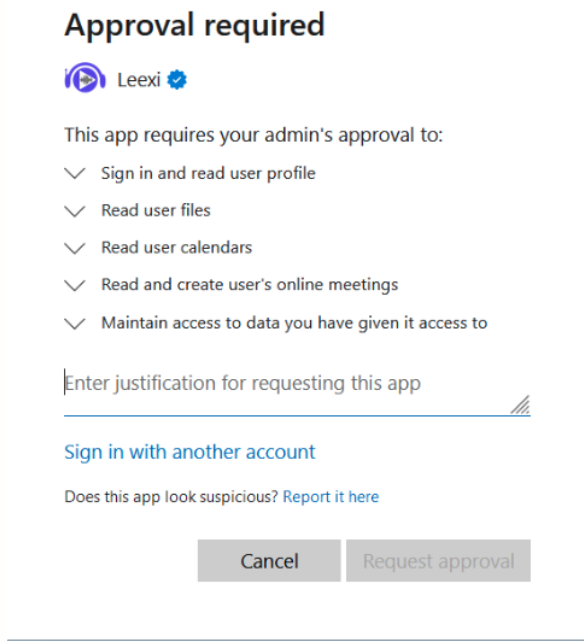
- Wait for your Microsoft admin to approve your request.
- Redo the authorization flow: this time, you'll be able to enable the integration without requesting approval.
Enable automatic recording
Leexi can ensure that Teams' automatic recording feature is enabled for meetings scheduled in your calendar, if you choose "native recording" in the recording settings. Recording starts as soon as someone from your organization joins the meeting, and that person owns the recording.
This requires special permissions for the Leexi application, which can only be granted by running code in PowerShell. If you use Mac or Linux, you can install PowerShell by following these instructions.
Open a PowerShell terminal and run the following code:
$AppId = "80eba20f-2a48-4462-bac0-2285228d8687"
Install-Module -Name MicrosoftTeams -Force -AllowClobber
Import-Module MicrosoftTeams
# The following will open a browser page, where you need to log-in as an admin.
Connect-MicrosoftTeams

# Create policy
New-CsApplicationAccessPolicy -Identity Allow-Leexi-App-policy -AppIds $AppId
# Apply policy to tenant
Grant-CsApplicationAccessPolicy -PolicyName Allow-Leexi-App-policy -Global
# Check working
Get-CsApplicationAccessPolicy