Video conferencing
Jitsi
Send the Leexi assistant to your Jitsi meetings to record, transcribe, and summarize them automatically.
| Who is this for? | Required permissions and licenses |
|---|---|
| • All users who organize or attend Jitsi meetings. | • License required: depending on your plan, check availability in Settings > Integrations. • Adding a custom Jitsi domain is done in the company integrations. |
How to use it
Activate a calendar integration
Activate the Google Calendar or Outlook integration from My integrations. Leexi then automatically sends the assistant to record your Jitsi meetings.
Declare your custom Jitsi domain if needed
By default, only Jitsi meetings whose URL is of the form https://meet.jit.si/LiquidMediaExcuseHeavily are detected. If you use a custom domain for your Jitsi meetings, go to https://app.leexi.ai/en/settings/integrations, find the Jitsi integration, click Manage, then add your domain's URL.
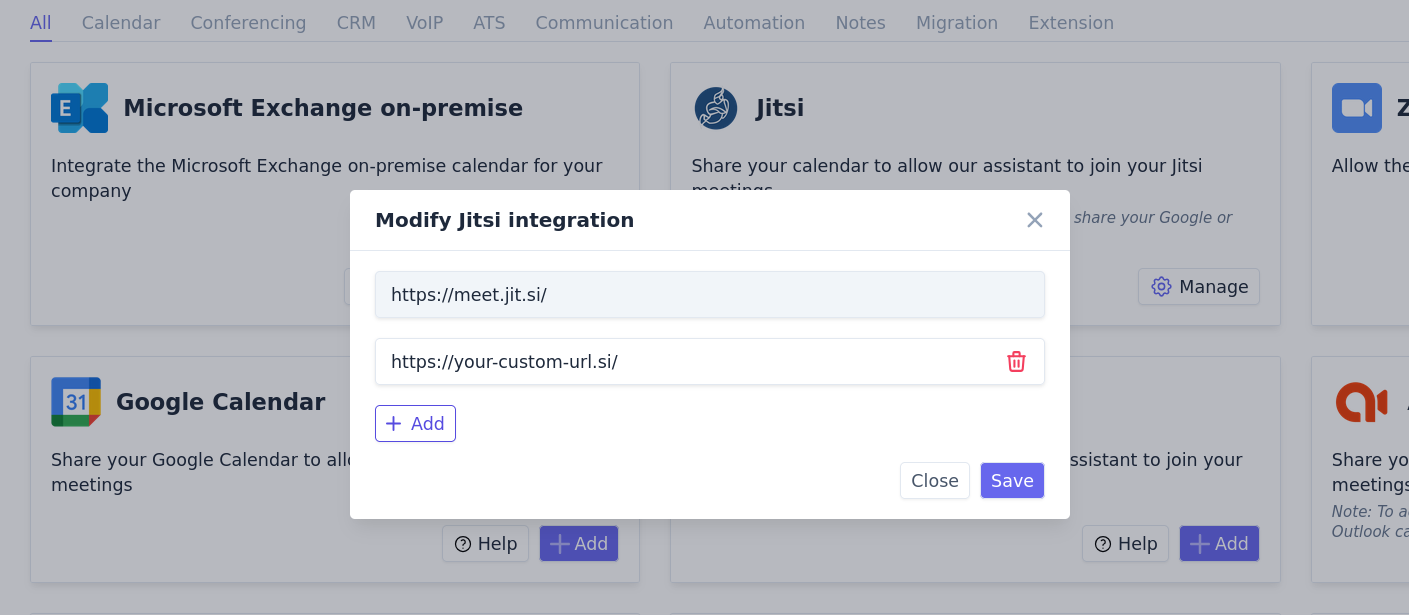
Let the assistant join your meetings
As soon as a URL starting with your domain is found in a calendar event, the event is automatically treated as a Jitsi meeting and the assistant is sent to record it.
Things to watch out for
- Without a declared custom domain, only URLs of the form
https://meet.jit.si/...are detected as Jitsi meetings.