Make
| Who is this for? | Required permissions and licenses |
|---|---|
| • For users who want to automate workflows between Leexi and their other tools via Make. | • A Make.com account. • A Leexi API key, created from your account settings. • License required: depending on your plan, check availability in Settings > Integrations. |
How to use it
Estimated time: 5 minutes. Keep the Leexi API documentation handy.
Create a new scenario in Make
From your Make.com account, create a new scenario.

Add an HTTP module of type Basic Auth Request
Add an HTTP module and choose the Make a Basic Auth request type.
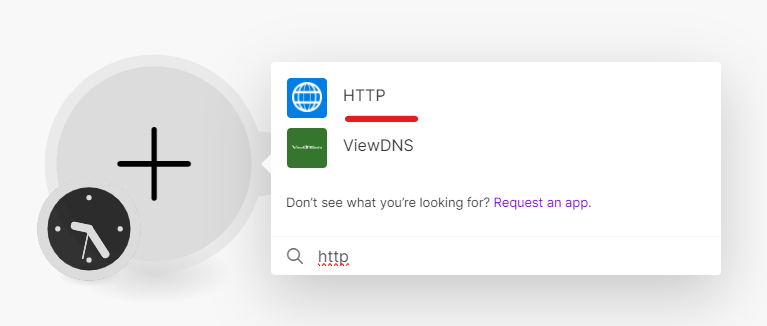
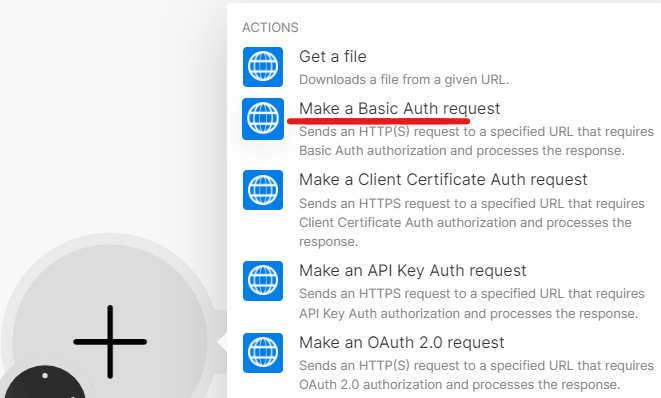
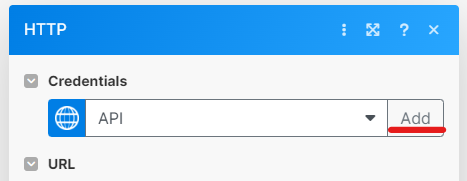
Create new credentials
In the HTTP module, click Add to create new credentials.
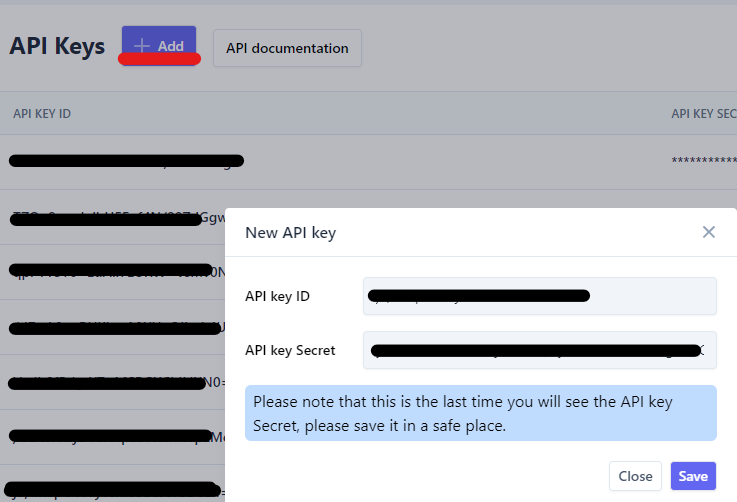
Create an API key in Leexi
Create a new API key from your Leexi account settings (https://app.leexi.ai/settings/api_keys).
Tip: click Save only after the next step, so you can easily copy and paste the values.
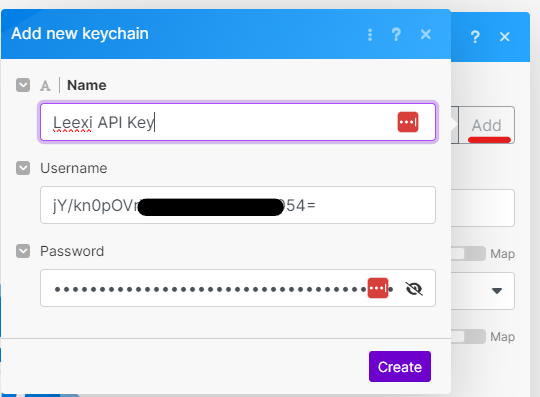
Enter the credentials in Make
Back in the Make credential creation window, paste the Leexi API key ID as Username and the API key secret as Password. Choose an easy-to-remember name, then click Create.
Enter the API URL
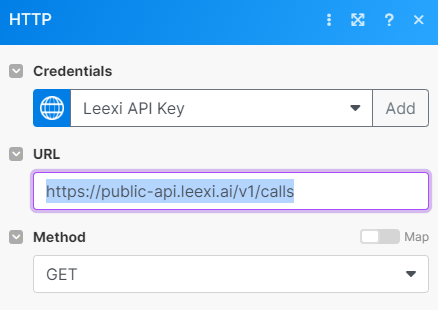
For the URL, use https://public-api.leexi.ai/v1/calls to retrieve your calls. See the Leexi API documentation to discover the other available objects and methods.
Enable response parsing
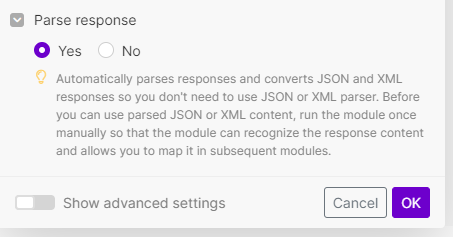
Check Yes for the Parse response option, then click Ok.
Test the scenario
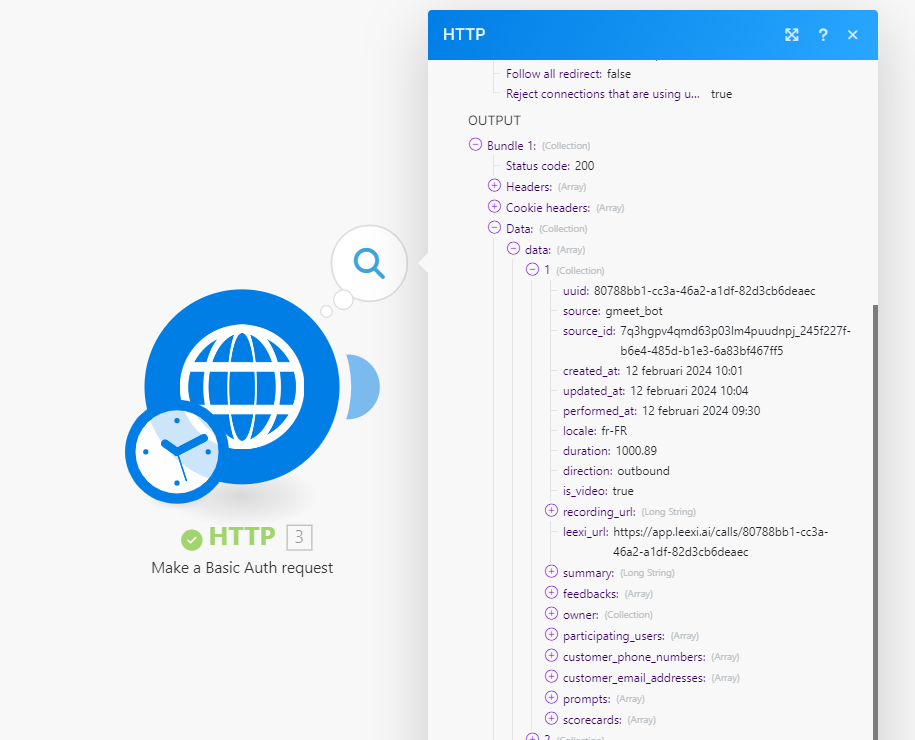
Run the scenario manually: a 200 status code confirms that the connection works and that you have retrieved your last 10 Leexi calls.
Going further
It's your turn: browse the Leexi API documentation and the Make Academy to build the scenarios of your dreams and connect Leexi to your favorite tools.