Home Page
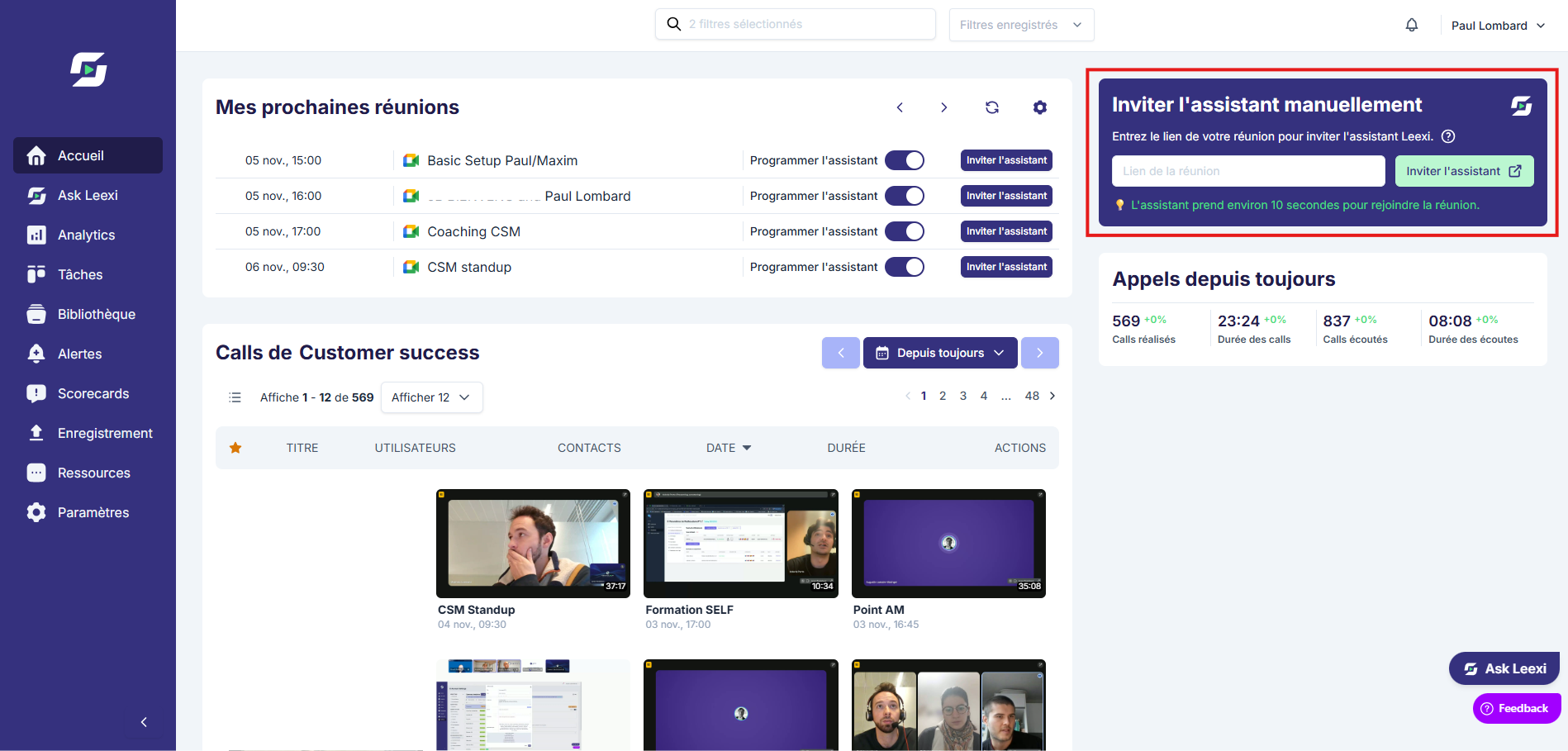
Manual Invite
Invite the Leexi assistant to a meeting when calendar automation isn't available or isn't sufficient.
Definition: Manual invite lets you send the Leexi assistant into a meeting using its video conferencing link, without waiting for automatic detection by the calendar.
Feature video
No video is available at this time.
| Who is this for? | Required permissions and licenses |
|---|---|
| • Users who haven't connected their calendar yet. • Teams who need to handle one-off cases or undetected meetings. | • License required: Starter, AI Meeting, Business, or Enterprise to use the meeting after capture. • No particular role is required to invite the bot to your own call. • The meeting must remain compatible with the video conferencing platform used. |
How to use it
Get the meeting link
Copy the Google Meet, Teams, Zoom, Webex, Jitsi, or other supported platform URL from your invitation.
On Google Meet — Method 1: copy-paste the URL
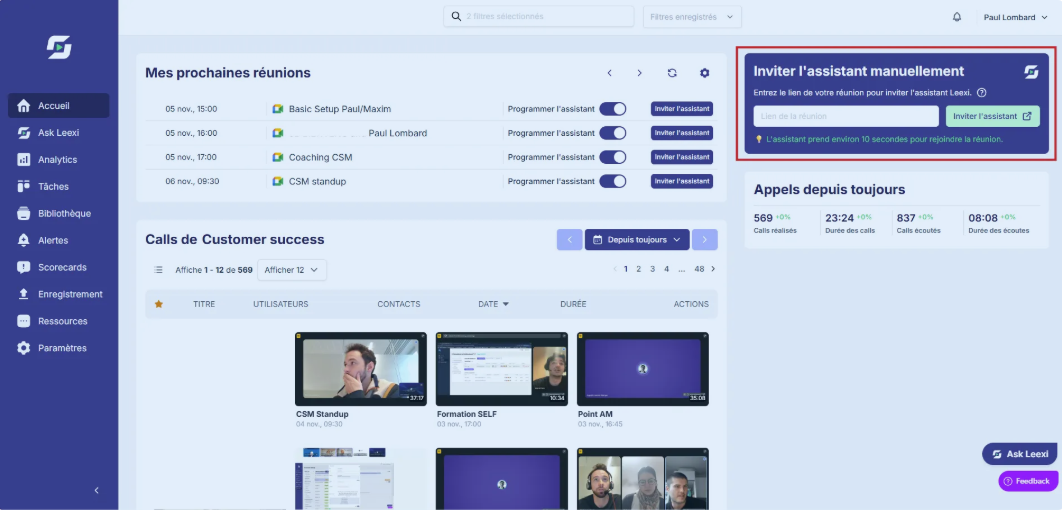
Open your Google Meet meeting, copy the URL from your browser, then paste the link into the tab dedicated to this feature from the Leexi home page.
On Google Meet — Method 2: use the pop-up directly
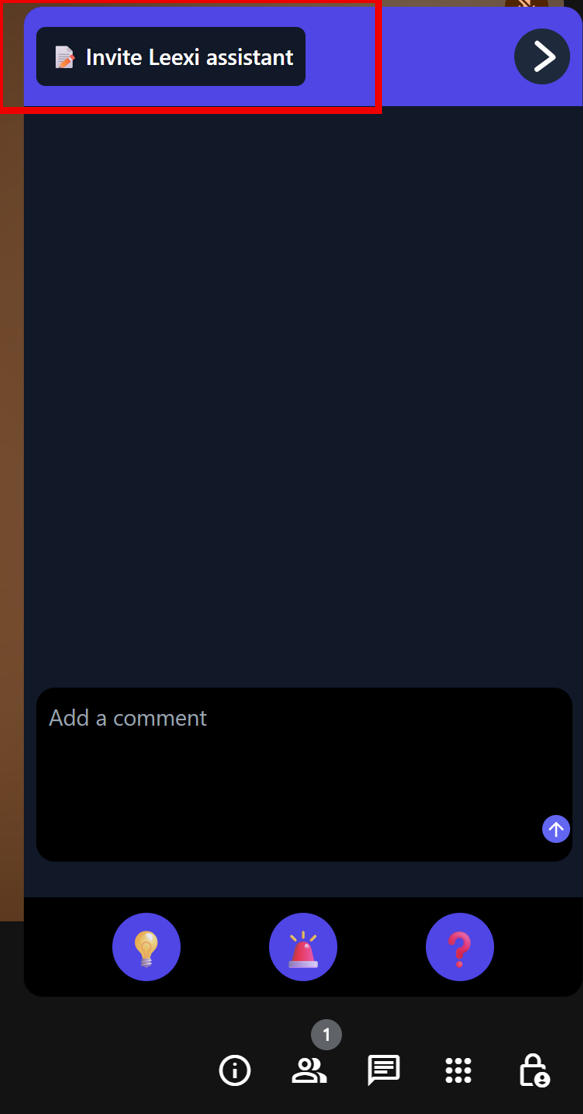
Join your Google Meet call, then click the pop-up that appears during the call and select the option to invite Leexi directly.
On Microsoft Teams
- Open your meeting on Microsoft Teams.
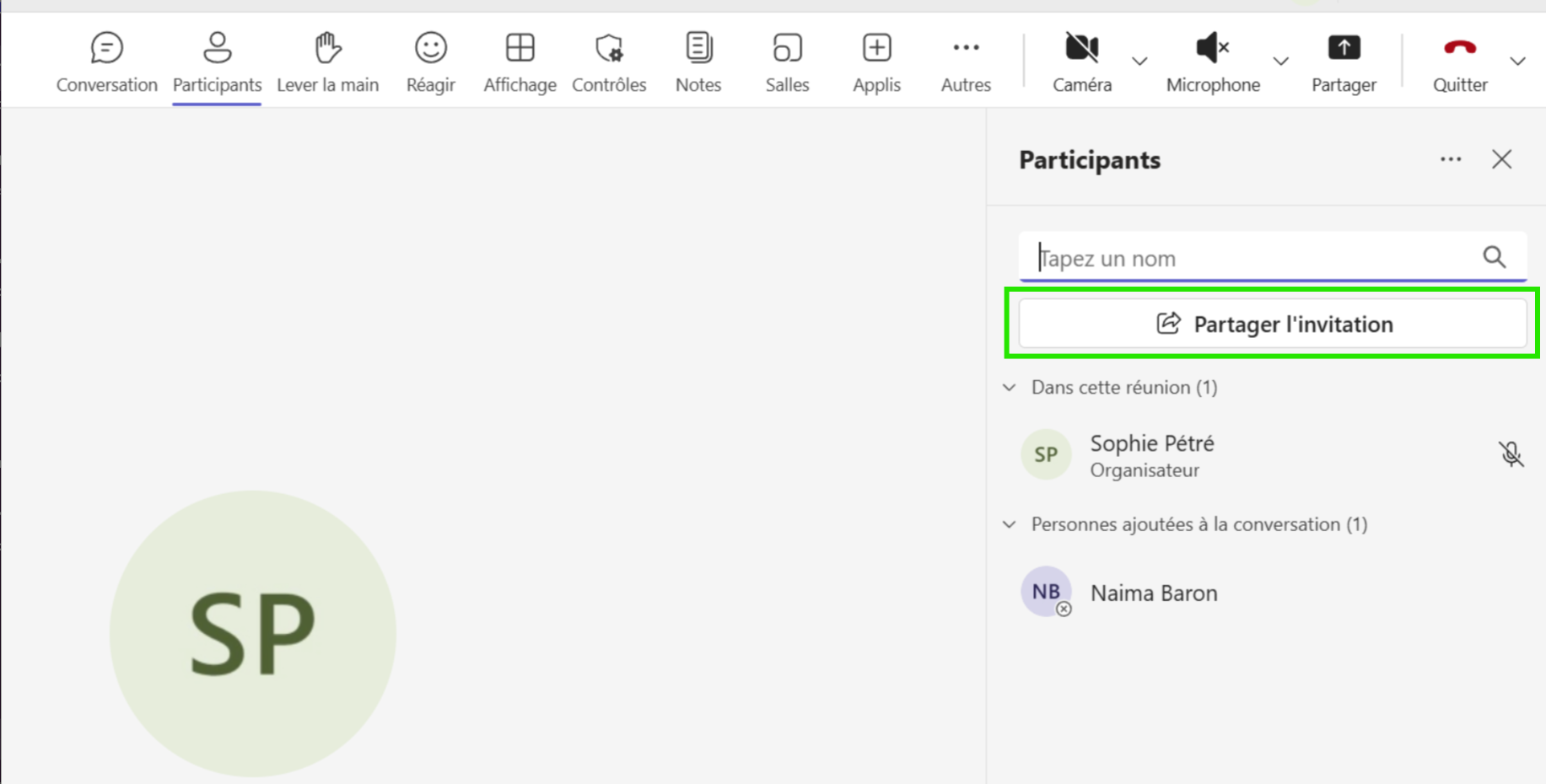
- Click the "Participants" tab at the top of the screen.
- Select "Share invite".
- Click "Copy meeting link".
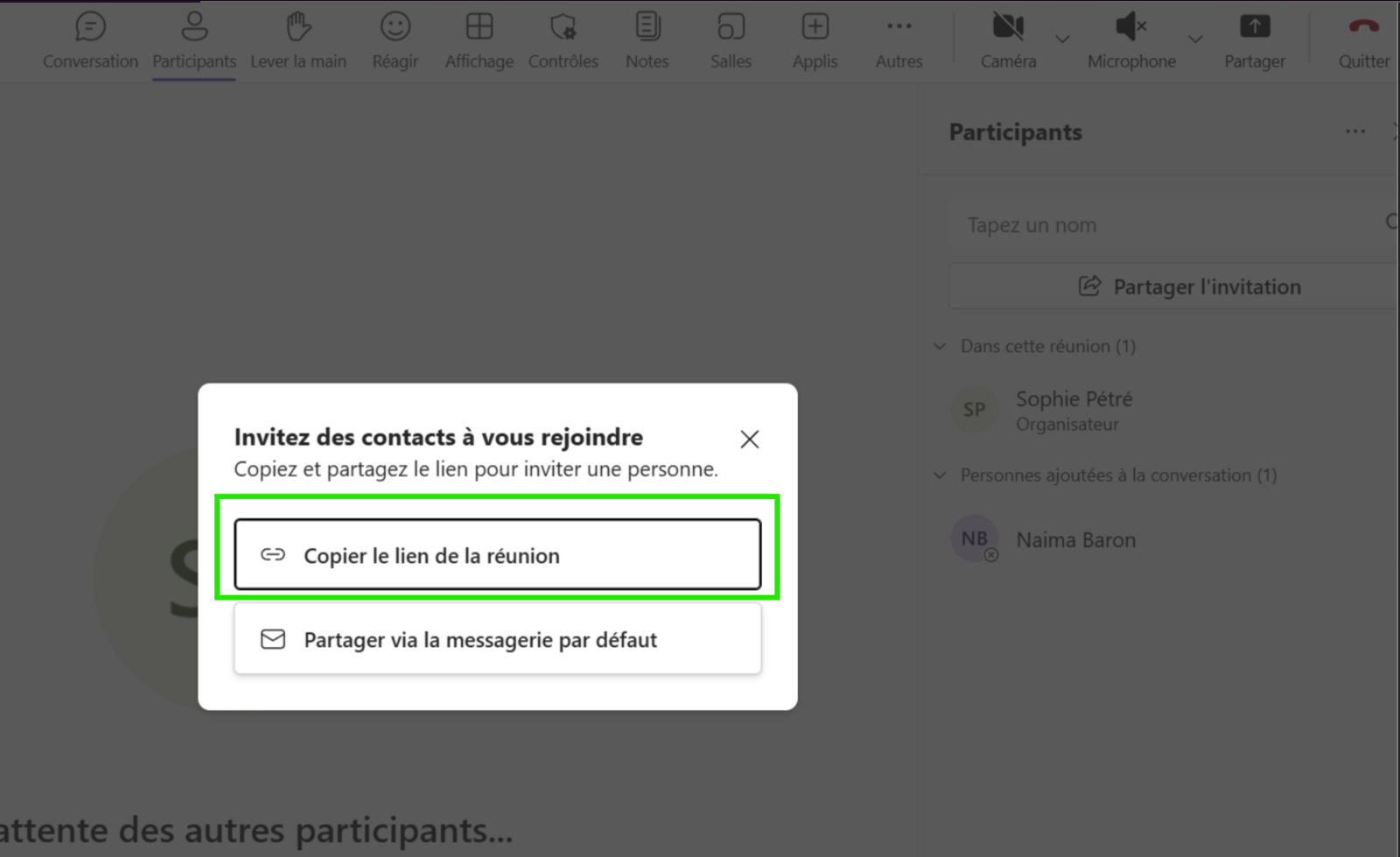
- Paste the link into the dedicated Leexi interface and click "Invite Leexi Bot".
The Teams assistant only works on meetings created with a Teams Pro account. Free/family Teams accounts don't support this feature.
On Zoom
- During your Zoom meeting, click "Participants" at the bottom of the screen.
- Click "Invite" then "Copy invite link".
- Go to Leexi, paste the invite link, and click "Invite Leexi bot".
Paste then confirm
Paste the meeting link and confirm sending the assistant.
Check the bot's arrival
Watch the meeting and the Leexi interface to confirm the bot has joined the meeting.
Going further
- Manual invite is a quick solution when the calendar isn't synced.
- It also covers meetings created outside your usual workflows.
- Once the call is captured, the summary and sharing workflows remain the same.
Frequently asked questions
Yes, as long as the link matches an integration supported by Leexi.
No. It handles a one-off case but doesn't replace the automation offered by a connected calendar.
Things to watch out for
- An incomplete or invalid URL will prevent the bot from joining the meeting.
- Certain video conferencing platform restrictions can limit inviting the bot.
- Without active transcription on the license, the call's value will remain limited.
- For Zoom, make sure the "Allow participants to record locally" setting is enabled in your Zoom settings. If Leexi needs permission to record, the meeting owner must approve the request.