AI Meeting
Tags
Classify calls with simple labels to speed up search, sharing, and business tracking.
Definition: Tags are used to label calls to find them faster, group them by use case, and enrich shared work views.
Feature video
No video is available at this time.
| Who is this for? | Required permissions and licenses |
|---|---|
| • Teams who want to classify their calls quickly. • Managers who structure simple reference points before moving to more advanced views. | • Available on all licenses (Starter, AI Meeting, Business, Enterprise). • Applying a tag to a call depends on your rights on that call. • Creating and managing tags (adding, editing, deleting) is reserved for Super Administrators and System Administrators with access to customization settings. • The scope of tags depends on your internal organization. Created tags are global and visible to all users with access to the library. |
How to use it
Define useful tags
Identify the simple categories your teams actually need.
Create tags in settings
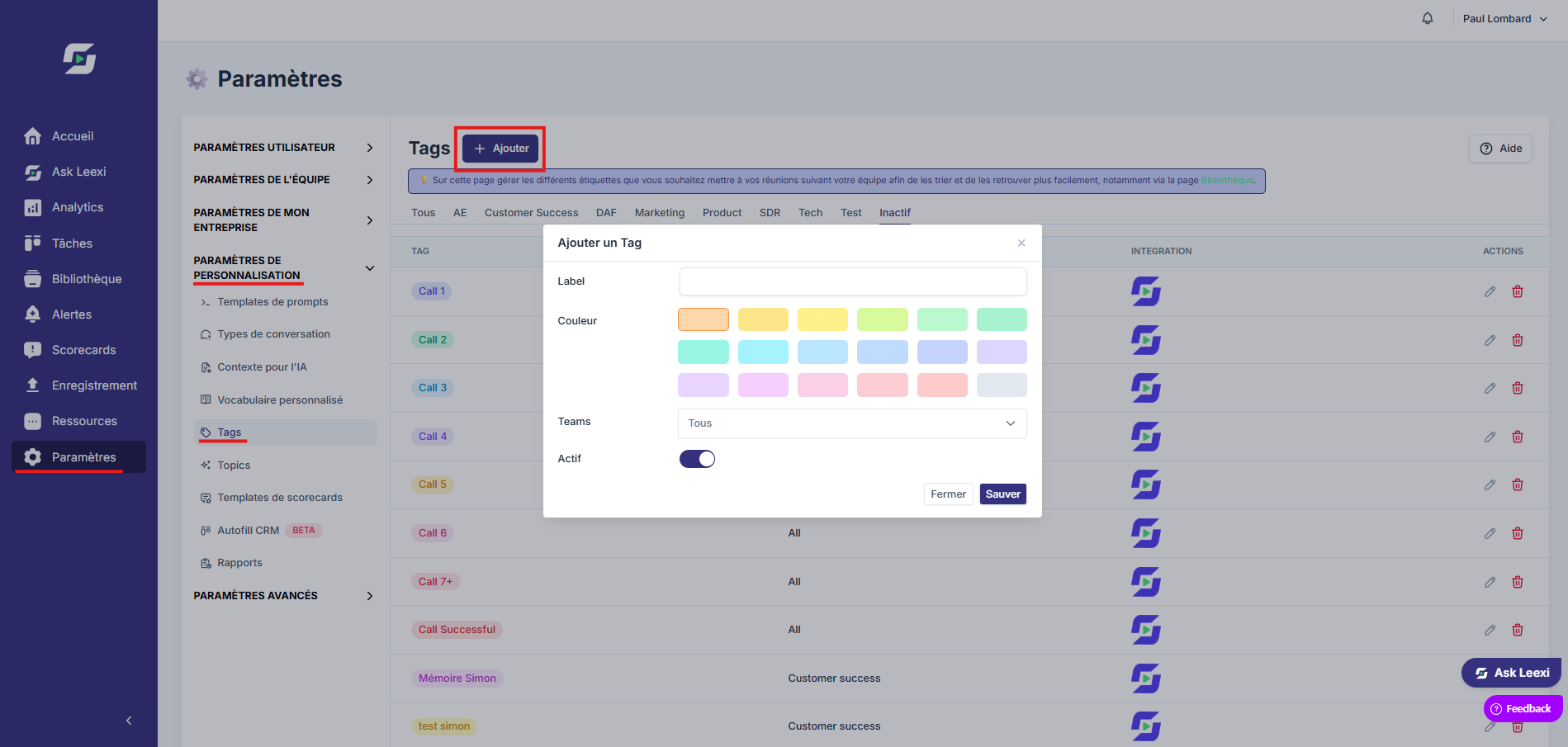
Go to Settings > Customization settings > Tags, then click "+ Add" to create a tag.
Apply tags to calls
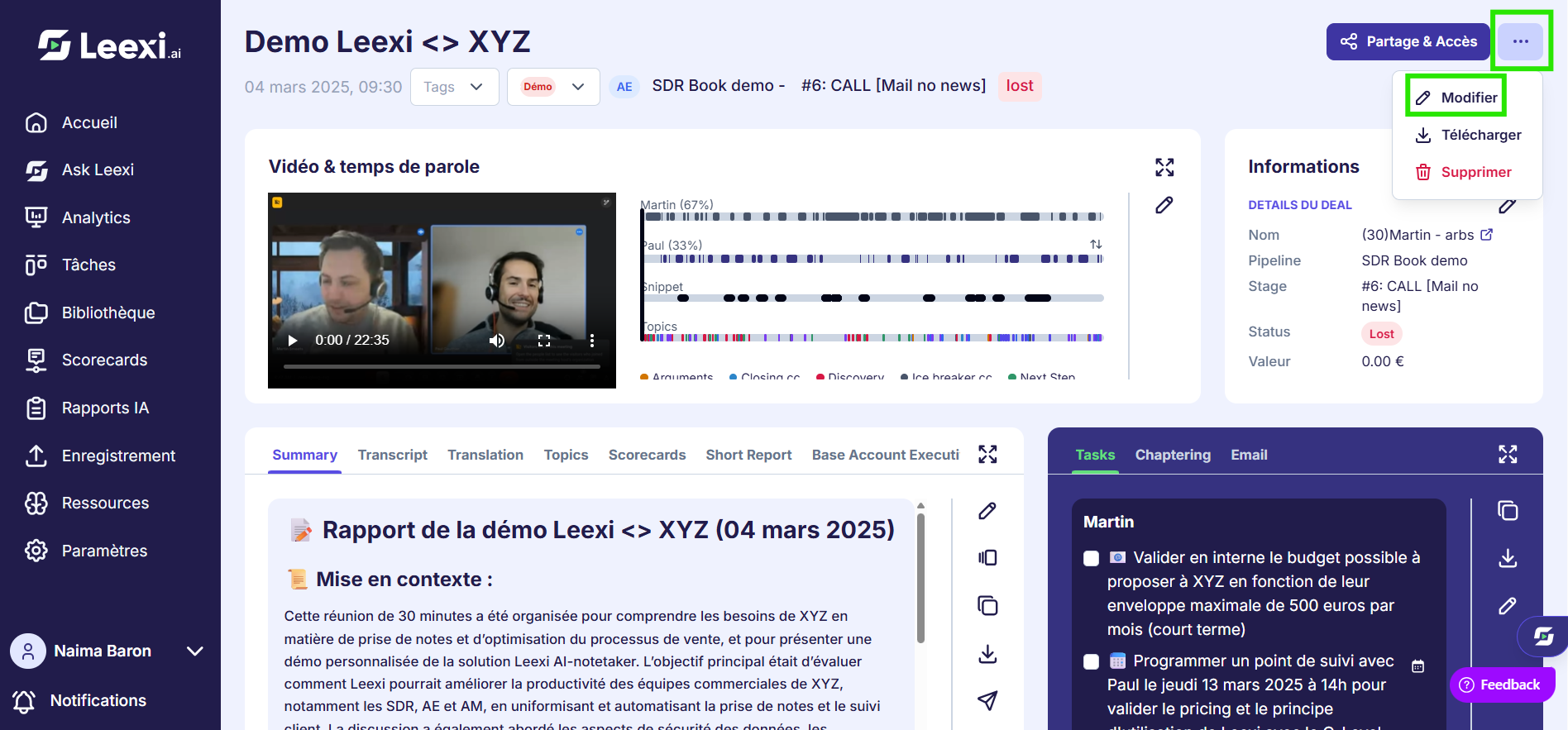
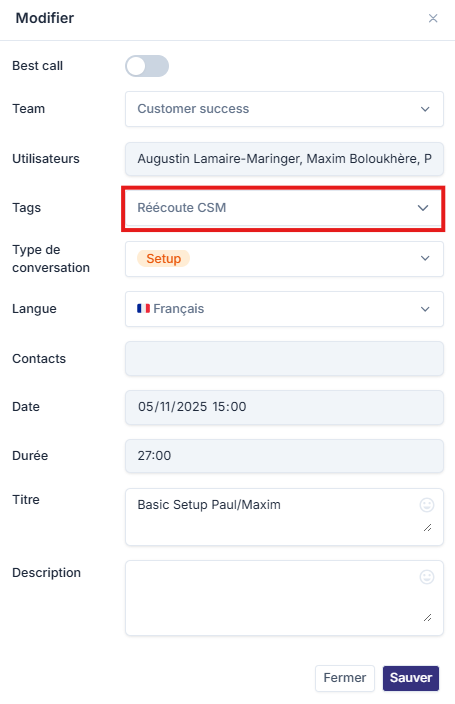
From a call page or a suitable view, associate the relevant tags.
Search or share
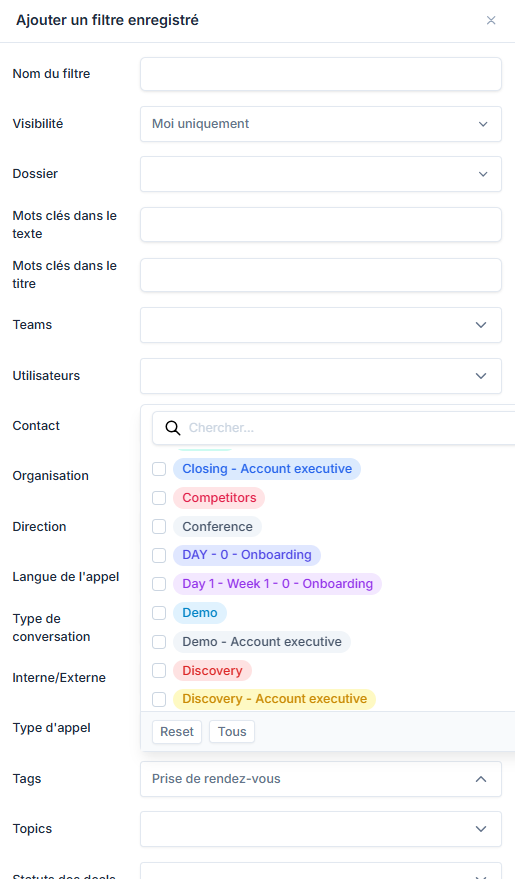
Then use these tags in the library, in search, or in your management routines.
Going further
- Tags work well for quick, flexible classification.
- They combine usefully with the library and custom filters.
- They can also prepare for more structured uses such as reporting or coaching.
Frequently asked questions
Only Super Administrators or System Administrators with access to advanced settings can create, edit, or delete tags.
No. Tags are more free-form and manual. Topics follow a more structured logic.
Yes, a meeting can be associated with several tags for finer organization.
No. Tag assignment is manual. There's no automation feature based on rules or criteria.
Yes, it's possible to use several tags in a filter to refine the search.
The tag is removed from all meetings it was associated with, but the meetings remain in the library.
Things to watch out for
- Too many tags hurt readability.
- Define a simple, stable naming convention.
- Avoid tags that exactly duplicate other classification tools.
- The lack of automation can make tag management heavy for large teams or a high volume of meetings.
- Creating and managing tags requires elevated rights, which can limit the responsiveness of operational teams.