Getting Started
In-Person and Video Recordings
Capture an in-person meeting or import an audio or video file to use it in Leexi.
Definition: Leexi isn't limited to meetings detected via calendar. You can also record an in-person conversation or upload a file to get a transcript, a summary, and actions.
Feature video
No video is available at this time.
| Who is this for? | Required permissions and licenses |
|---|---|
| • Teams with interviews held outside video calls or calls already recorded. • Users who want to centralize all their meeting notes in Leexi. | • License required: Starter, AI Meeting, Business, or Enterprise for transcription. • No particular role is needed to import or record your own content. • Some advanced uses may depend on your CRM or sharing integrations. |
How to use it
Start a live recording
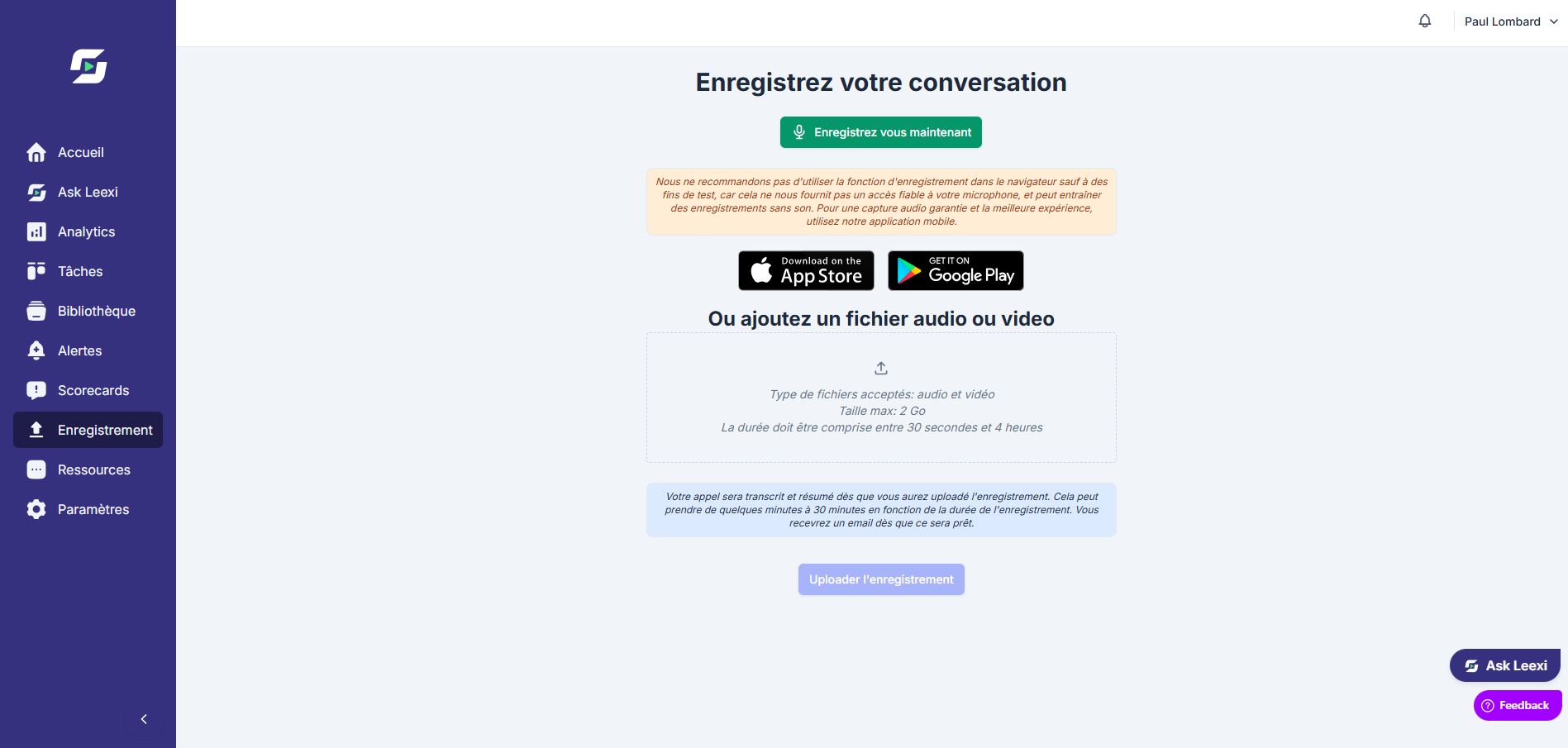
Use the manual recording option to capture an in-person meeting or an interview without a video link. You can also record directly from the Leexi mobile app by tapping "Record now."
Import an existing file
Upload an audio or video file when the conversation has already been recorded outside Leexi.
Add useful context
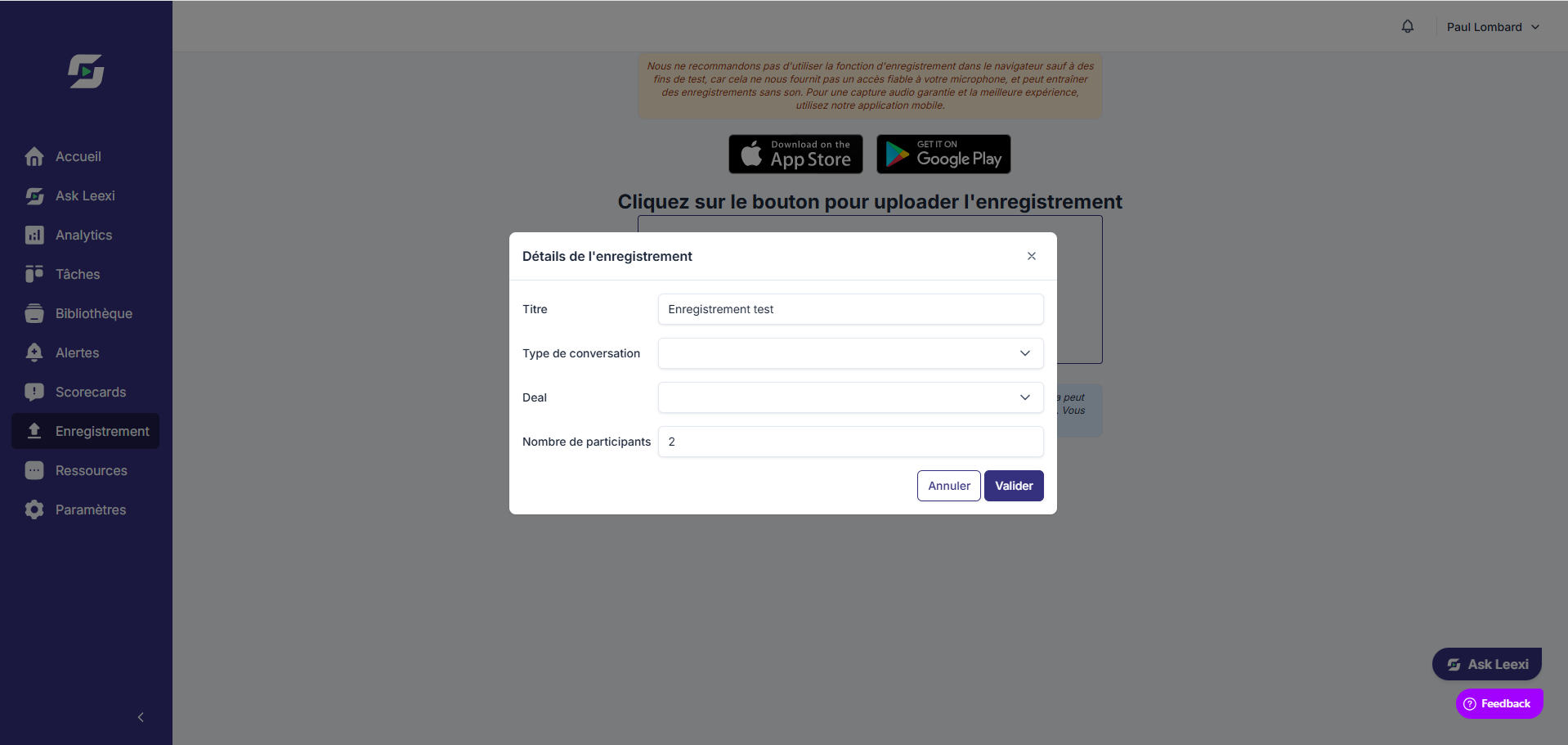
If needed, link the call to a contact, an opportunity, or a conversation type to make the AI outputs more reliable. When recording or importing, you can fill in:
- Title: to name and file the recording easily
- Conversation type: to tag the recording
- Deal: to link a deal and ensure CRM tracking
- Number of participants: to help Leexi identify the speakers
Let Leexi process the content
The transcript, summary, and actions then appear just like for a standard call.
Share or use the result
Open the call page to review, correct, share, or send the information to your connected tools.
Going further
- This approach covers field interviews, in-person client meetings, and reviews of historical recordings.
- Dictaphone use case: after an in-person meeting, tell the recorder what happened - Leexi takes care of summarizing it and sending the information to the right place in your CRM.
- Once processed, the content joins the same workflows as other calls in the library and search.
- The metadata entered upfront often improves classification and automation quality.
- Accepted audio formats:
.mp3.wav.aac.flac.ogg.m4a.wma.opus.aiff.alac.amr.ape.dts.ac3.mid.mp2.mpc.ra.tta.vox - Accepted video formats:
.mp4.mkv.avi.webm.mov.wmv.mpg.mpeg.m4v
Frequently asked questions
Yes. Leexi accepts audio or video files, as long as they contain a usable track.
Yes, provided your license gives access to the relevant features.
Yes, you can record your meetings without an internet connection. However, an internet connection is required for the audio to be uploaded.
Things to watch out for
- With the mobile app, each speaker must identify themselves before speaking for the first time. We recommend doing a round of introductions at the start of the meeting (e.g., "My name is first and last name and I'm role at company name").
- A recording or an imported file can take up to 30 minutes to appear in Leexi.
- If your recording doesn't appear, check the file format - only the formats listed above are supported.
- A large file may require a longer processing time.
- Sound quality remains critical for getting a reliable transcript.
- CRM or reporting automations depend on the context and active integrations.