General Settings
Notifications
Manage email notifications and other alerts to follow Leexi activity without unnecessary noise.
Definition: Notifications let you choose which Leexi events should reach you, for example a summary becoming available, changes to a call, or certain automated sends.
Feature video
No video is available at this time.
| Who is this for? | Required permissions and licenses |
|---|---|
| • All users who want to adjust their alert level. • Administrators looking to harmonize usage across the company. | • Personal notifications are accessible to every user. • Some global settings require company admin permissions. • The available channels depend on active integrations and modules. |
How to use it
Open your notifications
Go to Settings > My notifications to see the available preferences.
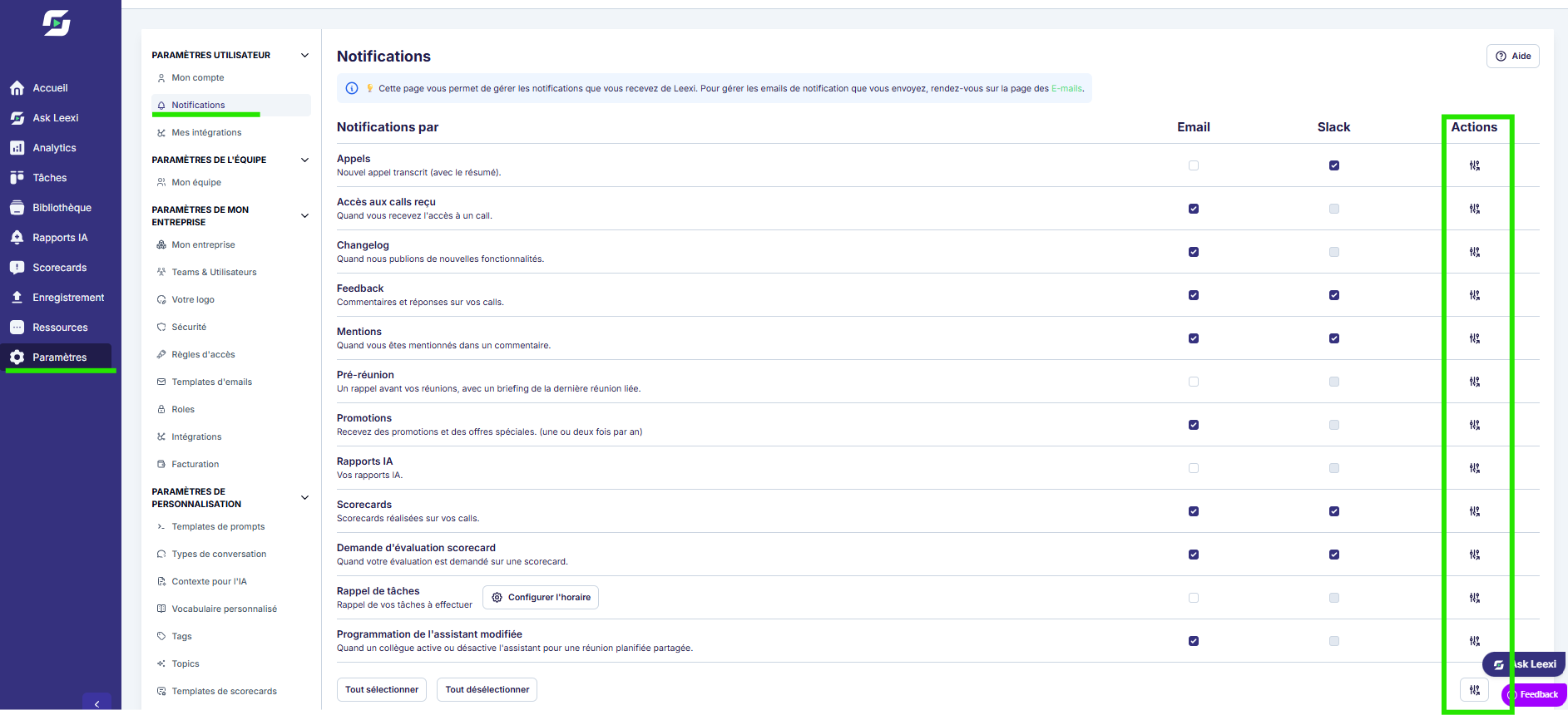
Choose the relevant events
Enable or disable alerts by email and on Slack (if Slack is connected to your Leexi account) based on your daily usage.
Apply a setting to the whole company (Super Admin)
With a Super Admin role, the "Actions" column on the right lets you apply a notification setting to the entire company in a single action.
Check the connected channels
Confirm that your integrations or receiving addresses are correctly configured.
Adjust regularly
Review your settings as your role, integrations or activity volume evolve.
Going further
- Too many notifications reduce the value of important alerts.
- Notifications can complement summary, briefing or activity tracking flows.
- Some sends rely on team or company settings in addition to your personal preferences.
Frequently asked questions
First check your preferences, then your company's integrations or sending rules.
Personal settings do not. Global settings do, depending on your permissions.
Things to watch out for
- A channel that isn't connected makes the corresponding notifications inoperative.
- A user preference does not replace an integration prerequisite.
- Check your settings after a role or plan change.