Business
Meeting Hub
Prepare upcoming appointments with useful context before the meeting.
Definition: Meeting Hub consolidates pre-meeting context to help your teams show up better prepared for meetings.
Feature video
No video is available at this time.
| Who is this for? | Required permissions and licenses |
|---|---|
| • Sales, customer success teams, and managers preparing high-value meetings. • Organizations that want to standardize meeting preparation. • Any user wanting a summary of past meetings and an AI opinion before an upcoming meeting. | • Available on the AI Meeting, Business, and Enterprise plans. • AI recommendations and Company & Contact insights are reserved for the Business plan and above. • Access to meetings also depends on active calendar integrations. • Visible content remains limited to your data scope. |
How to use it
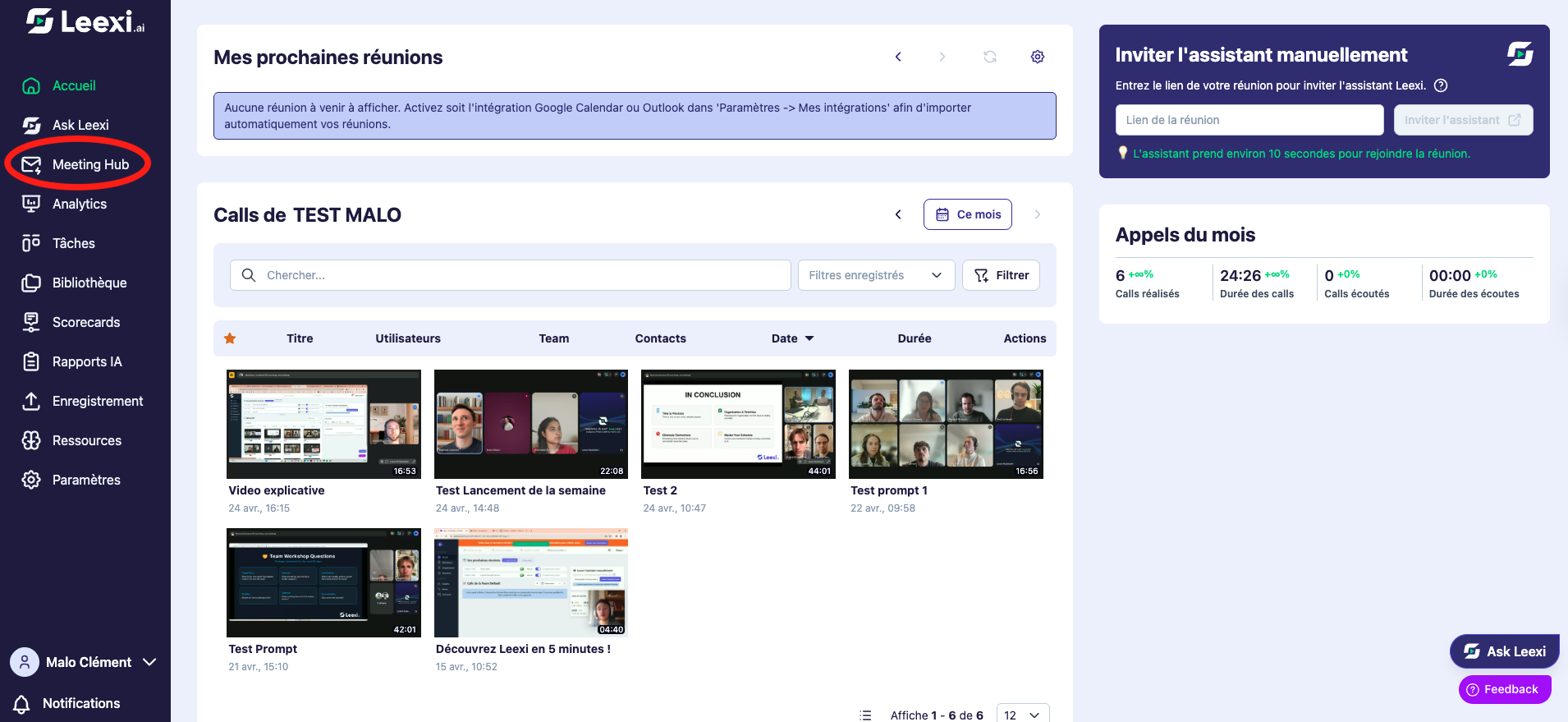
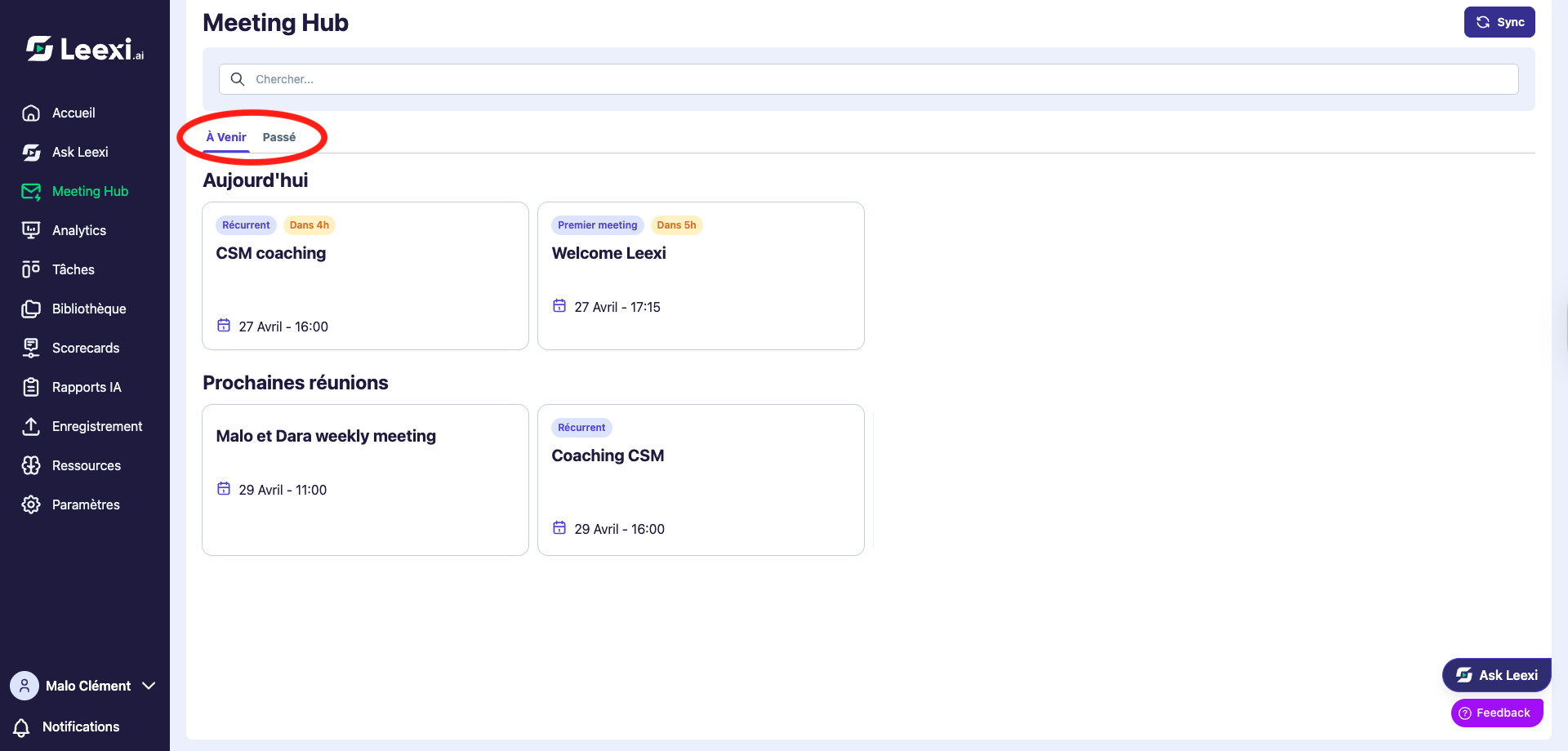
Open Meeting Hub
Access the upcoming meetings space if your plan and integrations allow it.
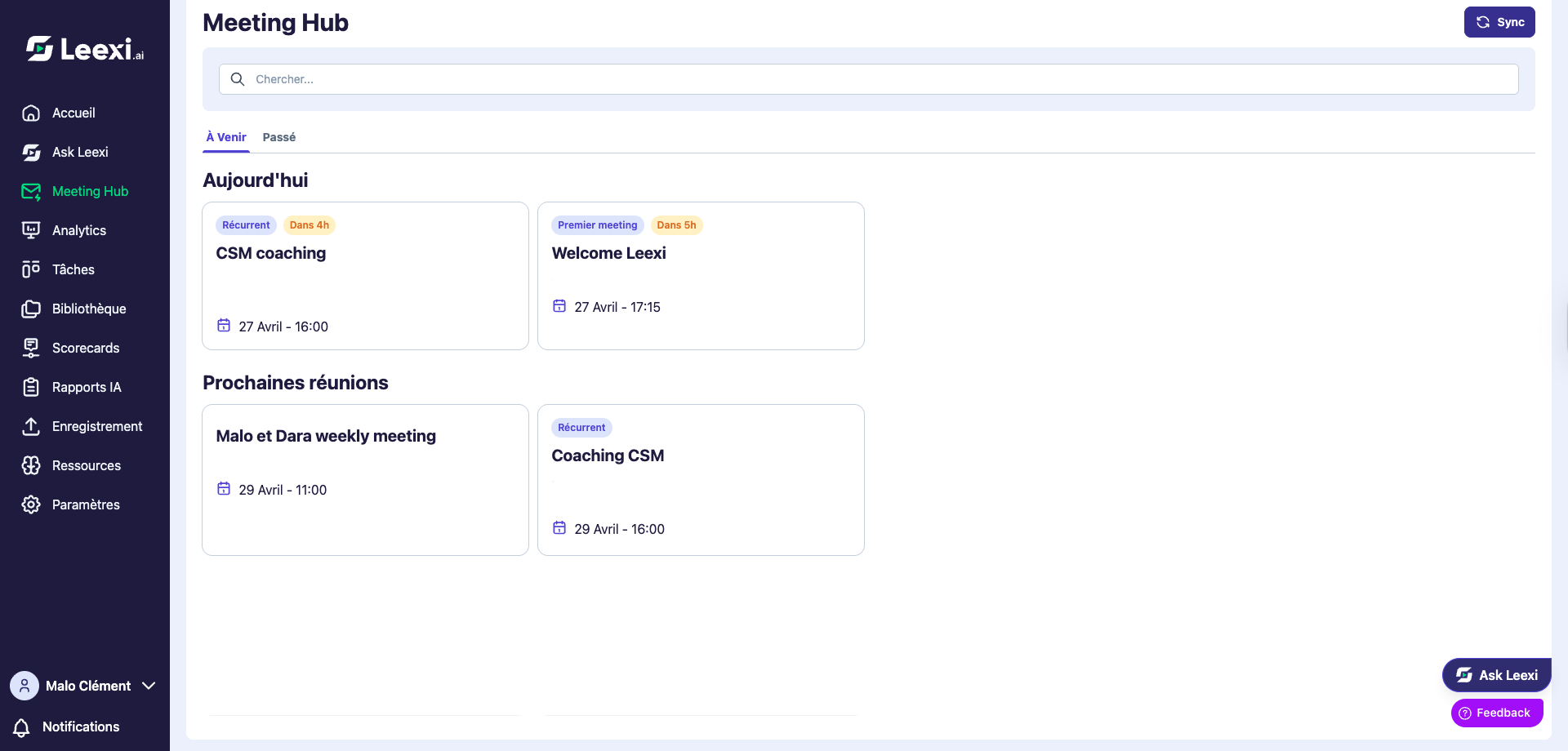
Review context before the appointment
Check the information already available on the account, contacts, or previous exchanges.
Read the helpful suggestions
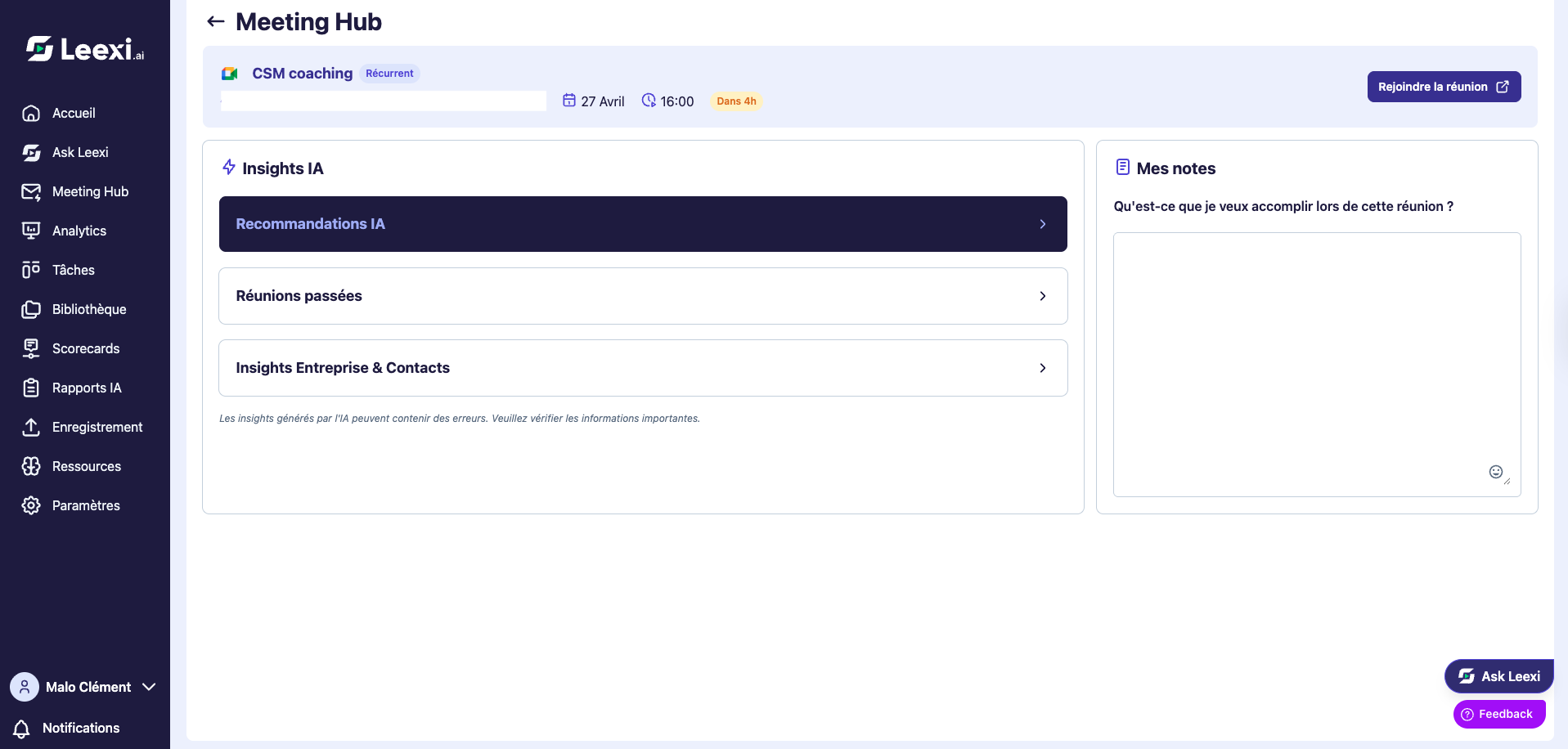
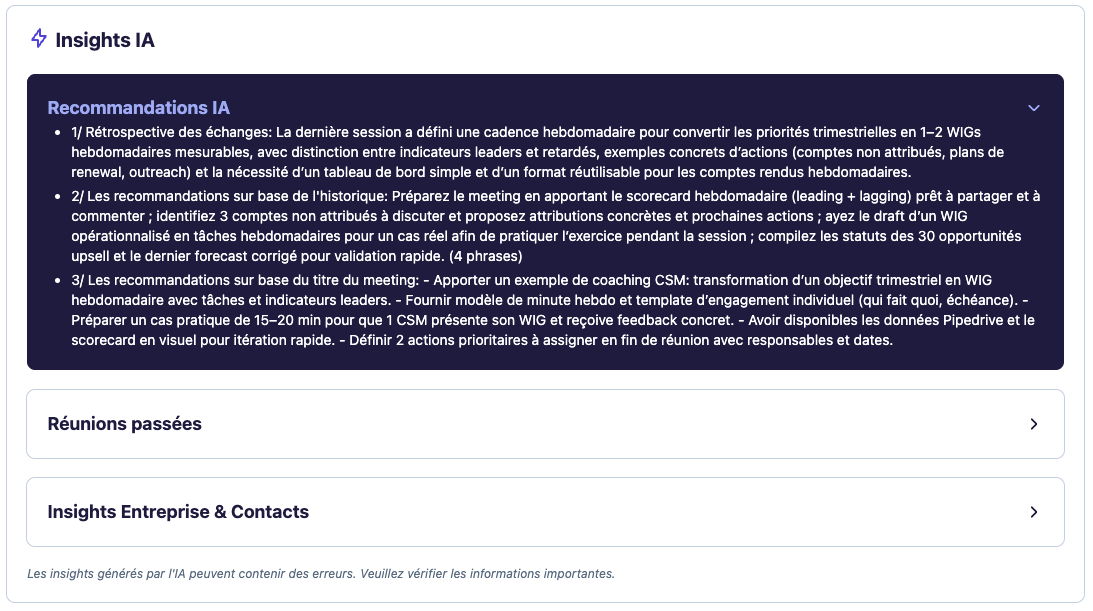
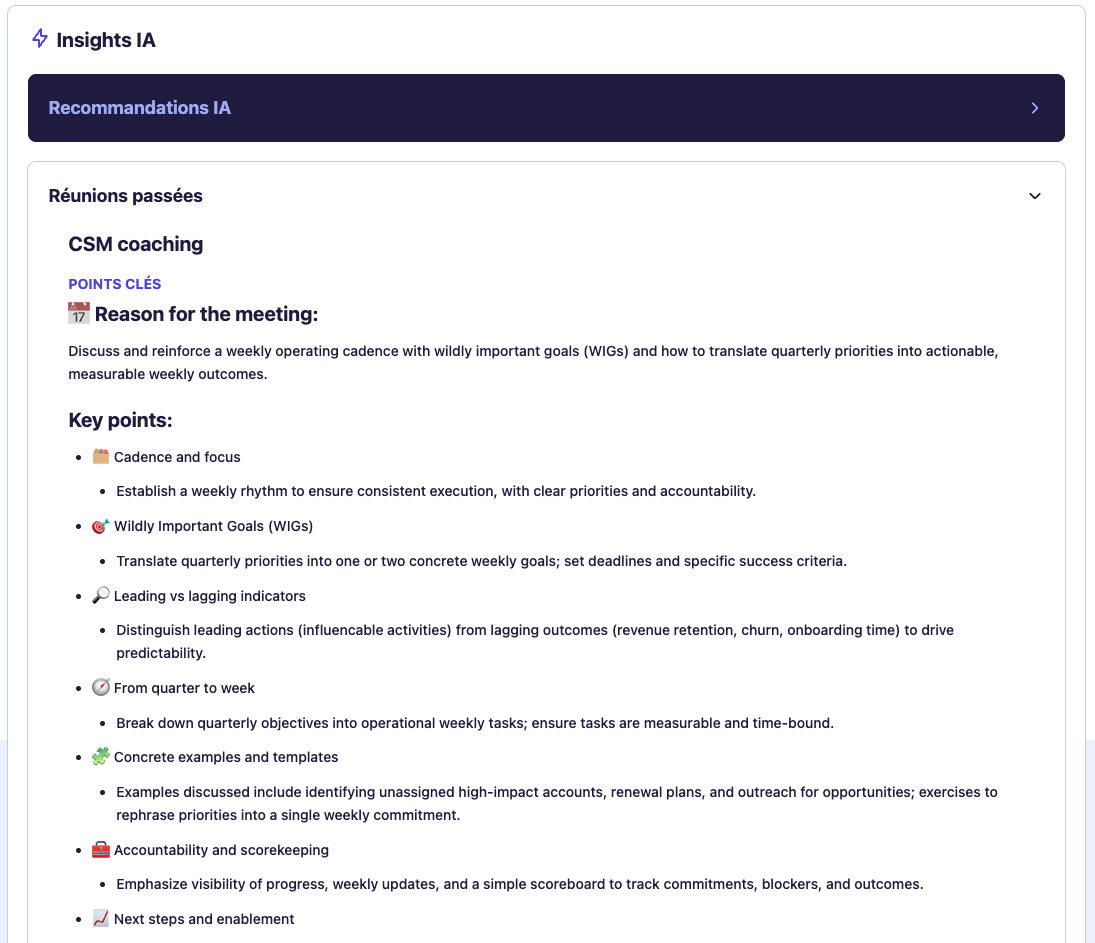
Meeting Hub offers several elements to prepare for your meeting:
- AI recommendations (Business only): advice based on recurring meetings with the same group.
- Past meeting context: summary of the latest exchanges so nothing is forgotten.
- Company & Contact insights (Business only): public information about the company and contact.
- Preparation notes: space to jot down your ideas ahead of the meeting.
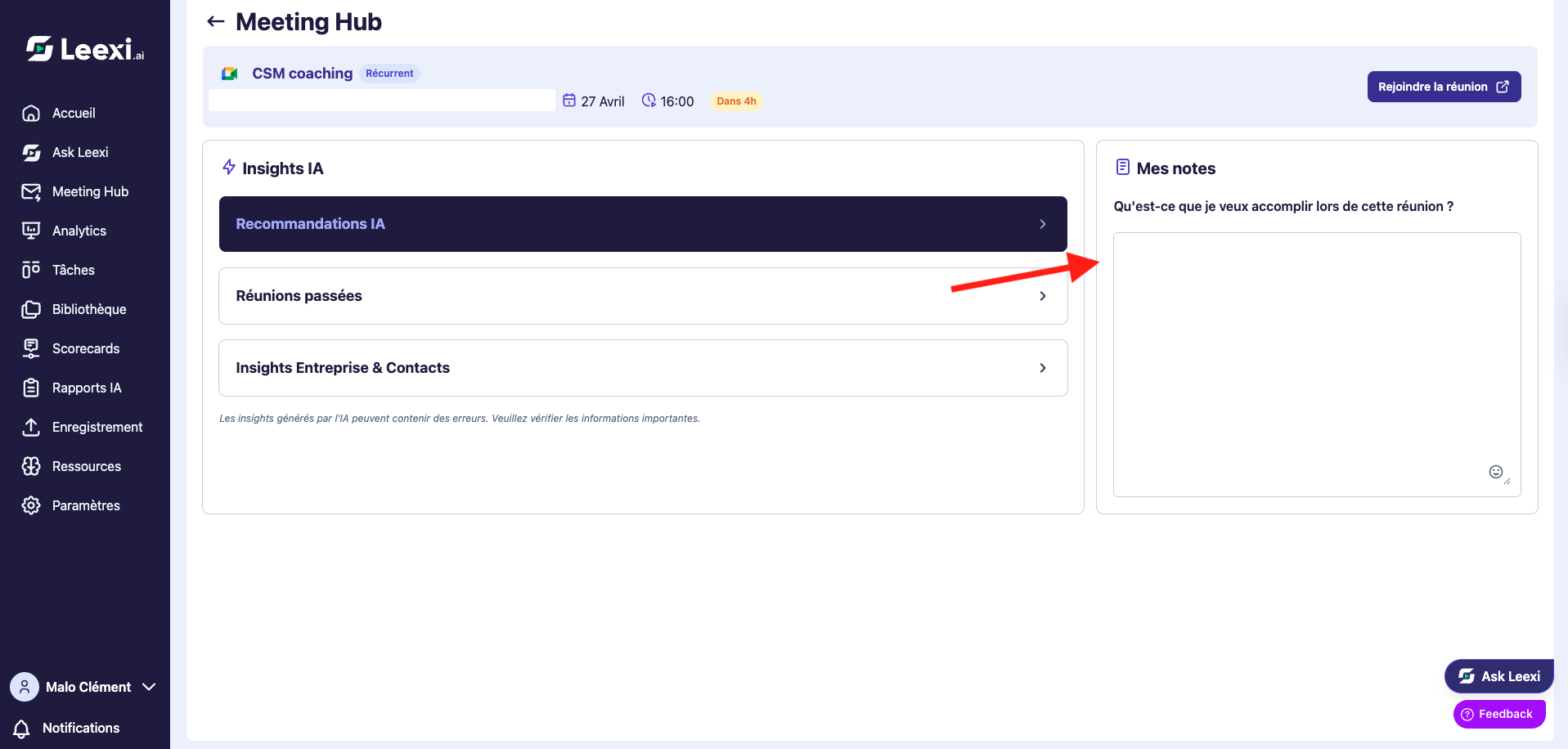
Move into the meeting with the right level of context
Use this information to structure your preparation, your goals, and your questions.


Going further
- Meeting Hub becomes more valuable when your calendar and CRM integrations are properly set up.
- It helps reduce manual preparation time for recurring meetings.
- A team that shares the same preparation reference points gains consistency.
- Meeting Hub is accessible from Leexi's left sidebar and also lets you join a meeting directly or review a past call.
Frequently asked questions
This depends on active calendar integrations, your plan, and your visibility scope.
Yes, but the level of available context will be more limited.
Things to watch out for
- Incomplete context may come from an inactive integration rather than a product bug.
- Pre-meeting suggestions should be reviewed before sensitive use.
- The absence of a meeting in Meeting Hub doesn't always mean it doesn't exist in Leexi.
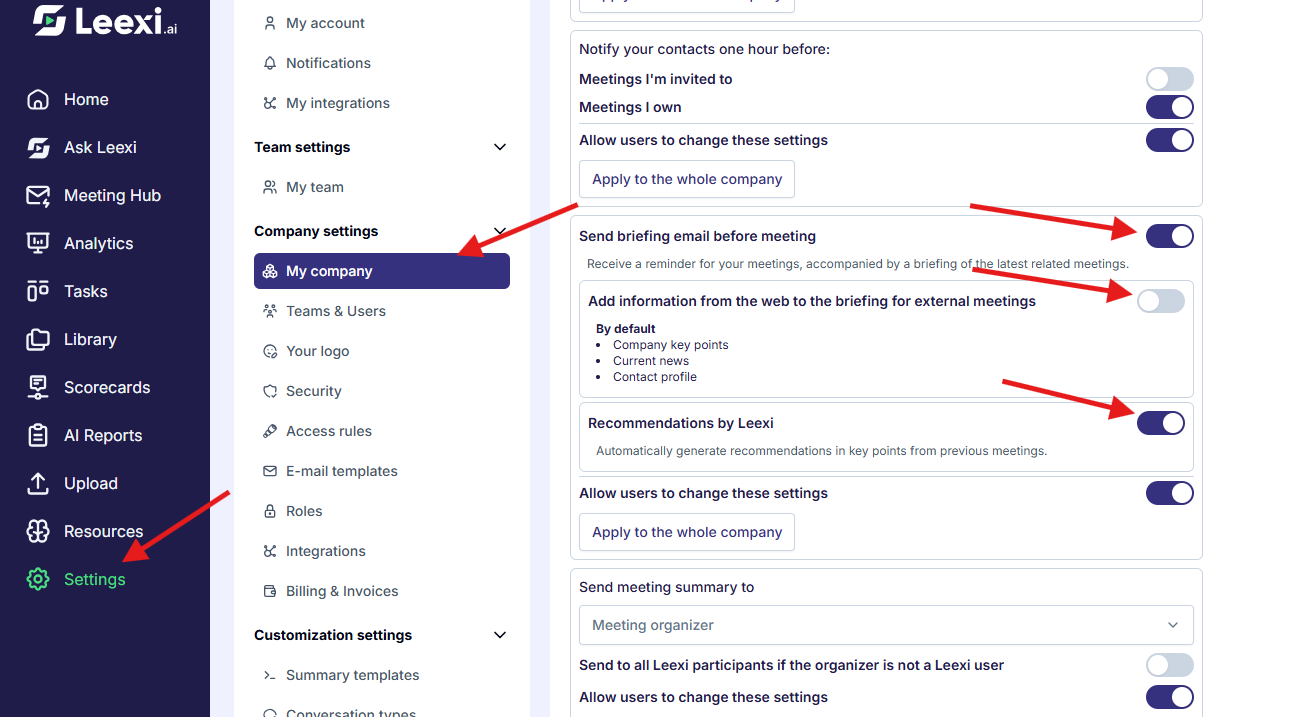
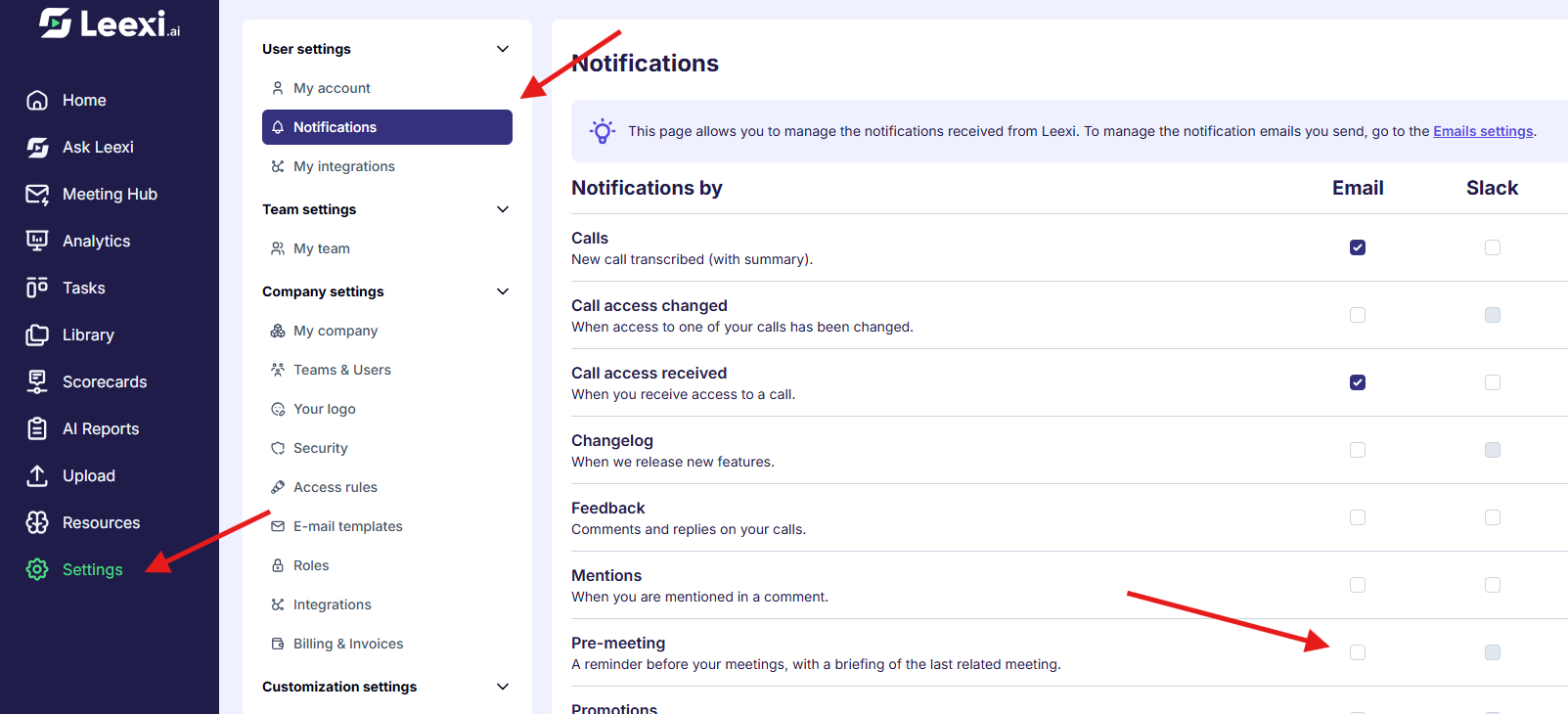
- Meeting Hub only retrieves information if the corresponding settings are enabled in your notification settings. Check that the necessary boxes are checked in your settings.
- To disable the pre-meeting email, uncheck the corresponding option in your notifications.