Call page
Snippets
Extract a useful segment from a call to review it, share it, or use it as supporting context.
Definition: A snippet is a short excerpt from a call, created from a portion of audio or content, to isolate a specific moment without sharing the entire meeting.
Feature video
No video is available at the moment.
| Who is this for? | Required permissions and licenses |
|---|---|
| • Users who want to share a targeted segment. • Managers who want to illustrate a coaching or review point. • Users who want a better summary of a specific part of the call. • Users who want to send part of a call to a client without giving them access to private data. | • Creating and managing snippets depends on your permissions on calls. • Extended rights exist for certain managers to manage snippets more broadly. • The snippet remains attached to the source call. |
How to use it
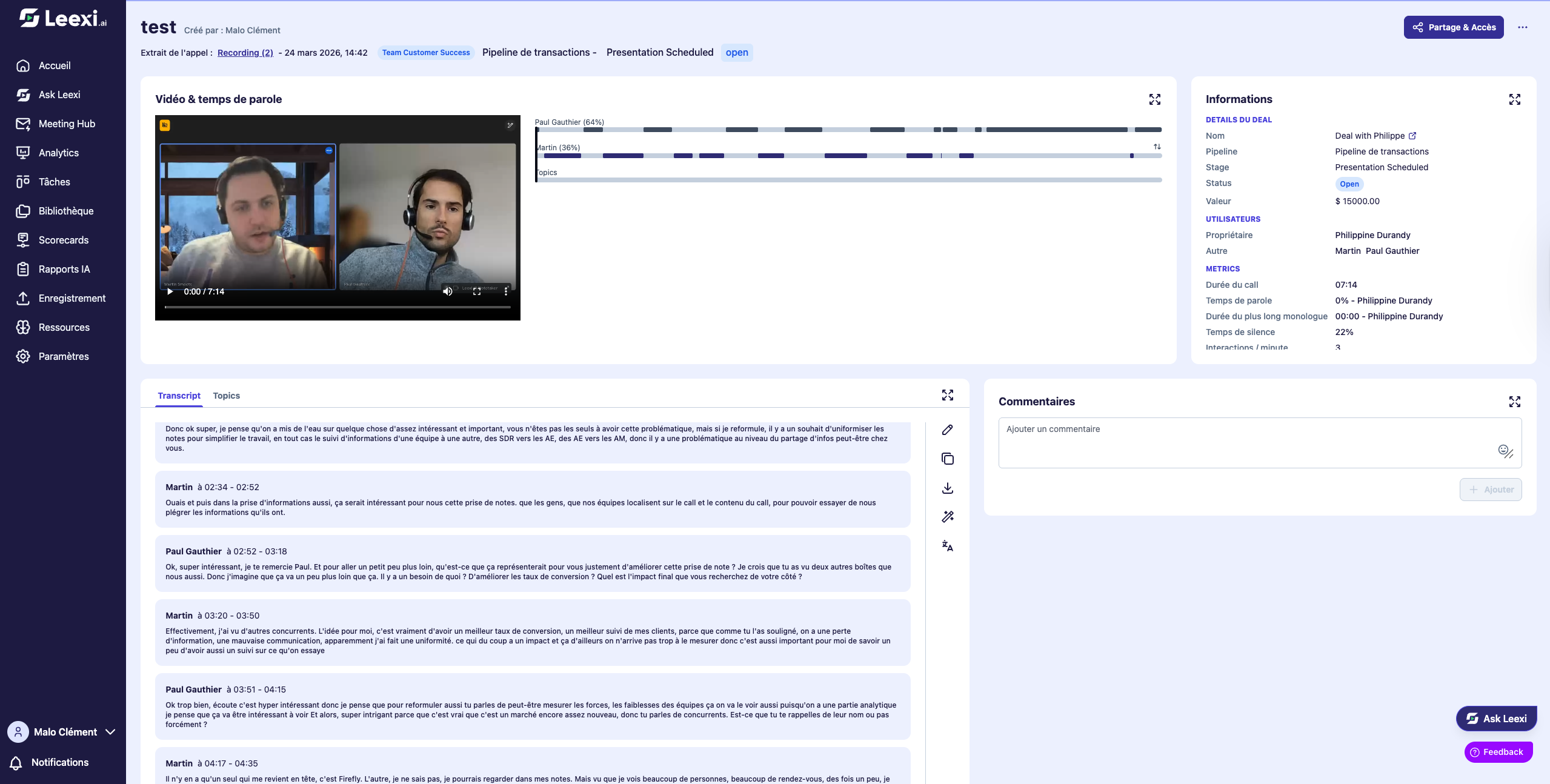
Open the source call
Access the call page that contains the segment to isolate.
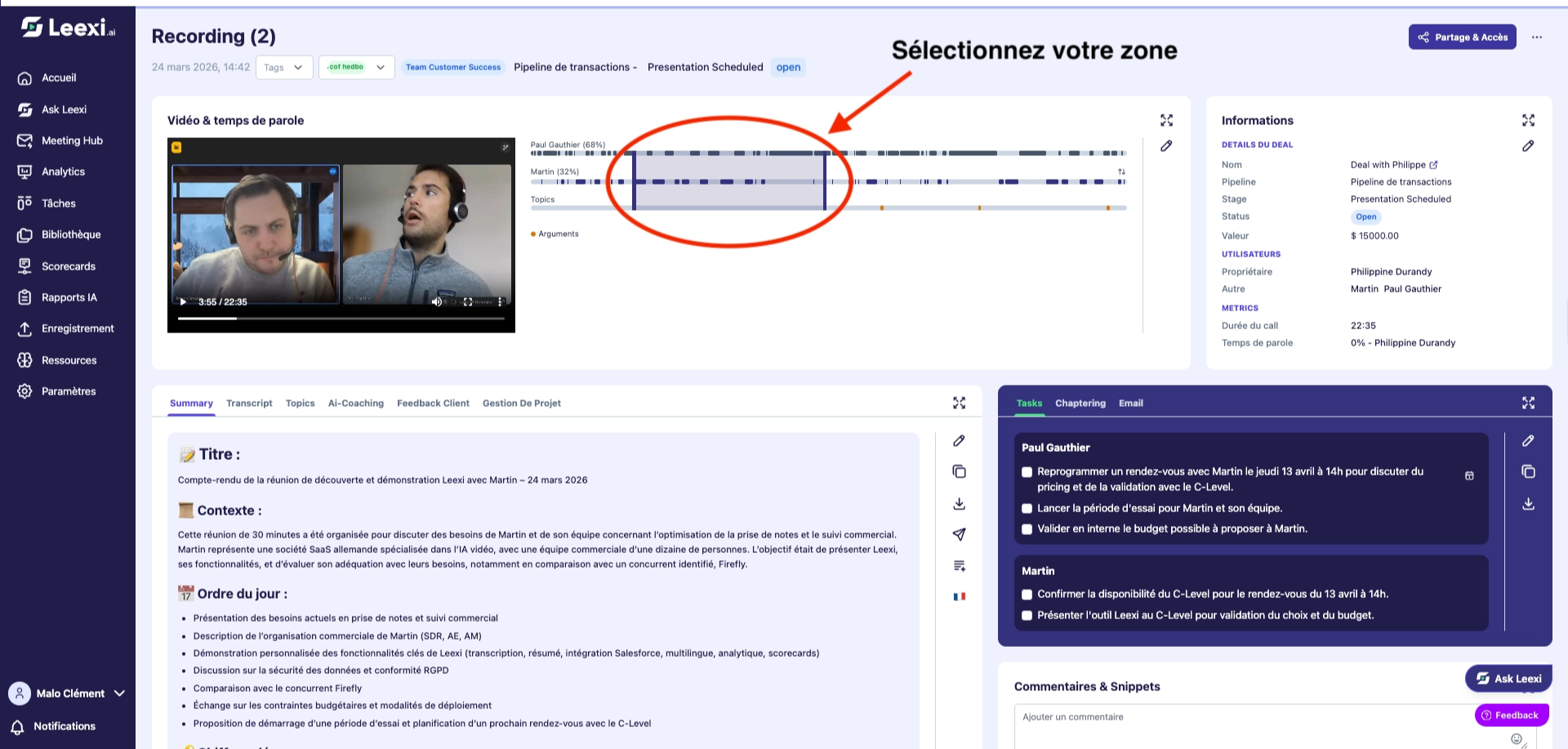
Select the useful portion
Choose the segment that corresponds to the moment to keep.
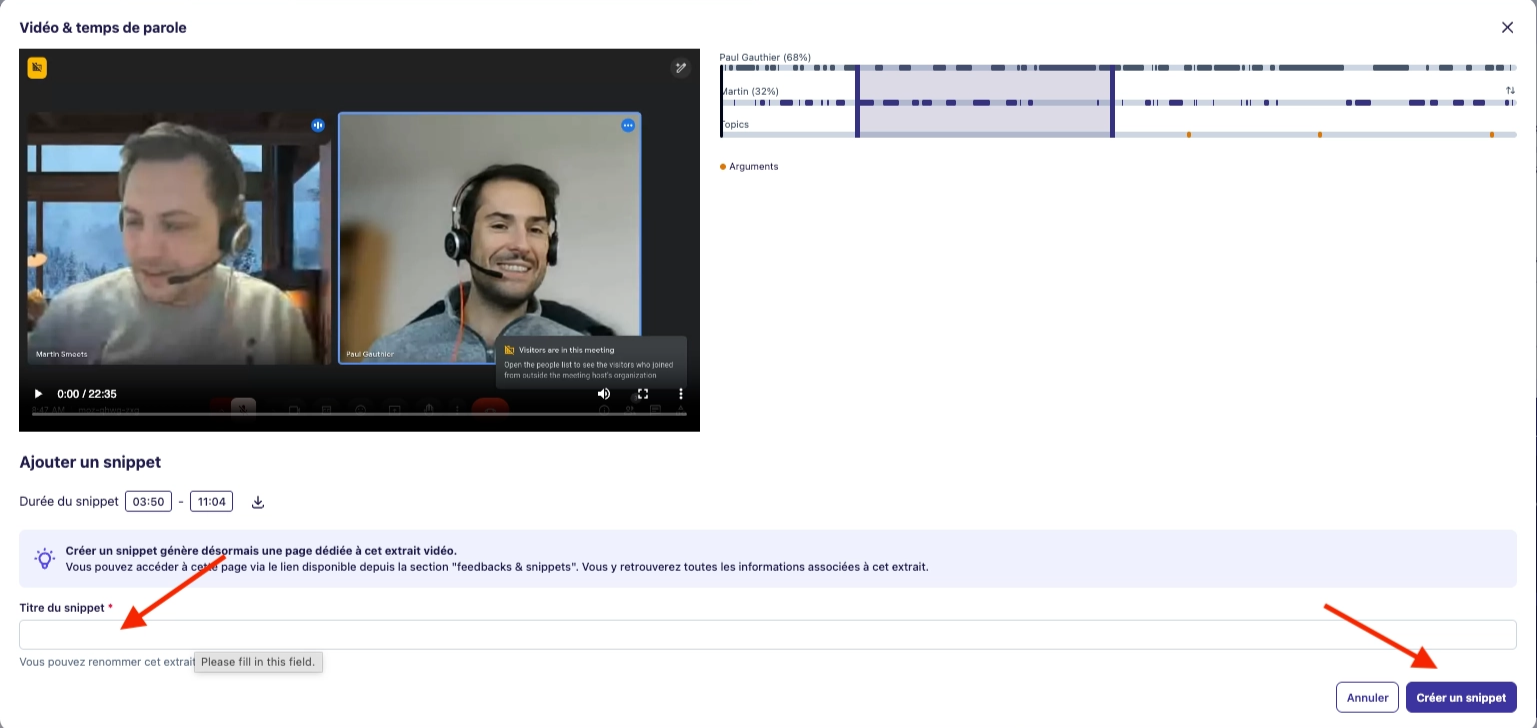
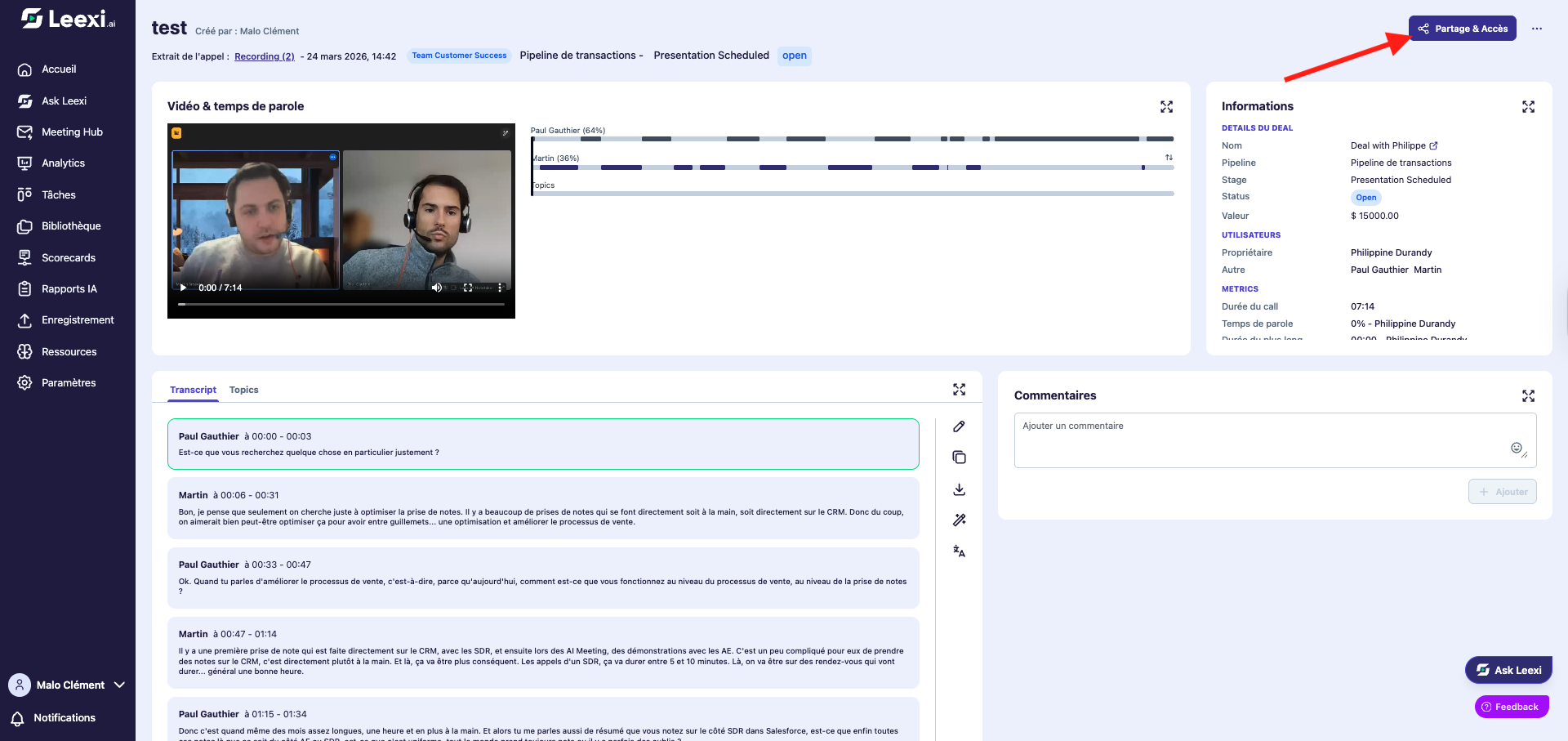
Create and name the snippet
Save the excerpt with a clear name to make it easier to find later.
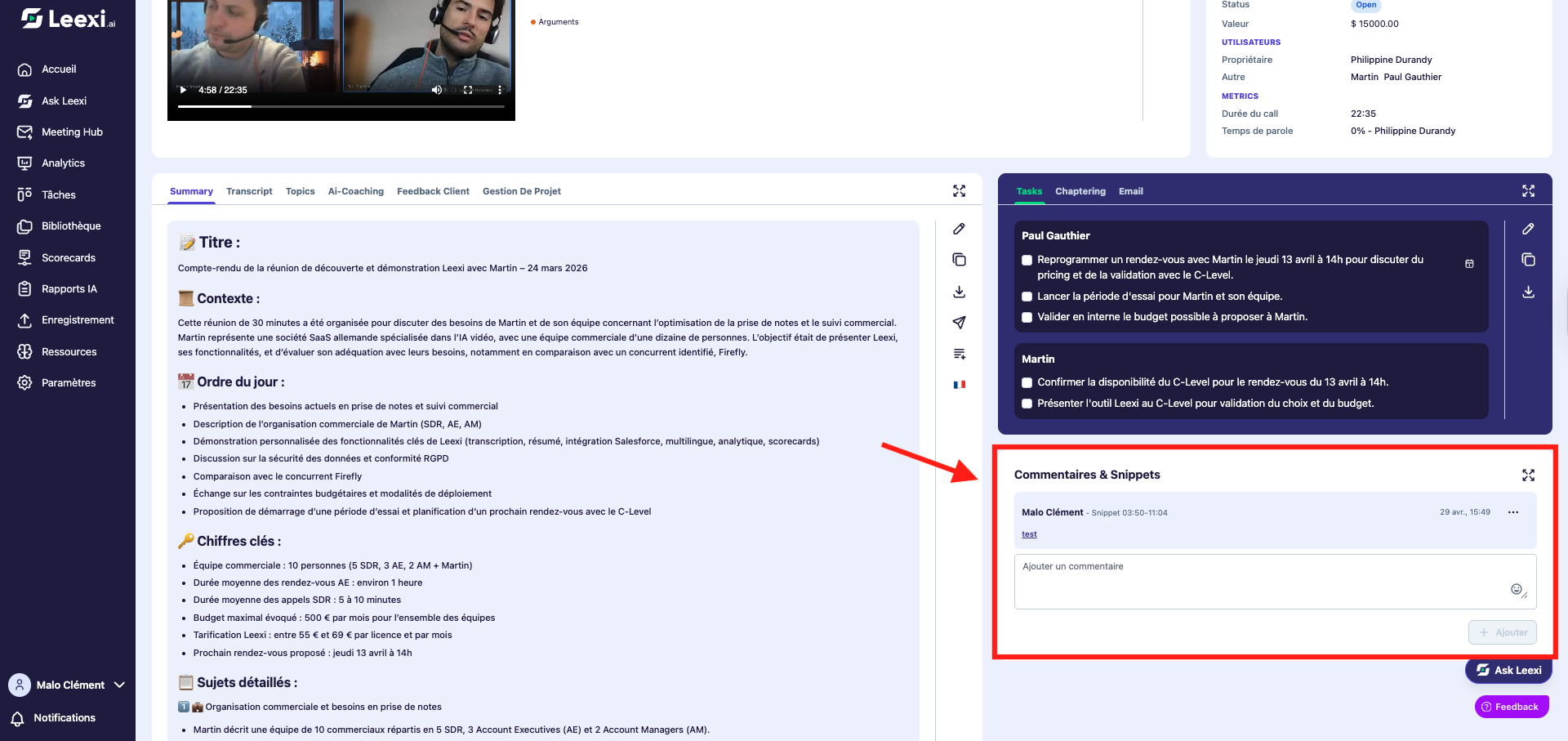
Re-share the targeted segment
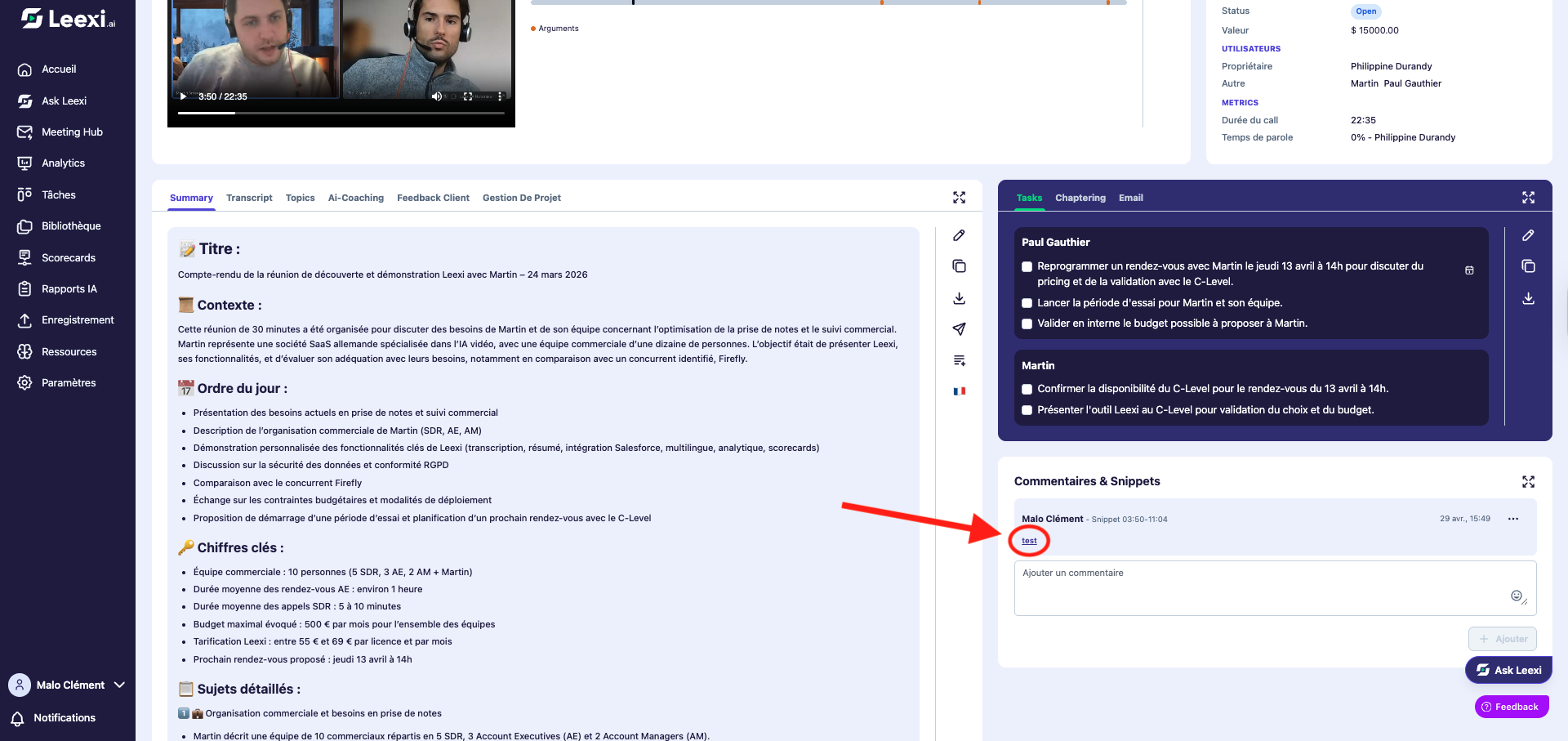
Then use the snippet to distribute only the relevant part.
Going further
- Snippets are useful for training, coaching, and quick reviews.
- They avoid sharing a whole call when only an excerpt is of interest.
- Their value depends on clear naming and a well-thought-out sharing scope.
Frequently asked questions
No. It mainly serves to isolate a segment, not to replace the entire sharing logic of a full call.
They remain linked to the original call and can be viewed from the paths associated with that call.
Things to watch out for
- Choose an excerpt short enough to remain readable.
- Check the context before distributing a segment outside its full call.
- The snippet must not bypass your internal confidentiality rules.
- There is no snippet library accessible outside the source call.
- It is not possible to select a snippet based on the timer.