AI Meeting
Usage analytics
Track Leexi adoption, actions performed on calls, and key usage indicators.
Definition: Usage analytics measures how users use Leexi on a daily basis, for example viewing, sharing, commenting, or activity on calls.
Feature video
No video is available at this time.
| Who is this for? | Required permissions and licenses |
|---|---|
| • Managers who track Leexi adoption. • Administrators who want to quantify team usage. | • Usage analytics is available on all licenses (Starter, AI Meeting, Business, Enterprise). • Usage tracking remains more broadly accessible than advanced analytics. • The most complete analytics views belong to the Enterprise plan. • Exact availability depends on your viewing scope and active modules. |
How to use it
Open the usage view
Access the analytics section that tracks actions performed in Leexi.
Choose the right scope
Filter by period, user, or team depending on the expected oversight.
Read the relevant indicators
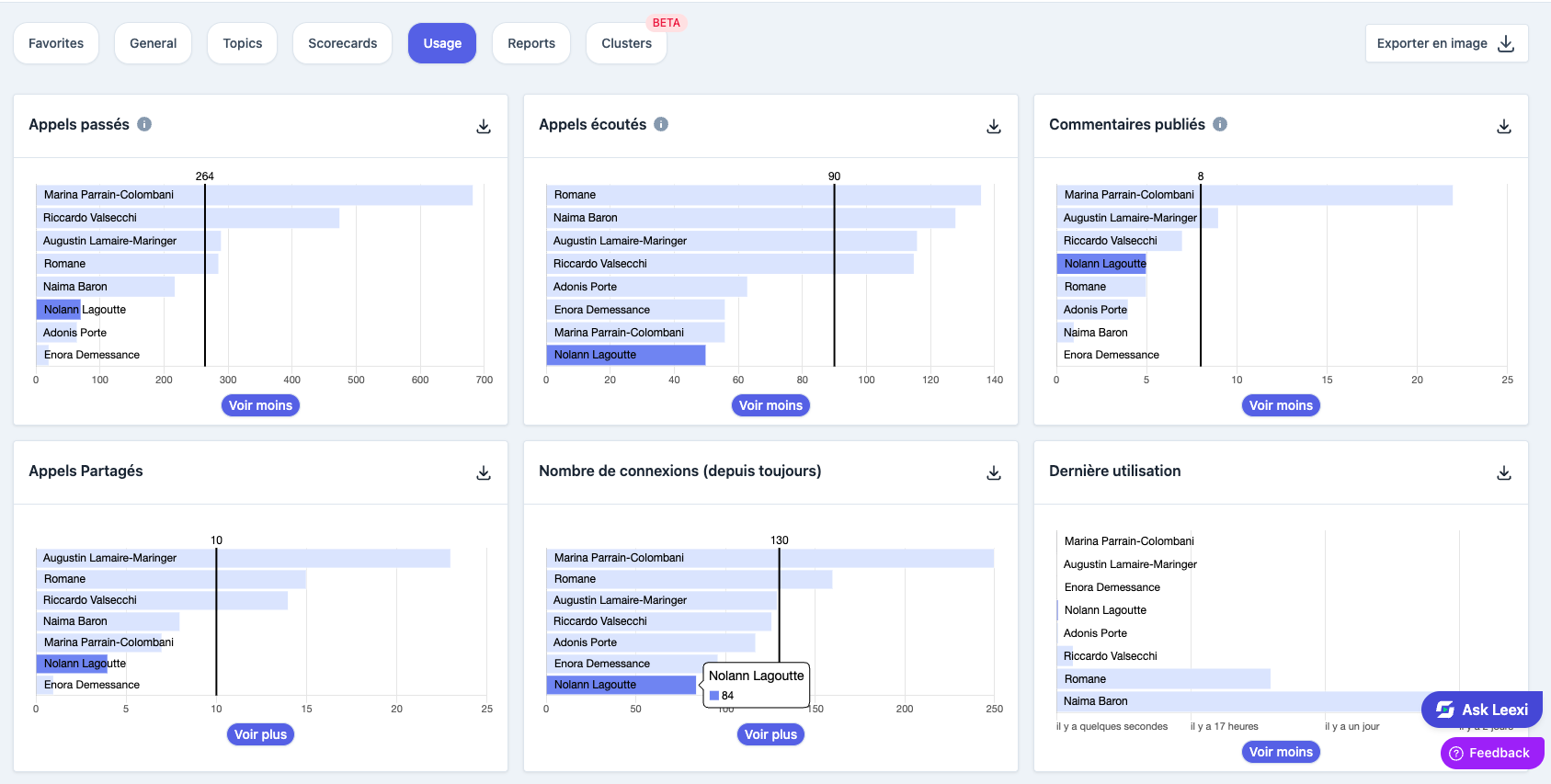
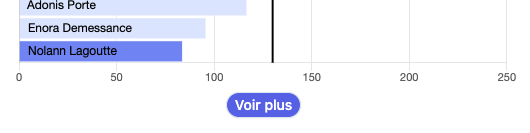
The page presents several key sections: calls made, calls listened to, comments posted, calls shared, the total number of logins since the start, and last usage. For each section, it's possible to display all users by clicking "See more".
Export if needed
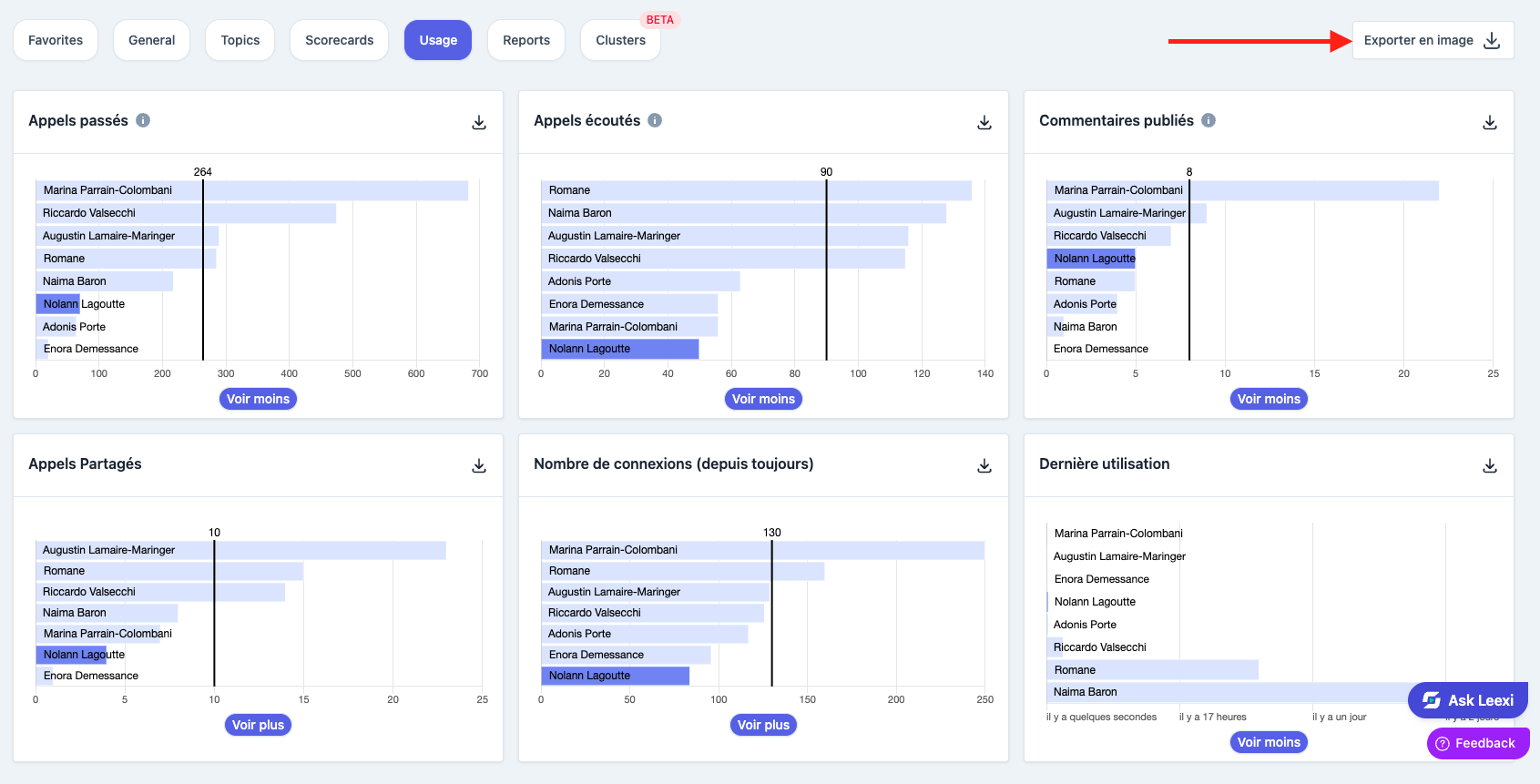
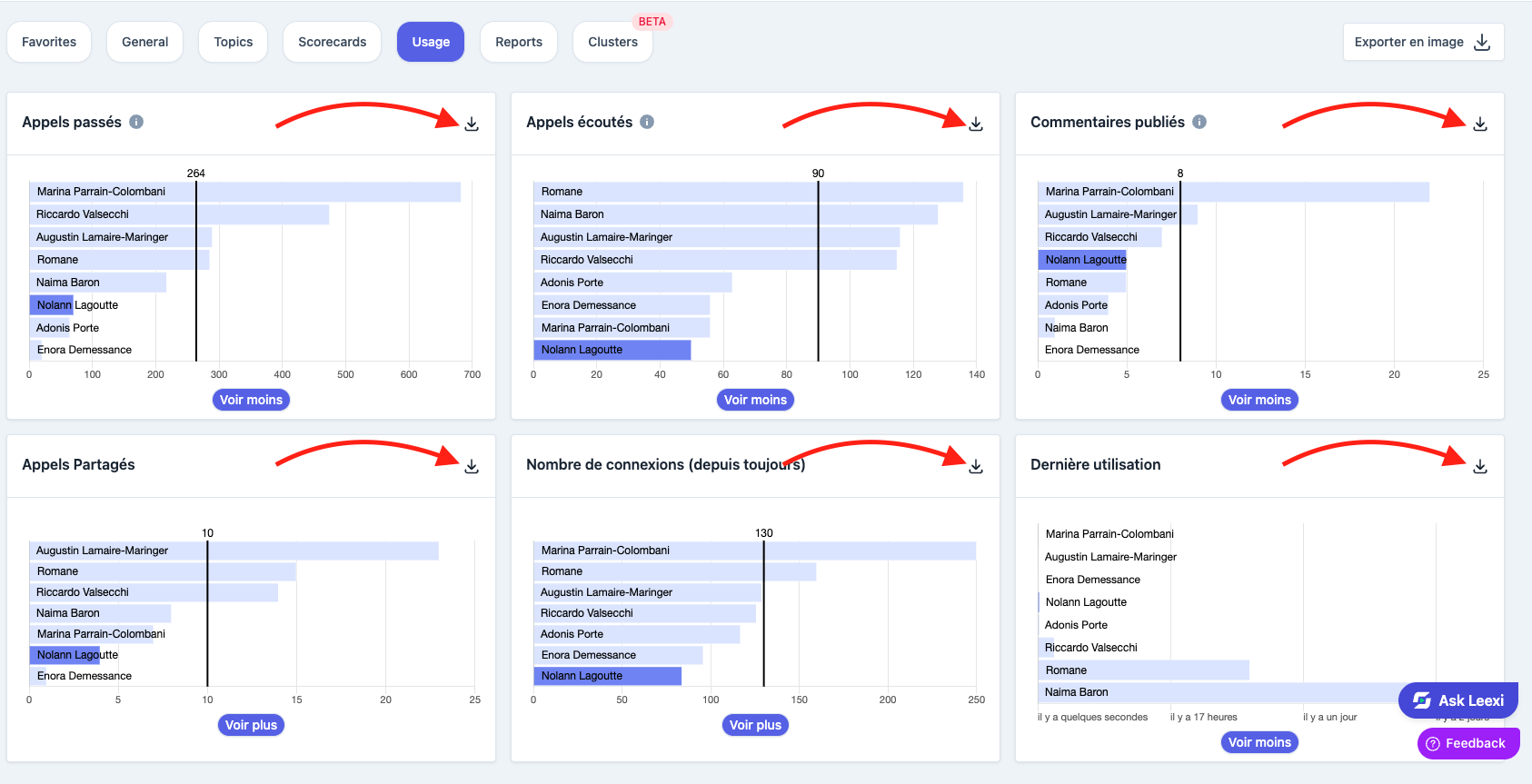
Use the available export options to share the findings with your teams.
Going further
- Usage analytics helps distinguish technical adoption from business adoption.
- It helps identify teams that need support.
- It complements Enterprise analytics without matching its full depth.
Frequently asked questions
The usage view can be more broadly accessible, while advanced analytics mainly complement the Enterprise plan.
Yes. You can download the entire page as a PNG via "Export as image", or export each section individually. A CSV export is also available per section.
Things to watch out for
- A usage measurement alone isn't enough to judge the quality of practices.
- Interpret the figures with the right team and plan context.
- Check the filtered scope before comparing two periods.
- Analysis periods aren't fully customizable: analysis is done over predefined ranges.