Enterprise
Topics
Structure reading themes to find, analyze, and compare calls along useful business dimensions.
Definition: Topics let you group calls around themes defined by your organization to improve reading, sorting, and analysis at scale.
Feature video
No video is available at this time.
| Who is this for? | Required permissions and licenses |
|---|---|
| • Teams who want to track recurring themes in their calls. • Managers who structure a cross-cutting reading by domain, objection, or business signal. | • Available on all licenses (Starter, AI Meeting, Business, Enterprise). • Creating and managing topics (adding, editing, deleting) is reserved for Super Administrators and System Administrators with access to customization settings. • Their exact availability depends on your product configuration and active modules. • Topics can be linked to teams depending on your organization. |
How to use it
Define useful themes
Identify the topics that genuinely serve your teams' steering, analysis, or search needs.
Create topics in settings
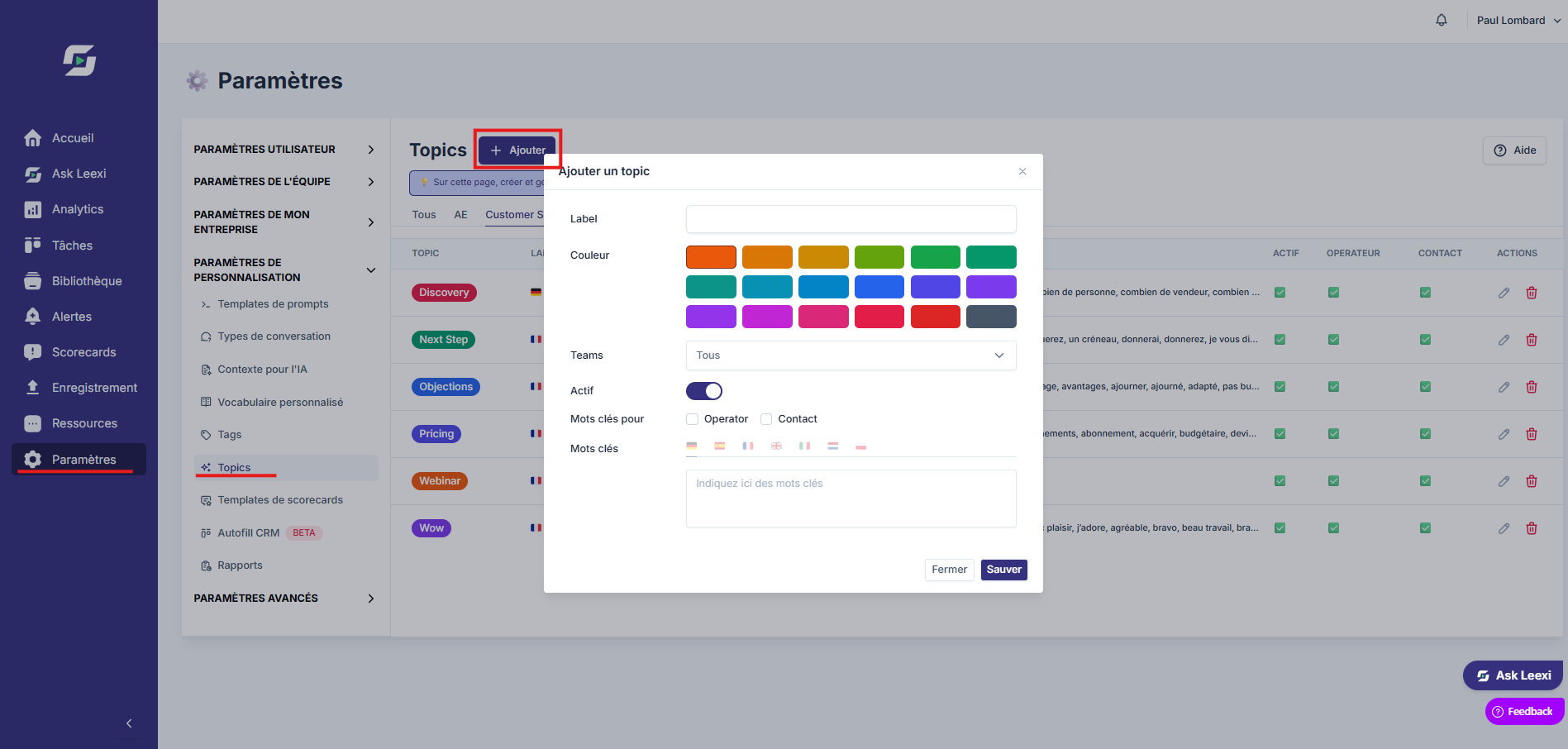
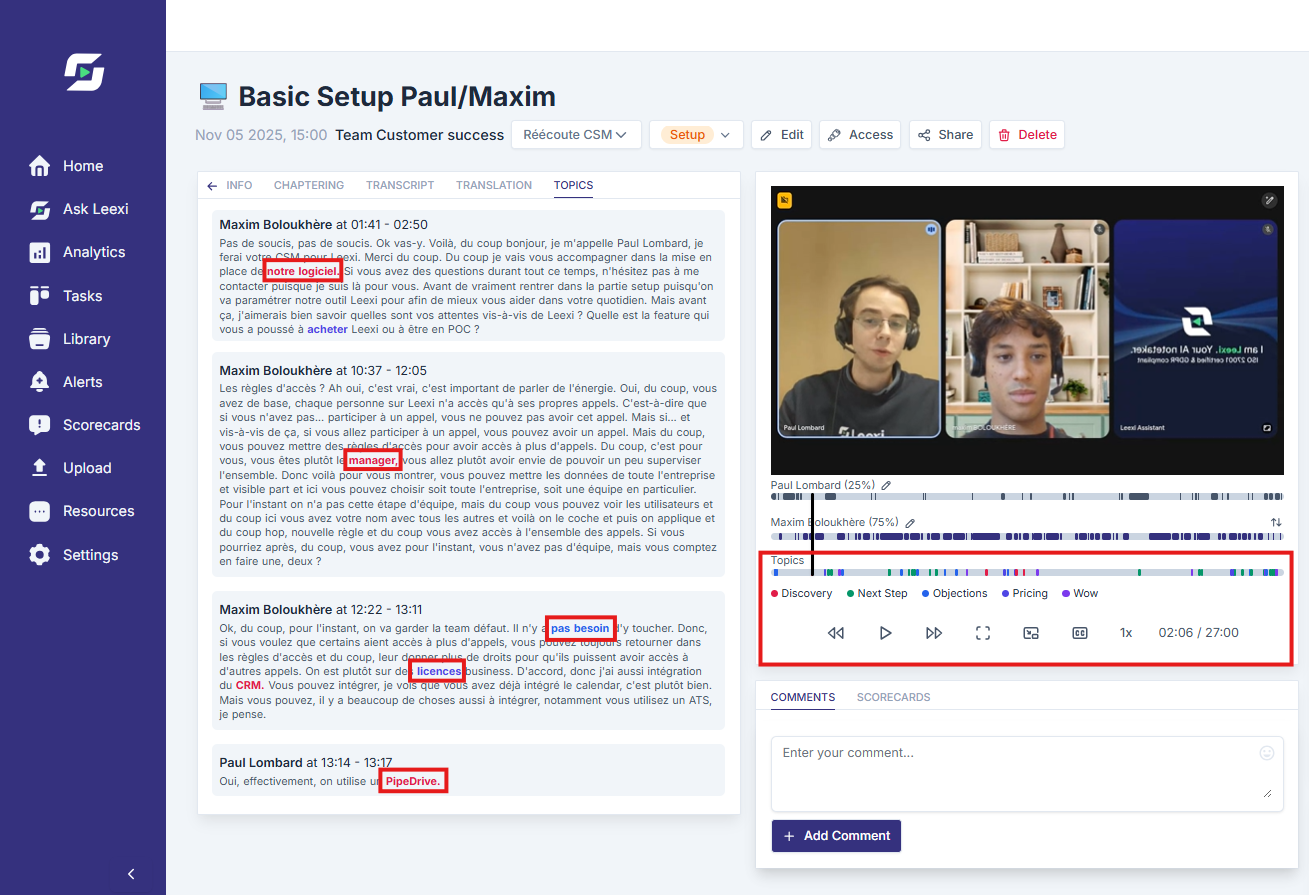
Go to Settings > Customization Settings > Topics, then click "+ Add". Name the topic and enter the associated keywords. When these keywords appear in a call's transcript, the topic is automatically detected and displayed under the call video.
Associate the right teams
Link topics to the relevant teams if your organization requires it.
Use topics in your views
Then use them in search, the library, or compatible analytics.
Going further
- Topics gain value when they stay few in number and well defined.
- They complement tags, without duplicating their more freeform logic.
- Good topic governance makes coaching, reporting, and cross-cutting analyses easier.
Frequently asked questions
No. A topic is a more durable and steered structure, based on keywords, while a tag is more freeform and assigned manually.
Yes, depending on how your Leexi workspace is configured.
Topics are detected automatically when their associated keywords appear in the meeting's text transcript.
Yes, a topic can contain several keywords to cover different expressions related to the same topic.
Yes, it is possible to use several topics in a filter to refine your search.
No, a topic must contain at least one keyword to be detected in transcripts.
Things to watch out for
- Too many topics make analysis confusing.
- Avoid themes that overlap too heavily.
- Review the list regularly to remove topics that are no longer useful.
- Topic detection relies on transcript accuracy. Transcript errors can lead to keywords not being detected.
- Adding and updating keywords must be done manually by an administrator, which can be time-consuming at large volumes.