Call page
Pause and resume
Suspend and then resume the capture of a meeting when a segment should not be recorded.
Definition: Pause and resume let you control capture during a meeting when all or part of the exchange should not be kept by Leexi.
Feature video
No video is available at the moment.
| Who is this for? | Required permissions and licenses |
|---|---|
| • Teams that need to protect certain sensitive moments during a meeting. • Users who want fine-grained control over recording. | • This feature is part of the AI Meeting usage and above. • Its use depends on the meeting context and the flow supported by the video conferencing platform. • No global administration role is required to use it in the meeting concerned. |
How to use it
Identify the sensitive moment
Identify the segment during which recording should be suspended.
Pause
Type /pause in the meeting chat. The assistant immediately stops recording the conversation. This command is available to all users/participants in a meeting where Leexi is present.
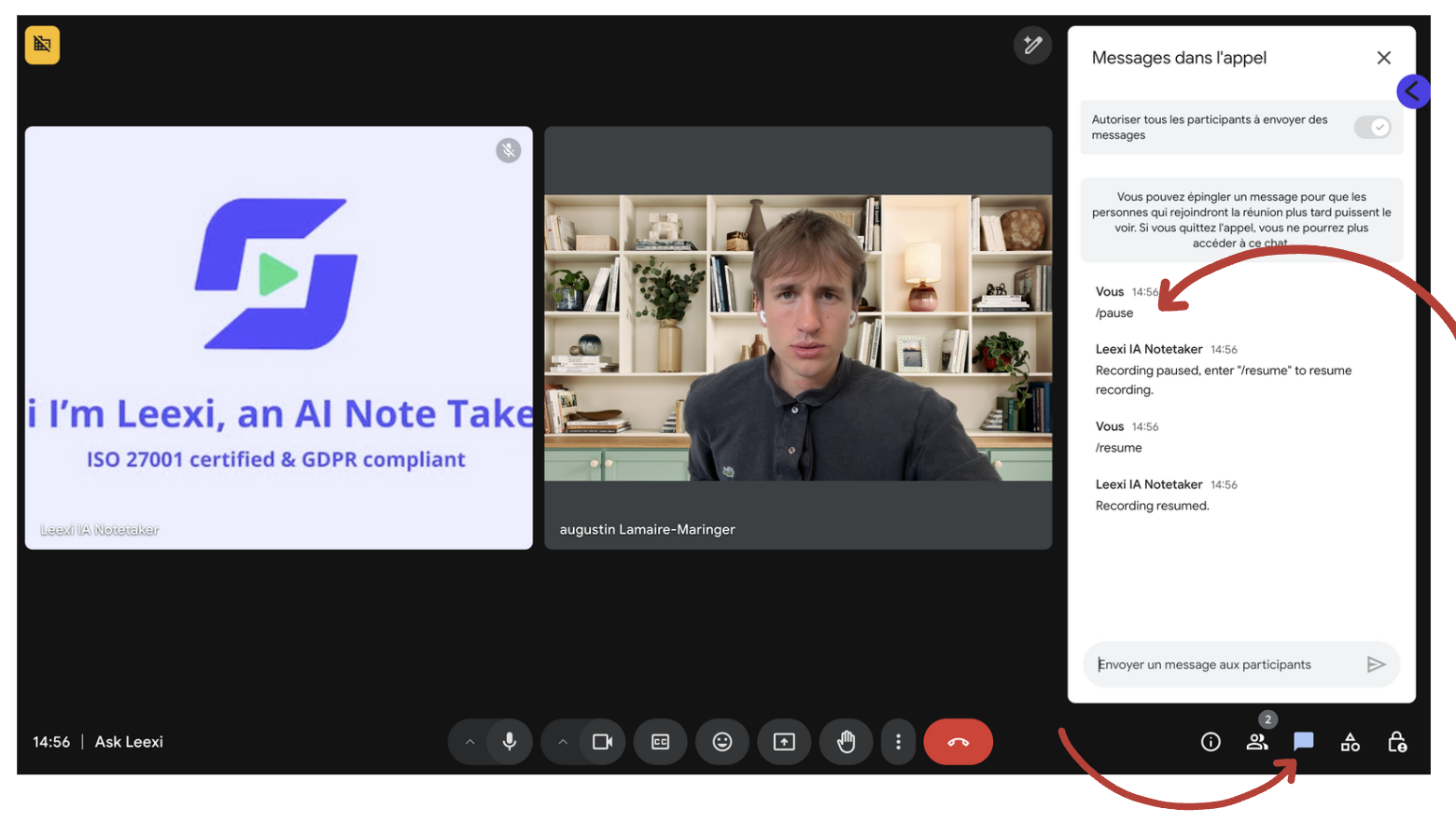
Resume recording
When the sensitive part is over, type /resume in the meeting chat. The assistant will start recording again from that moment.
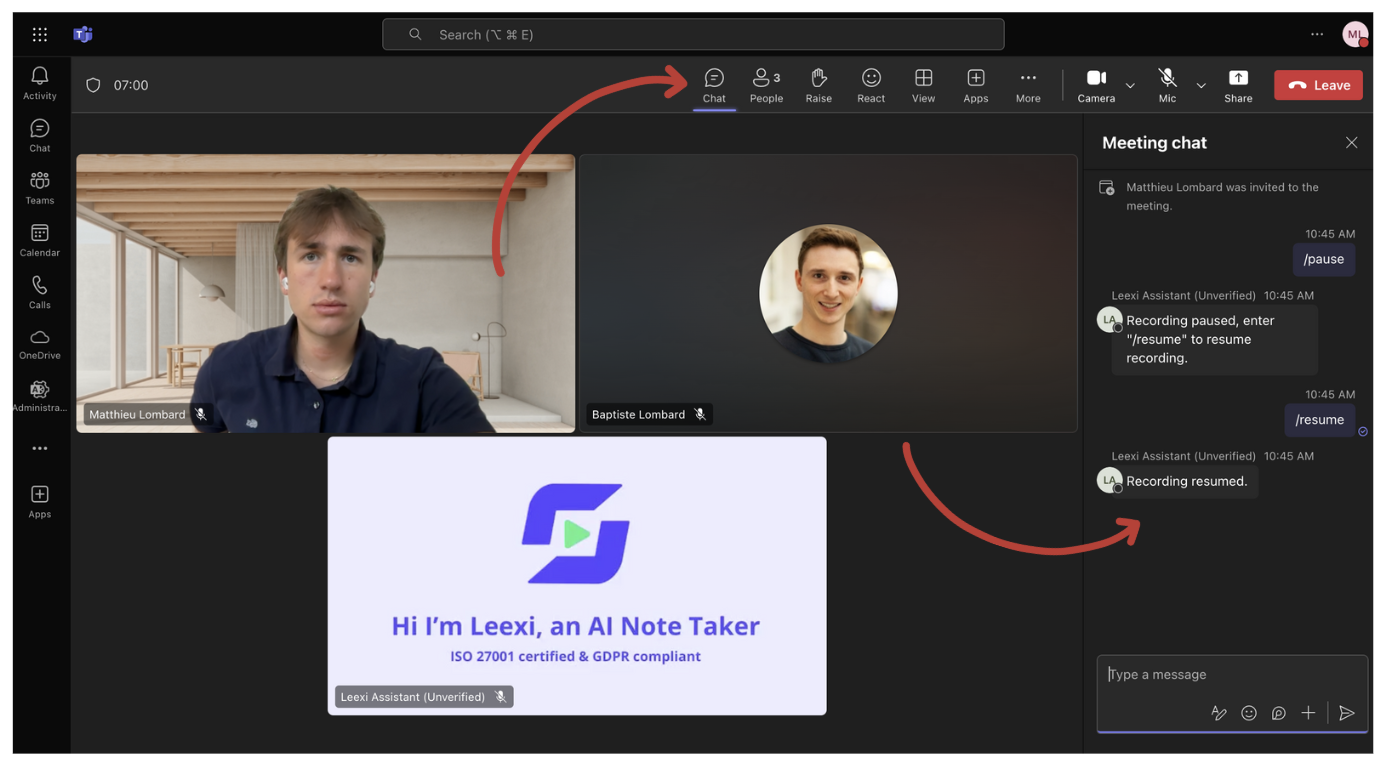
Check the result after the call
Check the call page to confirm that the capture matches your expectations.
Going further
- This feature is useful for sensitive HR, legal, or sales topics.
- It complements sharing and security options without replacing them.
- Its use should remain understood by all internal participants.
Frequently asked questions
For confidentiality: if certain parts of the discussion must remain private, you can pause the recording without having to remove the assistant from the meeting. This lets you keep the assistant present for other topics while protecting the confidentiality of certain information.
No. It suspends capture from the moment requested, without rewriting the history already recorded.
Yes, as long as the meeting flow allows it.
Things to watch out for
- A forgotten pause can leave a significant gap in the meeting.
- Check the actual effect after the call before sharing the content.
- Inform participants of how it works if the context requires it.